Releases: d2phap/ImageGlass
ImageGlass Kobe 8.7.10.26


👐🏿 Support ImageGlass Kobe on Microsoft Store!
This is the paid version, you will need to pay a small amount after 7-day trial. You will get the convenience of fast, easy installation onto all of your Windows devices along with fully automatic, behind-the-scenes updates with all the newest features, improvements, and fixes.
Alternatively, you can use the one-time donation from ♥ GitHub Sponsor, then drop me a message in ImageGlass Discord or email, and I will send the code shortly.

📝 Changelog:
🔮 Improvements:
- Updated Magick.NET to v12.2.0.
- Changed to use Magick.NET-Q16-HDRI-OpenMP (32 bits-per-pixel component) for the best image quality. This requires a bit more memory to load and process the image. You can download the x86 release of ImageGlass, which uses
Magick.NET-Q8for less memory consumption. - Allowed user to override the extension icons in
Exts-Iconfrom Config folder (similar toThemesfolder). - Added support for showing translators of the language pack in Settings > Language.
- Added support for auto-applying selected language pack in Settings window when clicking Apply button.
- Added support for using millisecond to set slideshow interval (#1155), thanks to @BenHUET.
- Updated the colon character in slideshow countdown (#1226).
- Added Exit option to the context menu (#1322, #1390), kudo to @BenHUET.
- Updated toolbar icon for Thumbnail bar (#1364).
- Re-enabled the ability to change extension icon for
.ICO(#1396).
🐛 Bugfixes:
- Fixed an issue when the Window Fit mode is enabled, zooming the image causes the window flickered badly (#1371), a big applause to @2480258.
🥒 Checksums:
| File | SHA-1 |
|---|---|
| ImageGlass_Kobe_8.7.10.26_x64.msi | 2DD25B7D859FD9192BDC1E34FC966C3BDA4A930E |
| ImageGlass_Kobe_8.7.10.26_x64.zip | 04362969E66F33867F5D7A3878CF3B52250CA4A5 |
| ImageGlass_Kobe_8.7.10.26_x86.msi | 9CABC6059A98FE0BF905A797A5C7625C808BDDCA |
| ImageGlass_Kobe_8.7.10.26_x86.zip | AE2003E45FF4513403BFBCC58ED45DDCD4F5365C |
🛣 ImageGlass 9.0 development updates
- Version 9.0 beta 1 was already released.
- Version 9.0 beta 2 was already released. Try it and let me know your feedback.
- Version 9.0 beta 3 is under development.
- From version 9.0, .NET 6 Runtime is required to run ImageGlass, you can download it at https://dotnet.microsoft.com/en-us/download/dotnet/6.0.
New Contributors
Full Changelog: 8.6.7.13...8.7.10.26
Contributors


Assets 6
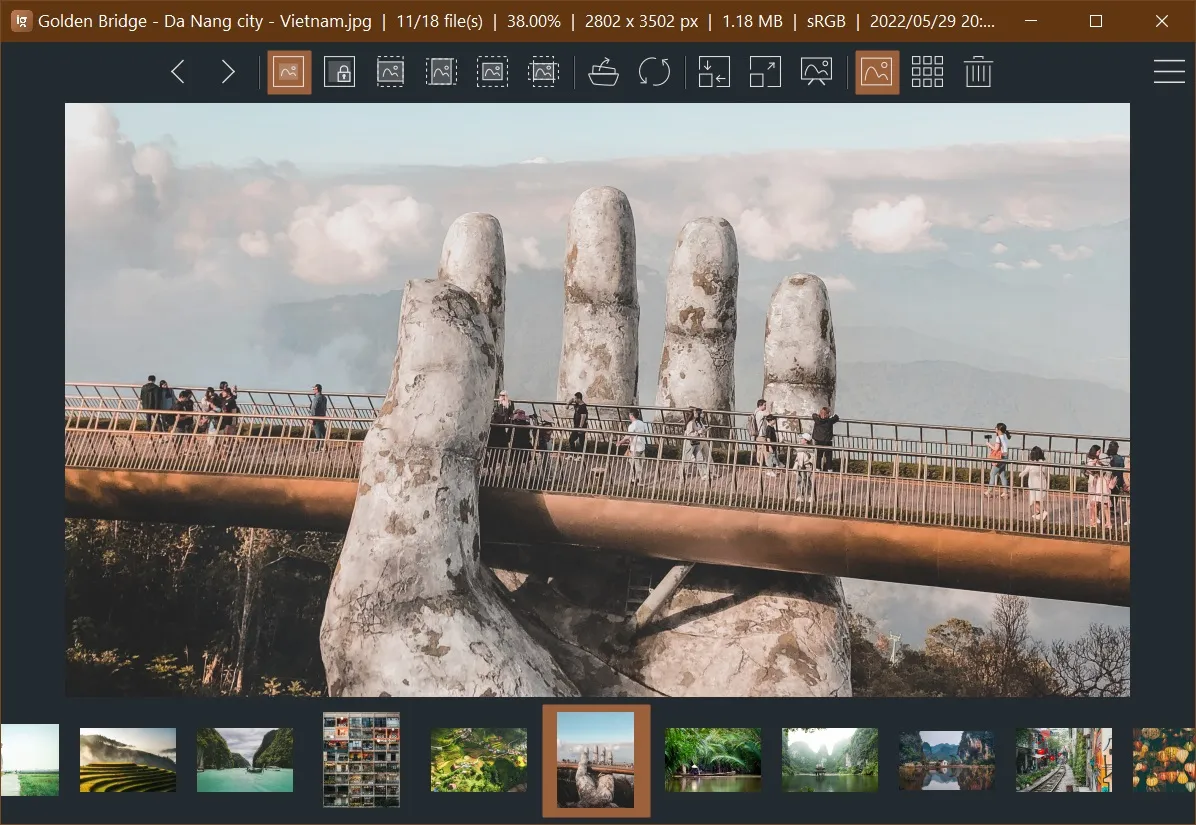
ImageGlass Moon 9.0 beta 2 🌒

⚠ Breaking changes
This is the beta-2 release of ImageGlass Kobe version 9. Many features of the version 8 are missing and there are a lot of breaking changes. All features and settings may be changed when the official version 9 is released.
To follow the progress of version 9 beta 3, please visit: https://github.com/d2phap/ImageGlass/projects/13.
You also can support this project by making a donation or purchasing the Microsoft Store version (version 8):

🎐 Minimum requirements
- .NET 6.0 Runtime.
- Windows 7 SP1 ESU 64 bit.
📝 Changelog:
ImageGlass 9.0 beta 2 is a continuation of the version 9.0 beta 1,
you should read the previous changelog here: https://github.com/d2phap/ImageGlass/releases/tag/9.0.1.514
Show / hide details
🟣 General changes
- Removed support for custom codec.
- Supports for seamless process privilege elevation:
- Introduces new classes for user actions that being used widely in the app:
SingleAction: contains a single action that can be chained. For example:- Click to enter Full screen mode and then set zoom to 200%.
- See more details in the "Toolbar component" section.
ToggleAction: containsToggleOnandToggleOffaction. Each of them is aSingleAction.ToggleOnandToggleOffare taken turn to call to switch on or off a feature. For example:- First double click to enter Full screen mode.
- If double click again, exit Full screen mode.
- See more details in the "ImageGlass.Views" section.
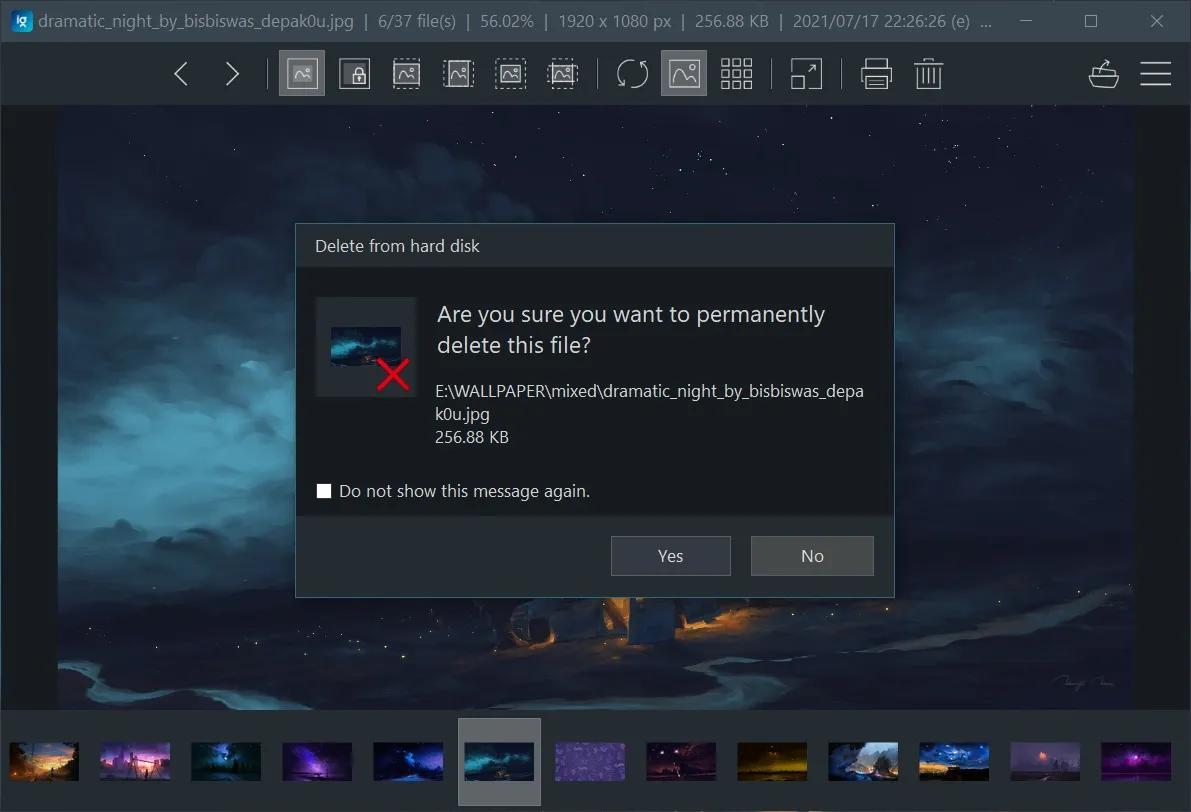
- Added theme-aware dialogs for:
- Save / Save as
- Rename
- Go to
- Custom zoom
- Move to Recycle bin / Delete
- ...
- All dialogs can be closed with ESC (#1324).
- Upgraded Magick.NET to version 12.1.0.
🟣 New viewer component: ImageGlass.Views
ImageGlass.Viewsis based on D2Phap.DXControl which supports both Direct2D and GDI+ graphics thanks to WicNet library.- Replaced
ImageGlass.PhotoBoxwithImageGlass.Views, supports Direct2D 1.3 features. - Supports GPU rendering for transparent formats: PNG,...
- Supports image interpolation modes:
- NearestNeighbor (default when zoom > 100)
- Linear (default when zoom <= 100)
- Cubic
- SampleLinear
- Antisotropic
- HighQualityBicubic
- Improves performance when the checkerboard is on.
- Supports heading for text in-app message.
- Reduces resource usage.
- Image focus mode is now only for panning using keyboard.
- Supports smooth zooming without enabling Image focus mode.
- Zooming with keyboard/ mouse is centered by cursor position (#381).
Added support for custom mouse actions:
Mouse click actions (#381, #648, #748, #909, #991, #1337): (see full example at #991 (comment))
- Setting name:
MouseClickActions. - Supports events:
- LeftClick
- LeftDoubleClick
- RightClick
- RightDoubleClick
- XButton1Click
- XButton1DoubleClick
- XButton2Click
- XButton2DoubleClick
- WheelClick
- WheelDoubleClick
- Action for mouse click is
ToggleActionwhich means you can configure on and off event separately. Each on and off action can be chained as well. - Example:
"MouseClickActions": {
  "LeftDoubleClick": {
    // first left click to enable full screen mode and set zoom factor to 50%
    "ToggleOn": {
      "Executable": "IG_ToggleFullScreen",
      "Argument": true,
      "NextAction": {
        "Executable": "IG_SetZoom",
        "Argument": 0.5,
      }
    },
    // second left click to exit full screen mode
    "ToggleOff": {
      "Executable": "IG_ToggleFullScreen",
      "Argument": false
    }
  }
},
Mouse wheel actions:
- Setting name:
MouseWheelActions. - Supports events:
- Scroll
- PressCtrlAndScroll
- PressShiftAndScroll
- PressAltAndScroll
- Actions for mouse wheel are pre-defined:
- DoNothing
- Zoom
- PanVertically
- PanHorizontally
- BrowseImages
- Example:
"MouseWheelActions": {
  "PressCtrlAndScroll": "BrowseImages",
  "PressShiftAndScroll": "PanHorizontally",
},
🟣 Thumbnails bar component
- Significantly improved the loading speed when opening big folder.
- Shows more image information on tooltip:

- Image name and dimension
- Full file path
- File size
- Date modified
- Frames count (if the viewing image contains more than 1 frame)
- Rating (if image contains rating)
- Use the Magick.NET library to read image metadata to fix the issue that the image dimension shows (0 x 0) in some image formats.
🟣 Toolbar component
OnClickis aSingleAction. So you can set a chain of actions to run.- Added support for custom icon path for field
ImageinToolbarItemsinigconfig.json. The path can be absolute or relative. - For example for the above changes:
"ToolbarItems": [
  {
    "Type": "Button",
    "Id": "btn_Flip",
    "Text": "Flip and save the image, then exit ImageGlass",
    "DisplayStyle": "Image",
    "Alignment": "Right",
    "Image": "%systemroot%\\system32\\my_custom_icon.svg",
    "OnClick": {
      "Executable": "MnuFlipHorizontal",
      "Argument": "",
      "NextAction": {
        "Executable": "IG_Save",
        "NextAction": {
          "Executable": "IG_Exit",
        }
      }
    }
  }
]
🟣 Image Booster component
🟣 New features
- Rename
- Delete
- Move to Recycle bin
- Delete / Recycle bin confirmation
- Option to update the warning setting in the confirmation dialog.
- Go to file
- Custom zoom
- Flip horizontal / vertical
- Set as desktop background
- Set as Lock screen image (Windows 10+)
- Share (Windows 10+)
- View image channels
- Save
- Save as
- Auto-process image color, rotation,...
- Supports reading multi-frame format, saving to GIF (#1058)
- Supports custom quality for JPEG.
- Save / Save as override confirmation (#1074)
- Option to update the override warning setting in the confirmation dialog.
- Copy & paste image with transparency support (#1305).
- Support Clipboard image (#584)
- Flip horizontal / vertical
- Save as
- Set as Desktop background
- Set as Lock screen image
- Share
- Open with
- Re-copy
- Full screen mode (#1403):
🥒 Checksums:
| File | SHA-1 |
|---|---|
| ImageGlass_Moon_9.0.2.904_Beta-2_x64.zip | 0488E3B86564CE1BA8725354C56F1B991604E374 |
ImageGlass Kobe 8.6.7.13

♨ Updates
- Updated the
ImageGlass_Kobe_8.6.7.13_x64.msito fix #1365, the old one is marked 'deleted'.
👐🏿 Support ImageGlass Kobe on Microsoft Store!
This is the paid version, you will need to pay a small amount after 7-day trial. You will get the convenience of fast, easy installation onto all of your Windows devices along with fully automatic, behind-the-scenes updates with all the newest features, improvements, and fixes.
Alternatively, you can use the one-time donation from ♥ GitHub Sponsor, then drop me a message in ImageGlass Discord or email, and I will send the code shortly.
📝 Changelog:
This is a hotfix for ImageGlass 8.6.6.6.
🔮 Improvements:
- Updated Magick.NET to v11.2.0.
- Reverted the app folder back to
ImageGlass(instead ofImageGlass Kobe) (#1352). - Add a non-UI setting
AutoFocusToolbarOnHoverto fix an issue when the window in inactive, user need to click twice for the toolbar buttons, kudo to @Sxderp (#1202).
🐛 Bugfixes:
- Fixed an issue that the MSI 64-bit installer threw the error "Could not write value..." when user chose the option Only Current User (#1355).
- Fixed an issue that the app could not load image due to missing
vcomp140.dllfile from Magick.NET library (#1354). - Fixed an issue that the
igcmd.exewas crashed and shown every time user launches the app (https://github.com/ImageGlass/Spider/issues/4) - Fixed an issue that Left/Right keyboard control keeps losing focus causes by
AutoFocusToolbarOnHoversetting inigconfig.xmlis enabled by default.
🥒 Checksums:
| File | SHA-1 |
|---|---|
| ImageGlass_Kobe_8.6.7.13_x64.msi | 67B8CBF7BE8C6E42529EBCC6667D6C250B94D50D |
| ImageGlass_Kobe_8.6.7.13_x64.zip | C91701A57115F74E35F32017D68D1A1CAB785302 |
| ImageGlass_Kobe_8.6.7.13_x86.msi | 0BC6F420C3409442247741DC61DD5D3351FED15A |
| ImageGlass_Kobe_8.6.7.13_x86.zip | 9BEAFBDF4499325FC2A8D7CCE56D7FD423BACA3C |
🛣 ImageGlass 9.0 development updates
- Version 9.0 beta 1 was already released. Try it and let me know your feedback.
- Version 9.0 beta 2 is under development.
- Since version 9.0, .NET 6 Runtime is required to run ImageGlass, you can download it at https://dotnet.microsoft.com/en-us/download/dotnet/6.0.
Contributors

Assets 7
ImageGlass Moon 9.0 beta 1 🌑

♨ Updates
- Build v9.0.1.518: Fixed an issue where the app cannot find Codecs folder.
- Build v9.0.1.515: Fixed an issue where the app cannot write
igconfig.jsonfile in the startup folder.
⚠ Breaking changes
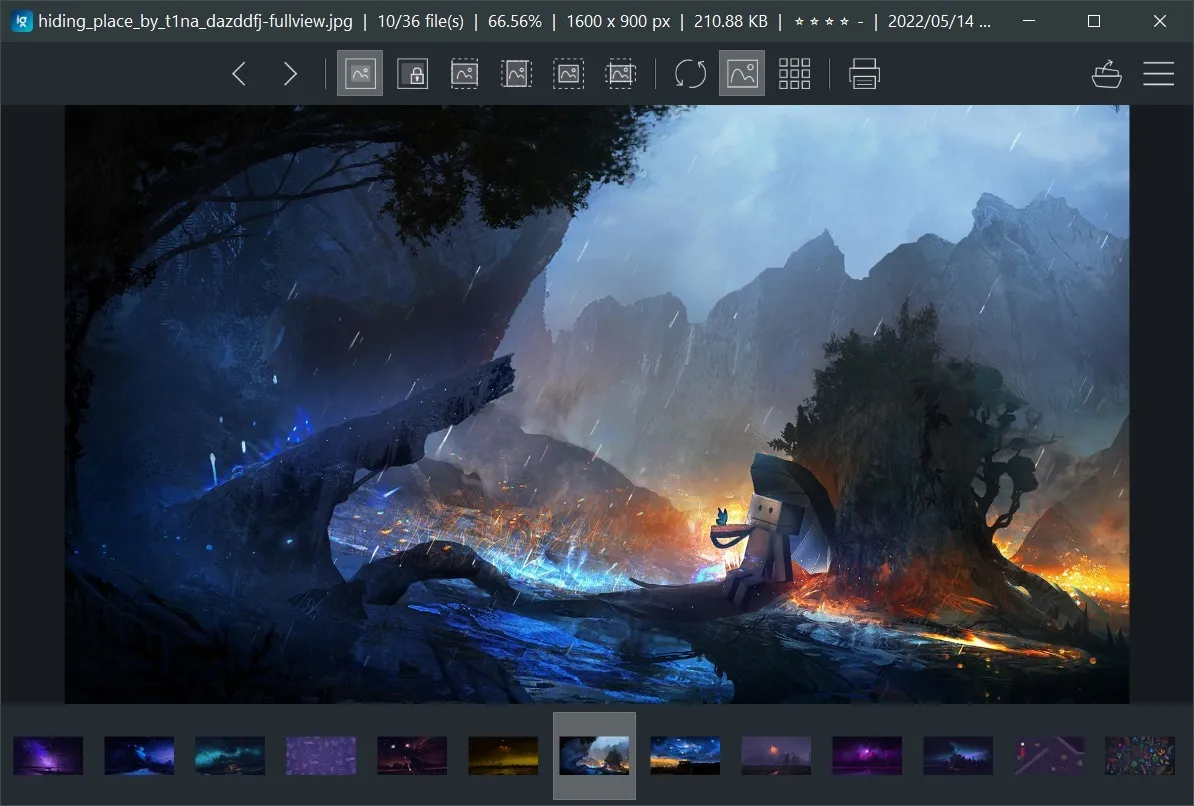
This is the first beta release of ImageGlass Kobe version 9, rewritten from scratch. Many features of the version 8 are missing and there are a lot of breaking changes. All features and settings may be changed when the official version 9 is released.
💀 If you want to try this bleeding edge release, use it at your own risk!
To follow the progress of version 9 beta 2, please follow: https://github.com/d2phap/ImageGlass/projects/12.
You also can support this project by making a donation or purchasing the Microsoft Store version (version 8):
🎐 Minimum requirements
- .NET 6.0 Runtime.
- Windows 7 SP1 ESU 64 bit.
📝 Changelog:
Show / hide details
🟣 General changes
- Changed format of config, theme, and language from XML to JSON:
igconfig.json,igtheme.json,<language name>.iglang.json. - Supports hardware acceleration for non-alpha, non-animating image formats (#272).
- Adds Image Focus mode for better panning and zooming the viewing image.
- Supports hotkey customization for menus, and Image Focus mode (#608).
- Supports more flexible customization for toolbar buttons and positions.
- Supports smooth scrolling and displaying tooltip for thumbnails.
- Adds ability to choose which image information tags to display on title bar (#971).
- Adds more options in theme pack.
- Supports FITS, XV, VIFF, MJPEG and animating WEBP format (#508).
- The server for Check for update feature is changed to https://github.com/ImageGlass/config.
Supports 3 levels of setting:igconfig.json,igconfig.default.json,igconfig.admin.json - Supports passing individual settings to
ImageGlass.exethrough command line (#669).
The setting must start with a hyphen-, and setting value comes after equal character=. For example:# hide the toolbar and set background color to red ImageGlass.exe -ShowToolbar=false -BackgroundColor=#ff0000
- Supports customizing the image information on title bar through the setting
InfoItems(#971), supports displaying EXIF Rating. - Upgraded Magick.NET to v11.1.2.
- Fixed: when single instance enabled, window always stayed behind when passing a file (#620).
- Uses the new API to save the window position:
WindowPlacement. This works better with multi-screens. - Changes registry keys for Set as default photo viewer from
...\PhapSoftware\ImageGlass\...to...\ImageGlass<code>\..., whilecodeis eitherKobe,Spider, orMoon. This is ImageGlass Moon release, so the key is...\ImageGlassMoon\....
🟣 New viewer component: ImageGlass.PhotoBox
- Supports hardware acceleration to improve image interaction performance (#272).
- Navigation arrow buttons are improved with better look and interaction behaviors (#1224).
- Supports showing better text message.
- Supports Image focus mode for smooth zooming and panning (#272, #522).
- Able to change zooming/panning speed.
- Supports customize keyboard for Image focus mode through the setting
ImageFocusModeHotkeys(#608). Default values:"ImageFocusModeHotkeys": { "InternalPanningLeftKeys": "Left", "InternalPanningRightKeys": "Right", "InternalPanningUpKeys": "Up", "InternalPanningDownKeys": "Down", "InternalZoomInKeys": "-", "InternalZoomOutKeys": "+" }
🟣 Toolbar component
- Supports fully customizable toolbar buttons through the setting
ToolbarItems: []. For example:"ToolbarItems": [ { "Type": "Button", // "Button" or "Separator" "Id": "btn_Thumbnail", // Id must be unique "Text": "Thumbnail bar", // Tooltip text for the button "DisplayStyle": "Image", // Style of button: "Image" or "ImageAndText" "CheckableConfigBinding": "ShowThumbnails", // Bind the setting name for auto-check on click "Alignment": "Left", // Alignment group: "Left" or "Right" "Image": "ThumbnailBar", // Predefined image key in theme pack "OnClick": { "Executable": "MnuToggleThumbnails", // Can be the name of menu, name of function in FrmMain.IGMethods.cs, or path of executable file. "Argument": "" // argument for function in FrmMain.IGMethods; or command arguments for executable file. } }, ]
- Built-in methods (start with
IG_): https://github.com/d2phap/ImageGlass/blob/9.0.1.514/v9/ImageGlass/FrmMain/FrmMain.IGMethods.cs - Setting names (Config.cs): https://github.com/d2phap/ImageGlass/blob/9.0.1.514/v9/Components/ImageGlass.Settings/Config.cs
- Menu names (start with
Mnu): https://github.com/d2phap/ImageGlass/blob/9.0.1.514/v9/ImageGlass/FrmMain.Designer.cs#L1203-L1311
- Built-in methods (start with
- Able to add new buttons with custom actions: Use menu item's action; predefined methods; or a custom command
- Supports 2 position groups: Left/Center group, Right group
- Adds more properties for theming
- Improves toolbar overflow panel (#541)
🟣 Thumbnails component
- Adds option to show filename under the thumbnail (#539)
- Supports item tooltip
- Supports dark mode for scrollbar
- Supports persistent disk cache, maximum 100 MB by default (#1292)
- Supports dragging thumbnail to other app (#990)
- Improves scrolling performance by mouse wheel, trackpad.
🟣 Image Booster component
- Supports cancelling loading the previous images on fast navigating (#1025, #1107)
- Supports custom codecs. Currently, only contains Magick.NET codec
🟣 Menu component
- Supports custom keyboard shortcut through the setting
MenuHotkeys(#608). For example:"MenuHotkeys": { "MnuAbout": "Ctrl+Shift+Alt+A", "MnuCopyPath": "F1", "MnuOpenFile": "O" }
- Removes the ugly top-left lines (#1218)
🟣 Supported features
- File > Open file..
- File > Open width...
- File > Print...
- File > Refresh / Reload / Reload image list
- Navigation > View next / previous image
- Navigation > View the first / last image
- Zoom > Zoom in / out / view actual size
- Zoom > all 6 zoom modes from version 8:
- Auto zoom,
- Lock zoom,
- Scale to width,
- Scale to height,
- Scale to fit,
- Scale to fill.
- Image > Image focus mode (new)
- Image > Loading orders
- Image > Open image location
- Image > View image properties
- Clipboard> Copy / Cut multiple image files
- Clipboard > Copy image pixel data
- Clipboard > Copy image path
- Layout: All menu features from version 8: Toggle toolbar, thumbnail bar, checkerboard background, set window always on top
- Help > Set as default photo viewer (new)
- Help > Unset default photo viewer (new)
- And other features...
🟣 Limitations
- Changing settings in runtime is not supported yet. If you want to change settings, you can do it using
igconfig.jsonbefore the app runs. - Supporting for animating WEBP format is not native yet, ImageGlass converts WEBP to GIF to play the animation.
- Hardware acceleration is not supported for those images that contain alpha pixels (transparent) and larger than 16,380 pixel width and height.
🥒 Checksums:
| File | SHA-1 |
|---|---|
| ImageGlass_Moon_9.0.1.518_Beta-1_x64.zip | BF9F2BD48989BDA7E7700BA5A0D495EDCE83F257 |
ImageGlass Kobe 8.6.6.6

Update & known issues:
- 64-bit MSI installer could not write registry key if "Only for me" option is selected: #1351 (comment)
- The app's code name is changed to
ImageGlass Kobe(the installed path asC:\Program Files\ImageGlass Kobe\), it may break your automation flow (#1353).
👐🏿 Support ImageGlass Kobe on Microsoft Store!
This is the paid version, you will need to pay a small amount after 7-day trial. If you buy ImageGlass in the Microsoft Store, you'll be supporting its development directly. You will get the convenience of fast, easy installation onto all of your Windows devices along with fully automatic, behind-the-scenes updates with all the newest features, improvements, and fixes.
📝 Changelog:
🌱 New:
- Added support for WEBP animated format (#508), FITS, MJPEG, VIFF, VX.
- Added a new feature on Windows 10 or later: Share (S).
- Added new settings for vertical / horizontal panning speed in Settings > Image > Panning, kudo to @siblount (#1179).
- Added a setting for automatically displaying new image in folder in Settings > Image > Image loading (#1348).
- Changed the URL for Update service: Since v8.6, when checking for an update, ImageGlass connects to https://imageglass.org/url/update instead of https://imageglass.org/checkforupdate.
🔮 Improvements:
- Updated Magick.NET to v11.1.2.
- Color management: Add option
Use current monitor profileto auto-select the current monitor profile in Settings > Image > Color management (#781). If the monitor does not have a profile,sRGBwill be used. - Added support for auto-resizing the windows in Frameless mode when user zoom the viewing image, kudo to @SylwesterZarebski (#822).
- Added support for copy & paste image with transparency (#1305).
- Removed the ugly top and left border of the menu dropdown on Windows 10 (#1218).
- Improved edit feature: try to find and use MS Paint as the default editing app on Windows 11 (#1307).
- Updated the text for clearer explanation in Settings > General > Others (#1325):
- Start with OS to improve startup speed.
- Continue running in the background when the app is closed.
🐛 Bugfixes:
- Fixed an issue that the app window does not activate when opening an image from Explorer in single instance mode (#620).
- Fixed an issue when the window in inactive, user need to click twice for the toolbar buttons, kudo to @Sxderp (#1202).
- Fixed an issue when printing the viewing image crashes the app if the Temp folder is not found (#1343).
- Fixed an issue when the 32-bit MSI installer has wrong default installation directory and creates unnecessary folder (#1265).
🥒 Checksums:
| File | SHA-1 |
|---|---|
| ImageGlass_Kobe_8.6.6.6_x64.msi | B6CE0AC63E56C8FA4E995C926D60181A01D2F6C6 |
| ImageGlass_Kobe_8.6.6.6_x64.zip | 8EE32EC15D2135E3A69BA4916D01908BC450CCE5 |
| ImageGlass_Kobe_8.6.6.6_x86.msi | 84C513F1C311B8314DC26CF6832D98AB4B05F441 |
| ImageGlass_Kobe_8.6.6.6_x86.zip | 2299838ABDB05411C2F231B429AF61E2C0135537 |
🛣 ImageGlass 9.0 development updates
- Version 9.0 beta 1 was already released. Try it and let me know your feedback.
- Version 9.0 beta 2 is under development.
- Since version 9.0, .NET 6 Runtime is required to run ImageGlass, you can download it at https://dotnet.microsoft.com/en-us/download/dotnet/6.0.
Contributors


Assets 6
ImageGlass Kobe 8.5.1.22

👐🏿 Support ImageGlass on Microsoft Store!
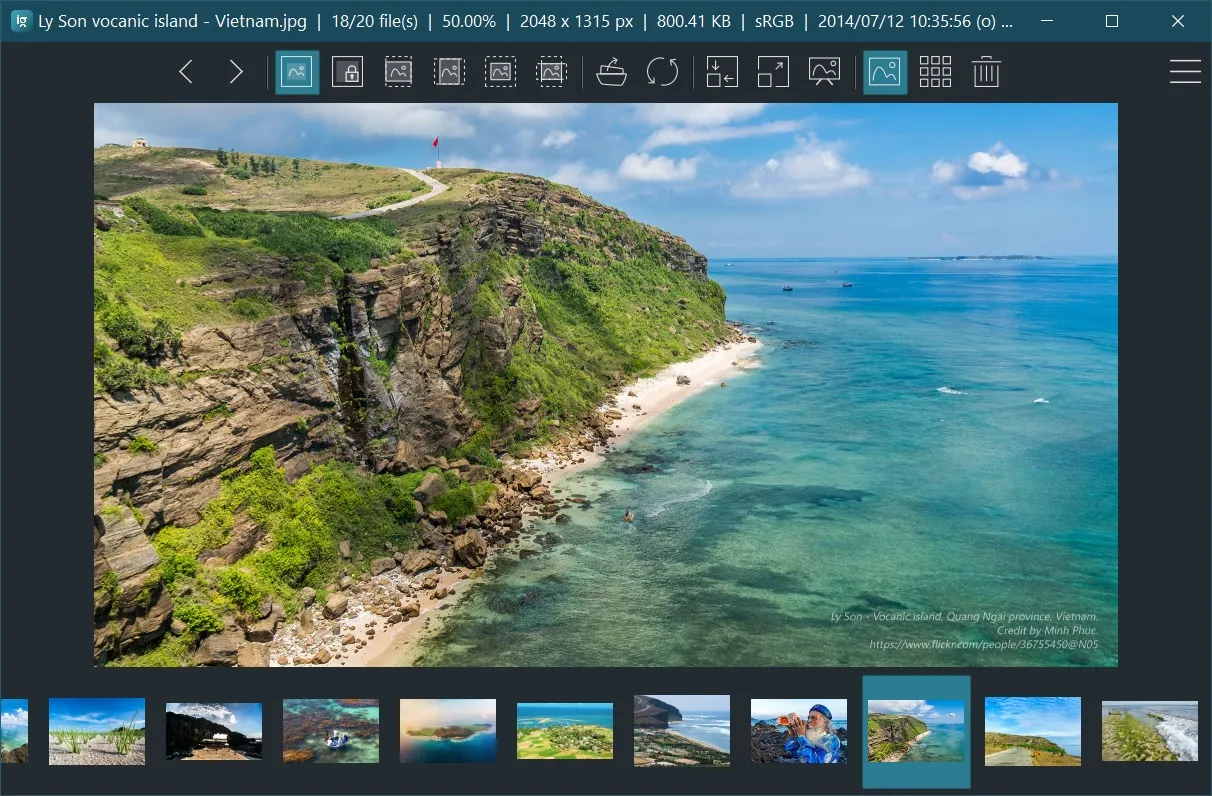
This is the paid version, you will need to pay a small amount after 7-day trial. If you buy ImageGlass in the Microsoft Store, you'll be supporting its development directly. You will get the convenience of fast, easy installation onto all of your Windows devices along with fully automatic, behind-the-scenes updates with all the newest features, improvements, and fixes.
📝 Changelog:
🌱 New:
- Added support for
QOIimage format. - Added an option to play sound when a number of images change (#1199), thanks to @AutomationBoi.
- Added new shortcut to close ImageGlass: Ctrl+W (#1172).
- Added an option: "Continue running background when the app is closed" to minimize the app window to system tray menu when user closes ImageGlass (#1196). To truly exit the app, right-click on ImageGlass tray icon, select Exit; or use Main menu > Exit (Shift+ESC).
- Added an option: "Start with OS" to auto-run ImageGlass when Windows starts and stay in system tray (#1205).
🔮 Improvements:
- Improved software security, all binary files are now signed (#97).
- Updated Magick.NET to 8.6.1.
- Added extensions icons for JXL, HEIF, CR3, AVIF, B64, QOI (#1183).
🐛 Bugfixes:
- Fixed an issue that the viewing image disappears when changing color channels (#1175).
- Fixed an issue that when editing image from the clipboard, ImageGlass ignores the editing app from Settings > Edit, always uses MS Paint (#1139).
- On Windows 11, fixed an issue that the default editing function throws error because of the changes of Windows associated programs (#1160). ImageGlass is now using MS Paint to edit by default on Windows 11.
- Fixed several issues that the image is corrupted while being saved when users navigate to other images or close the app by disabling the UI when the app is busy (#566, #1097, #1120, #1134).
- Fixed an issue that ImageGlass shows confusing error message when clicking on Unregister extensions button (#1174).
🥒 Checksums:
| File | SHA-1 |
|---|---|
| ImageGlass_8.5.1.22_x64.msi | 988efe9ec3db11f769240fe7b118b08ee859e973 |
| ImageGlass_8.5.1.22_x64.deleted.msi | 6062fa31452e5b359b2d3893a6ae350d4a4c7fe8 |
| ImageGlass_8.5.1.22_x64.zip | a04de0d9a833c562e2871a1834dabc204d1c76ca |
| ImageGlass_8.5.1.22_x86.msi | be49f886f8f81796bba872e8f0a10fd599f31b09 |
| ImageGlass_8.5.1.22_x86.zip | 3c9a00bc5c169251021d942f578987d606a43110 |
Update:
- Updated the
ImageGlass_8.5.1.22_x64.msito fix #1260, the old one is markeddeleted.
🛣 Roadmap for ImageGlass 9
We are planning to migrate ImageGlass to .NET 6 from version 9 which is scheduled some time in 2022.
If you are unable to install .NET 6, you can stay with ImageGlass 8.
Contributors

Assets 7
ImageGlass Kobe 8.3.11.21
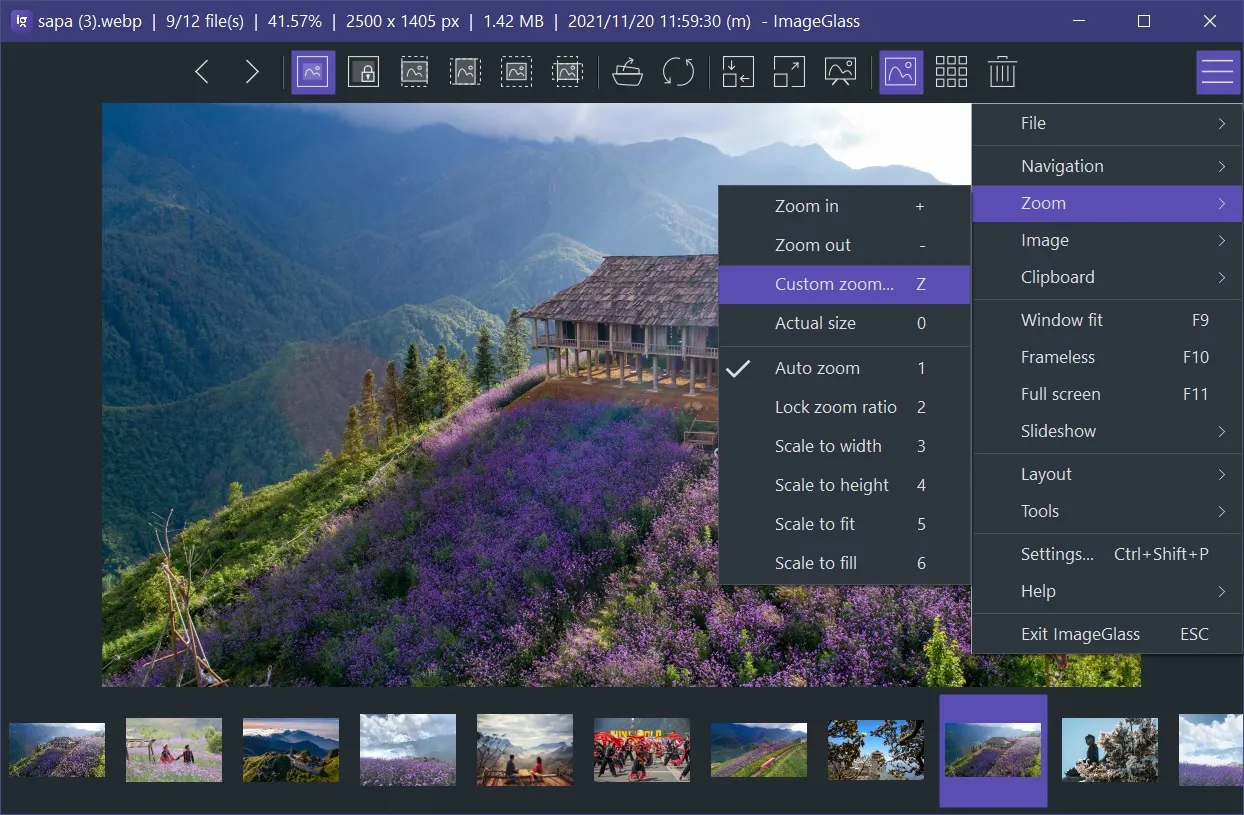

ImageGlass comes to Microsoft Store!
This is the paid version, you will need to pay a small amount after 7-day trial.
If you buy ImageGlass in the Microsoft Store, you'll be supporting its development directly. You will get the convenience of fast, easy installation onto all of your Windows devices along with fully automatic, behind-the-scenes updates with all the newest features, improvements, and fixes. 😊
🌱 New:
- Updated UI for Windows 11 (#1099, #1147)
- Added "Custom zoom..." feature Z
- Added Ascending and descending loading options in the main menu / context menu (#1101)
- Added support for multipage printing for
.FAXformat (#1091) - Added options in Settings > Image > Full screen to hide the toolbar and thumbnail bar in Full screen mode (#551, #621, #936, #1035)
🔮 Improvements:
- Updated Magick.NET to 8.4.0
- Changed keyboard shortcut of main menu from ` to Alt+F (#1159)
- Set keyboard shortcut for "Keep window always on top" to ` (#970, #1161)
- Set keyboard shortcut for Copy image path to Ctrl+L (#608)
- Improved multipage formats auto-detection (#1113)
- Improved color management for multipage formats (#906)
- Supported accent color in theme pack for toolbar and thumbnail bar (#218, #1121)
- Added an icon for
.HEICextension (#1076) - Added an option "Use embedded thumbnail for RAW formats" in Settings > Image > Image loading (#682, #495)
🐛 Bugfixes:
- Fixed an issue that the image opened from clipboard doesn't apply zoom mode (#583)
- Fixed an issue that "Save as.." across network throws unhandled exception (#1055), thanks to @fire-eggs
- Fixed an issue that the "Save" and "Save as..." of a pasted image from clipboard results in dialog error (#1075), thanks to @fire-eggs
- Fixed some resouce leaks (#1087)
- Fixed an issue that
.TIFfiles display a pink tint after rotating (#874) - Fixed an issue that opening duplicated folders when rooted in user directory (#1151), thanks to @dixonte
🧪 Experiment settings (no UI):
- Added new setting:
SinglePageFormatswhich contains a list of extensions to forcefully read the formats as single-page (for better loading speed). Default value:*.psd;*.heif;*.heic;*.webp;(#1157)
🥒 Checksums:
| File | SHA-1 |
|---|---|
| ImageGlass_8.3.11.21_x64.msi | ac9530fca39d89906941cd11ee166daf0d8d7648 |
| ImageGlass_8.3.11.21_x64.zip | 2d149661e7dd5928267c3a0d19be383084b478ed |
| ImageGlass_8.3.11.21_x86.msi | 6e376586e7638df74d62755a4a2e613ba60a17eb |
| ImageGlass_8.3.11.21_x86.zip | caa954d42b0b74dcf7025130b97f607eb51f2909 |
🛣 Roadmap for ImageGlass 9
We are planning to migrate ImageGlass to .NET 6 from version 9 which is scheduled some time in 2022.
If you are unable to install .NET 6, you can stay with ImageGlass 8.
Contributors


Assets 6
ImageGlass 8.2.6.6 - June
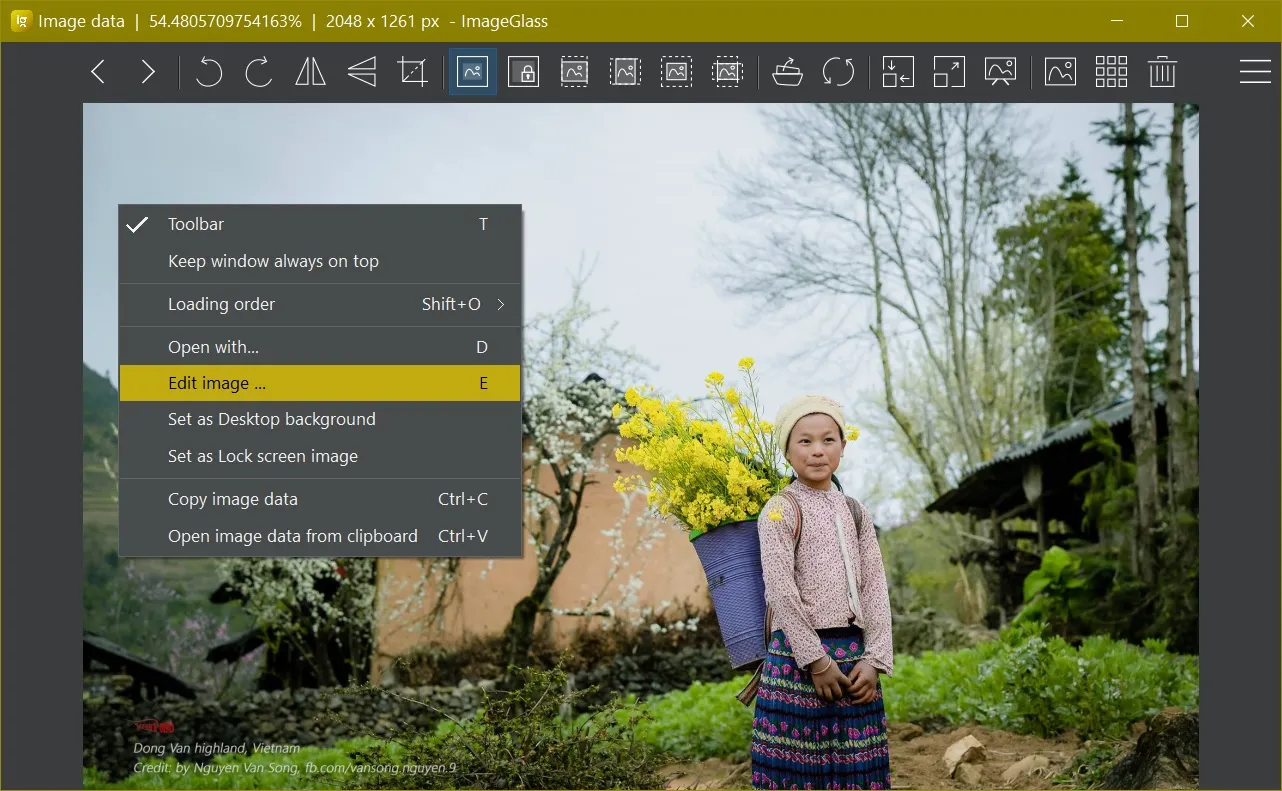

🍹 Join in ImageGlass official Discord server here: http://discord.io/imageglass
📢 Note:
- This is a hot fix for v8.2.5.16
- For full changelogs of v8.2, refer to https://github.com/d2phap/ImageGlass/releases/tag/8.2.5.16
🐛 Bugfix:
- Fixed an issue when edit the viewing image by default app does not work.
🥒 Checksums:
| File | SHA-1 |
|---|---|
| ImageGlass_8.2.6.6_x64.msi | 15fed676bce43befe21bcb8141409a356a87f1da |
| ImageGlass_8.2.6.6_x64.zip | e06c8e33db158b9b2d5ef67f9dcf89388f201cc3 |
| ImageGlass_8.2.6.6_x86.msi | d28a36b77e0b056bed541a4610ca497cb20d0186 |
| ImageGlass_8.2.6.6_x86.zip | 3cdcfec64304a16bada10ea849aba5e10b4a5fcc |
ImageGlass 8.2.5.16 - June

🌱 New:
- ImageGlass official Discord server: http://discord.io/imageglass 🍹
- Editing app: (#945)
- Added support for
*.lnkextension, environment variables (relative paths). You can use command for App path, e.g.cmd,cmd.exe,imageglass, ... - Added support for selecting multiple extensions to edit.
- Added support for
- Added support for auto-selecting the largest frame of ICO files (#994).
🔮 Improvements:
- Updated Magick.NET to 7.24.0.0
- Added color management for WebP and AVIF images (#1022), kudo to @datasone.
- Added support for printing all pages of TIFF file (#1031).
- Set minimum size of window in Window Fit mode (#814).
🐛 Bugfixes:
- Fixed an issue that cannot convert from WEBP to PNG (#1021).
- Fixed an issue where "Reached first image" state stops animated GIF from playing (#1020), thanks to @fire-eggs.
- Fixed an issue that opening an image pops up the message "Reached the first image" and only shows a blank screen until you go prev/next (#1019), thanks to @fire-eggs.
- Fixed an issue when rotating files and saving them causes corruption (#1033).
- Fixed an issue when
%AppData%\ImageGlassdoes not exist, ImageGlass is unable to save user settings (#689). - Fixed an issue that
Save image as...crashed when file extension is empty (#1050).
🥒 Checksums:
| File | SHA-1 |
|---|---|
| ImageGlass_8.2.5.16_x64.msi | 80e2f715b07ca3f052fa7f00c33b685742935958 |
| ImageGlass_8.2.5.16_x64.zip | e5054b8dd5235325241c469936a30c5ebb12b90f |
| ImageGlass_8.2.5.16_x86.msi | c5d95aaaf99e569541fe732f3ae6902e1879266b |
| ImageGlass_8.2.5.16_x86.zip | ae76f7d91391954b53bf09af313d007489e62b51 |
Contributors

Assets 6
ImageGlass 8.1.4.18 - Home
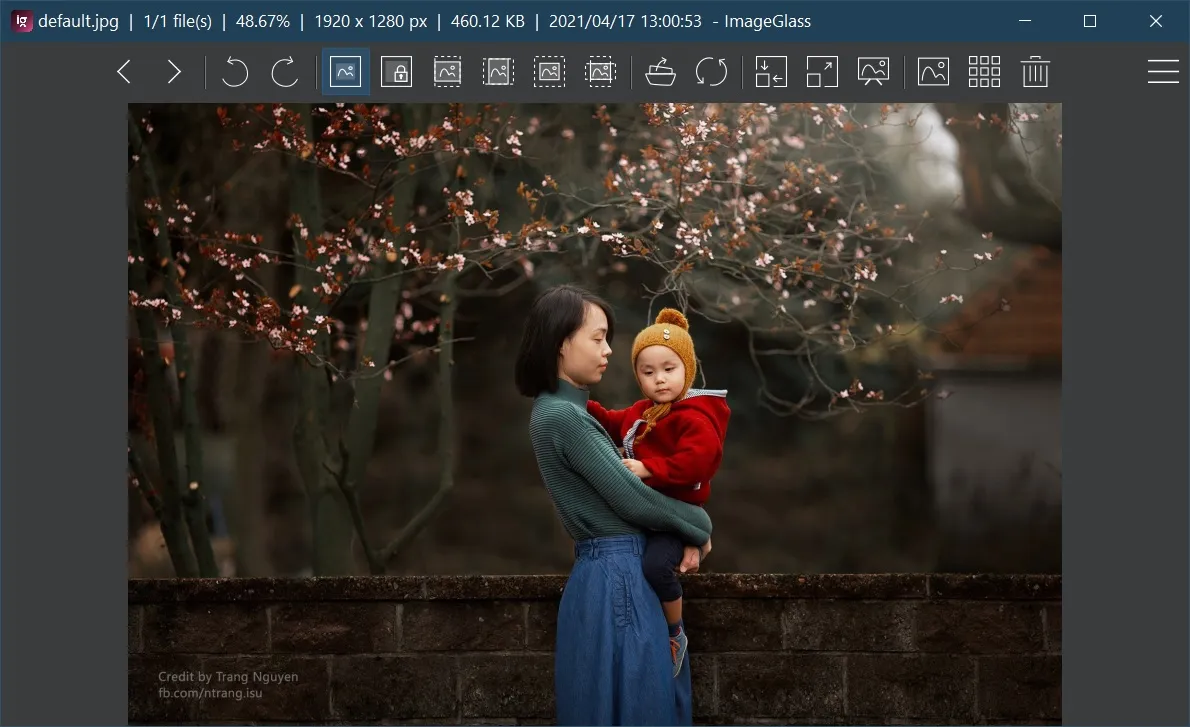

🌪 Breaking change:
- Shortcut for "Save image as..." menu changed from Ctrl+S to Ctrl+Shift+S (#939)
- Shortcut for "Open image location" menu changed from Ctrl+Shift+L to L (#958)
🌱 New:
- Added JPEG XL (
*.jxl) support (#940), kudo to @cocoon! - Added "Save image" menu (Ctrl+S) (#939)
- ImageGlass official Discord server: http://discord.io/imageglass 🍹
🔮 Improvements:
- Updated Magick.NET to 7.23.3.0
- Improved startup time when opening the image in a large folder (#881), kudo to @dixonte!
- Exif tool: Added ability to customize the EXIF tags to view (#978)
- Disabled "View channels" menu if it is not supported for the viewing image (#571)
- Hid "Open with" menu on Windows 7 (#869)
- Added more interpolation options in Zoom Optimization setting (#949)
- Added current viewing folder item in Open/Save file dialog (#952)
- Reused the existing File Explorer window for "Open Image Location" (#972), kudo to @dixonte!
- Improved opening time of menu / context menu.
- Updated the text in Check for update dialog to be more subtle (#932)
🐛 Bugfixes:
- Fixed an issue where cannot integrate
exiftool.exeif its path contains space (#927), kudo to @Norgerman! - Fixed an issue that an unhandled exception thrown when using Windows touch and pen input (#928)
- Fixed an issue that an unhandled exception thrown when saving a theme (#872)
- Fixed an issue where memory leak happens for certain GIF files (#950)
- Fixed an issue where the app crashed in Settings if using custom ThumbnailDimension (#967)
- Fixed an issue that HEIC images with YUV444P8/10 color space doesn't present correct chroma resolution (#977)
- Fixed an issue that unchecking "Auto-center the window in Window Fit mode" in Settings doesn't work (#987), kudo to @flyxyz123!
- Fixed an issue that toolbar disappears when returning from Full screen mode (#961), kudo to @cocoon!
- Fixed an issue that Previous / Next Image with arrow keys also pan the view (#963), kudo to @fire-eggs!
- Fixed an issue that toolbar buttons are misaligned after maximized (#965), kudo to @cocoon!
🥒 Checksums:
Note: The ImageGlass_8.1.4.18_x64.msi file is updated to fix the issue #1014. Hence the SHA-1 checksum is updated, too.
| File | SHA-1 |
|---|---|
| ImageGlass_8.1.4.18_x64.msi | 53b3a51d9387b8bd0ed18fc1d91a5a3a7f327a31 |
| ImageGlass_8.1.4.18_x64.zip | 60b346921f58d1507a46cbf2849385a01a21a99f |
| ImageGlass_8.1.4.18_x86.msi | a1f1eab1b22cda675231e9fdac722ac5eea18107 |
| ImageGlass_8.1.4.18_x86.zip | c27d30803e6b47f6c771c189c4f37340e3126fe4 |


