 Espruino JavaScript
Puck.js failed to update firmware; can't hard reset now. #3135

Replies: 10 comments

-
|
Posted at 2019-09-05 by @gfwilliams Which application/tool did you use to perform the update? Could you try entering the bootloader mode again, and trying to update the firmware again? You should then be able to re-flash the firmware to it and everything will work fine. |
Beta Was this translation helpful? Give feedback.

-
|
Posted at 2019-10-08 by AkosLukacs Something is not right with the Web Ide: Tried to update my new Puck, update started, but nothing happened for several minutes. Tried it 3 times, no luck (last time I waited for 5 minutes). But I could connect to the puck every time. One thing seems to be off: The web Ide was displaying After that I just used nRF Connect on my phone, and updated just fine, and works just fine. Oh, and 1 more confusing thing: Pico firmware update with the Web Ide asks me to choose from a firmware with either WIZNet W5500 or TI CC3000 networking. There is no "I don't want networking" option. So I just did a "Advanced Firmware Update" from the Web IDE with https://www.espruino.com/binaries/travis/master/espruino_2v04_pico_1r3.bin and worked just fine. |
Beta Was this translation helpful? Give feedback.
-
|
Posted at 2019-10-08 by @gfwilliams
I just tried it again on Chrome and it works fine here. The
Yes - since there's enough space you just get a choice of which one you want. If you don't use it then it doesn't matter. Both have AT command networking as well, and it is mentioned in passing at http://www.espruino.com/Quick+Start+USB#software-updates
Which one? I just tried the Pico update and that works fine too. |
Beta Was this translation helpful? Give feedback.
-
|
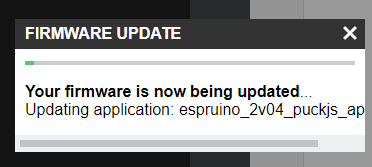
Posted at 2019-10-08 by AkosLukacs Puck -> tried it with Chrome, and same behaviour: that green progress bar is stuck, and doesn't go anywhere. (screenshot is taken after waiting a couple of minutes) Reboot, and back to previously flashed firmware. Pico -> Ah, OK. I did update it, so no problem there. What was confusing is the download page https://www.espruino.com/Download lists firmwares with WIZnet and TI CC3000. But the latest master build https://www.espruino.com/binaries/travis/master/ doesn't have either.Attachments: |
Beta Was this translation helpful? Give feedback.
-
|
Posted at 2019-10-08 by @gfwilliams
That's a shame. I'll have to try it on some more platforms and see if I can figure out what's up. Personally I tend to use the app, but I've found the online IDE seemed to work pretty well for me (you did connect to the 'DfuTarg' device?).
Yes, I don't bother doing CC3000 builds for every commit. The chip is EOL so very few people will be using it. |
Beta Was this translation helpful? Give feedback.
-
|
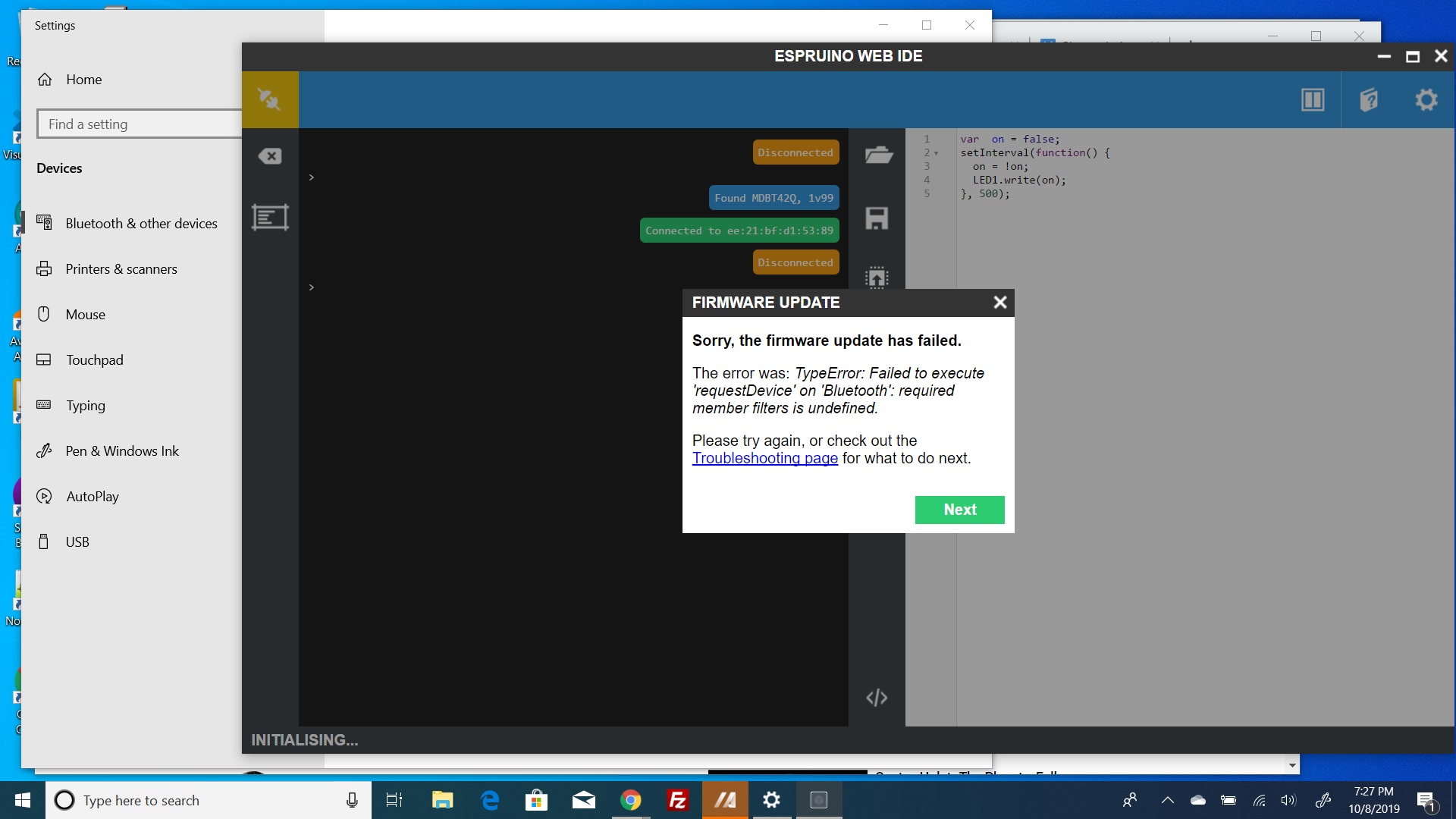
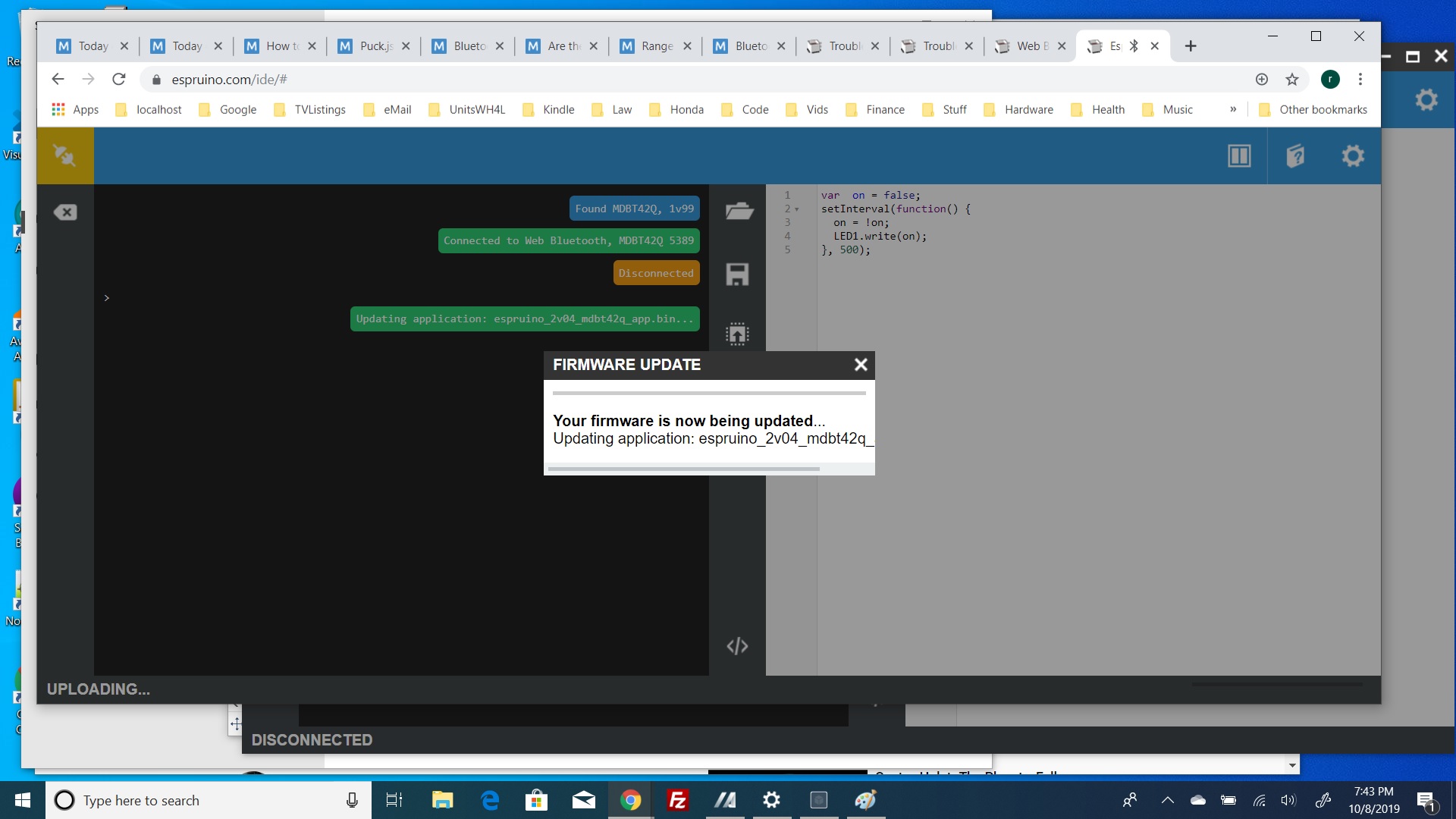
Posted at 2019-10-09 by Robin Tue 2019.10.08 Not sure this is directly related, but had the same stuck bar three weeks ago attempting to update a MDBT42Q. After three attempts abandoned, also didn't post. Then I caught the above thread. Decided to give it another go. This time however, I get a unique new msg. Didn't try more than three times, lacking time. If this is related to the above, I hope it provides some insight. If not, I'll create a new thread if necessary. Using the Native WebIDE on Windows10 Strangely had to constantly un-pair and allow a new power up/pair sequence and relaunch of the WebIDE to even connect. EDIT: Just tried with Chrome using https://www.espruino.com/ide/# and thought I had success, until . . . but get the same stuck bar.
--------------------------------------------
**Attachments:**
|
Beta Was this translation helpful? Give feedback.
-
|
Posted at 2019-10-09 by AkosLukacs Yes, connected to "DfuTarg", the LED changed immediately, but stuck there forever. Like Robin's second screenshot. But I had no issue like him with connecting and pairing. It was straight forward up to the last point. But: Tried to capture traffic with nRF sniffer, of course failed to capture on the first try :) But Chrome started uploading. And then stopped at about 75% (and the "Software Reporter Tool" started eating my CPU). Eventually killed Chrome, and the Puck was working after a reboot. I don't know if the update succeeded, just the progress bar didn't update. Or what's going on. AFAIK, there is no OTA recovery partition in the Puck, right? |
Beta Was this translation helpful? Give feedback.
-
|
Posted at 2019-10-09 by @gfwilliams First error is because Robin is using the Native IDE on a computer without Web Bluetooth - the library I made to handle BLE communications only handles UART, not DFU. I've filed a bug to disable the Web IDE update option in that case.
No, but it can't blow the bootloader up if it fails, so you should always be able to restart the bootloader and reflash.
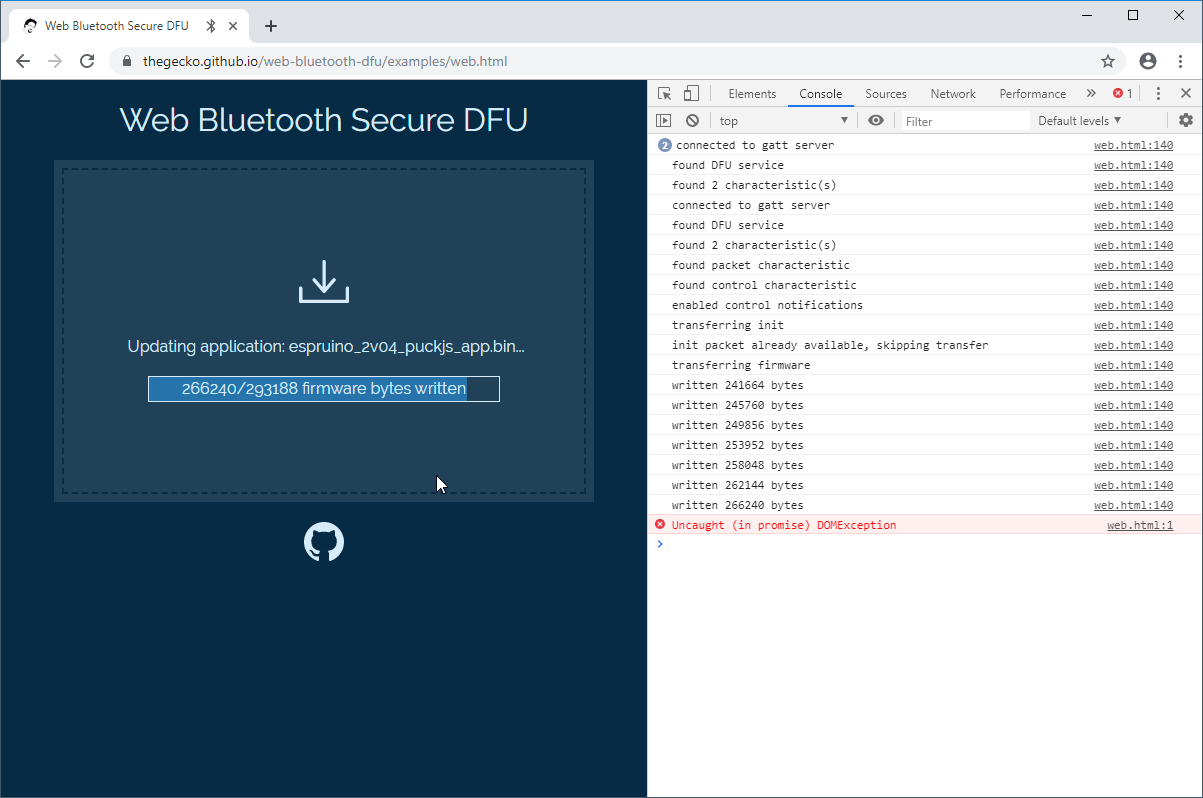
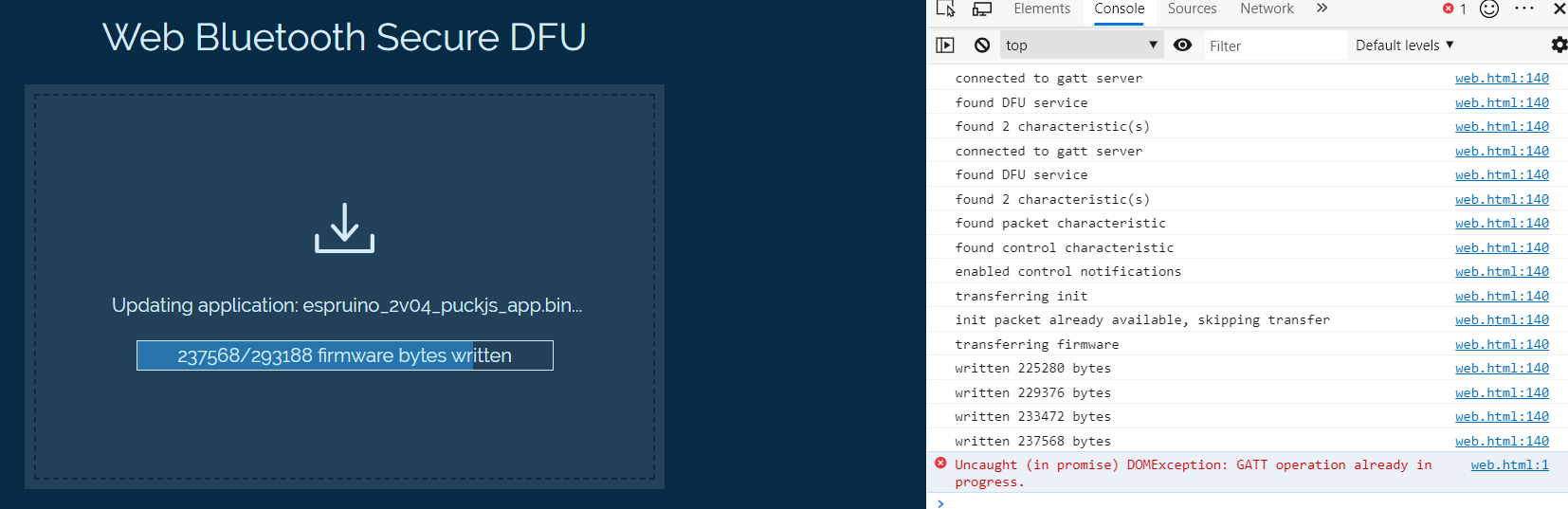
It'd be great if you could see what was going on with the sniffer. I guess it's possible that the windows Web Bluetooth implementation doesn't properly yield to the OS, and it could be fixed by adding some timeouts. Does this work for you? https://thegecko.github.io/web-bluetooth-dfu/examples/web.html If so I might just be able to update the DFU implementation. |
Beta Was this translation helpful? Give feedback.
-
|
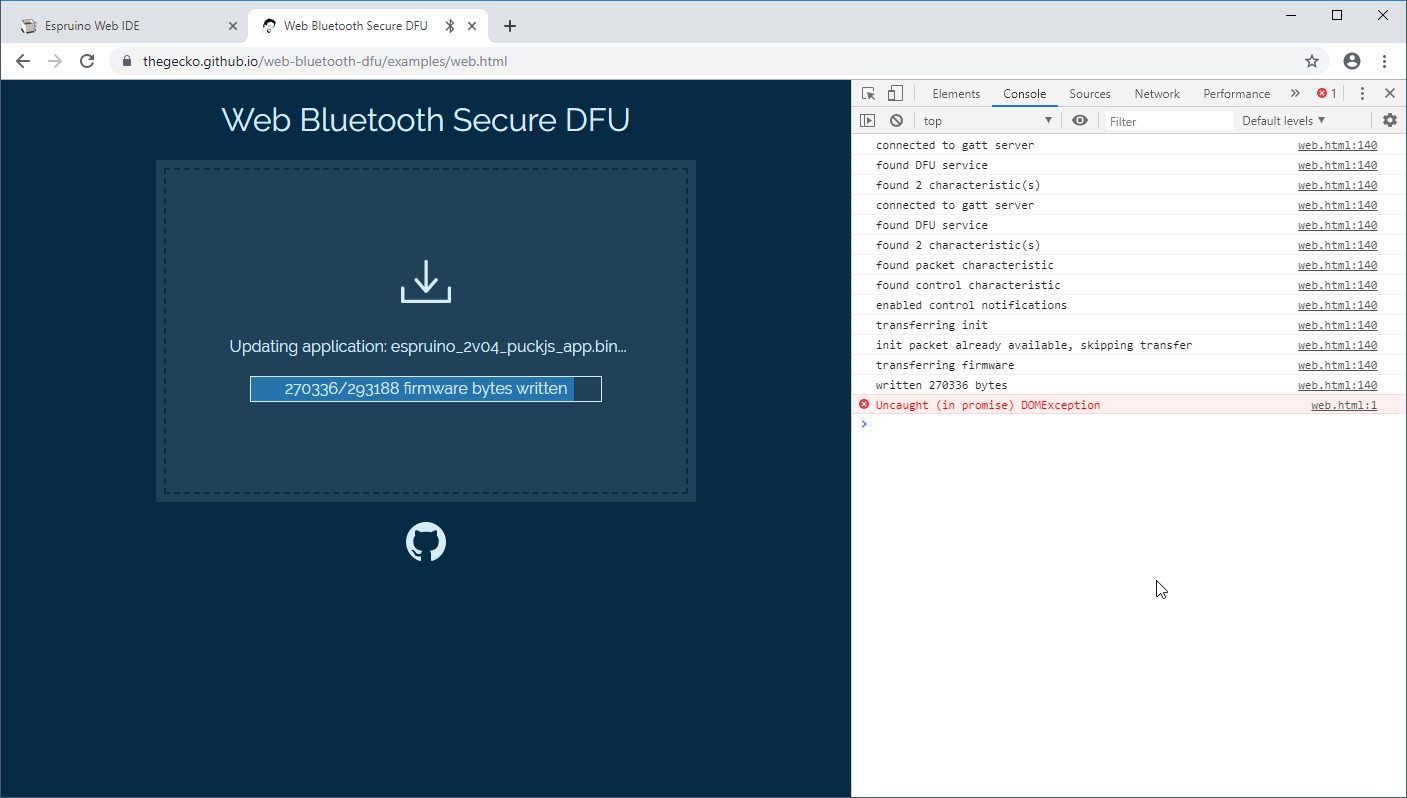
Posted at 2019-10-09 by AkosLukacs Something is not right with that too: did progress up to a point, opening the console revealed an exception (screenshots attached). Tried it in Edge and Chrome, same behaviour. But looks like the link you sent continues the DFU from the previous fail point.
|
Beta Was this translation helpful? Give feedback.
-
|
Posted at 2019-10-28 by @gfwilliams Just to link posts together, Robin's re-posted with the exact same issue here: http://forum.espruino.com/conversations/340193/#comment14961911 I don't have time to debug this right now so I'll update the Windows IDE to disable the functionality. |
Beta Was this translation helpful? Give feedback.


Uh oh!
There was an error while loading. Please reload this page.
-
Posted at 2019-09-05 by paul_s
I pulled my puck out of the drawer for the first time in a while today and connected it. I was prompted to update the firmware (I'm on a Mac, using the WebIDE on Chrome).
It failed to update saying "Error: The state of the DFU process does not allow this operation". Subsequently it won't connect (when I connect the battery no LEDs light up).
I can put it into bootloader mode but it won't connect to the laptop anymore (nor will it work with nrf Connect on my Android phone).
I tried a hard reset but even after holding the button, the green LED goes off after a couple of seconds and nothing else happens.
Does anyone have any suggestions?
Beta Was this translation helpful? Give feedback.
All reactions