Auto navigation/transformation on results from function calls exposed by OpenApi.Document() #229


-
Preflight Checklist
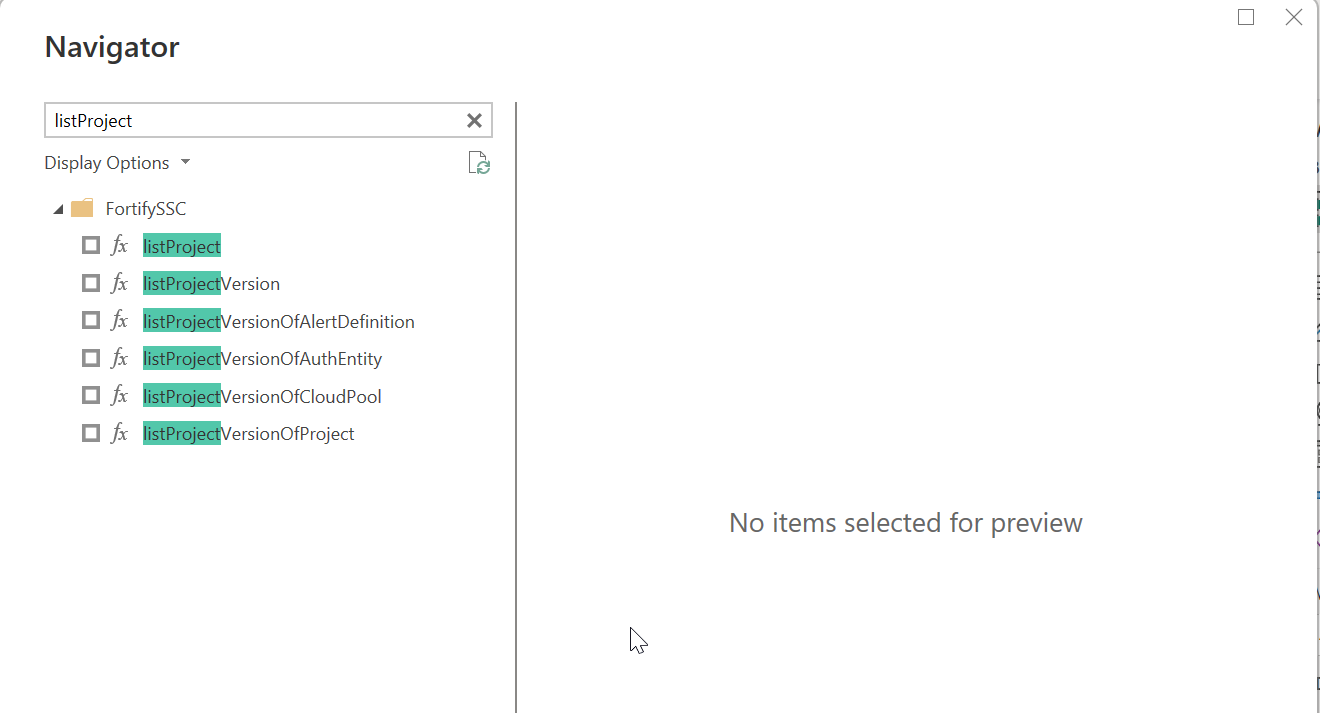
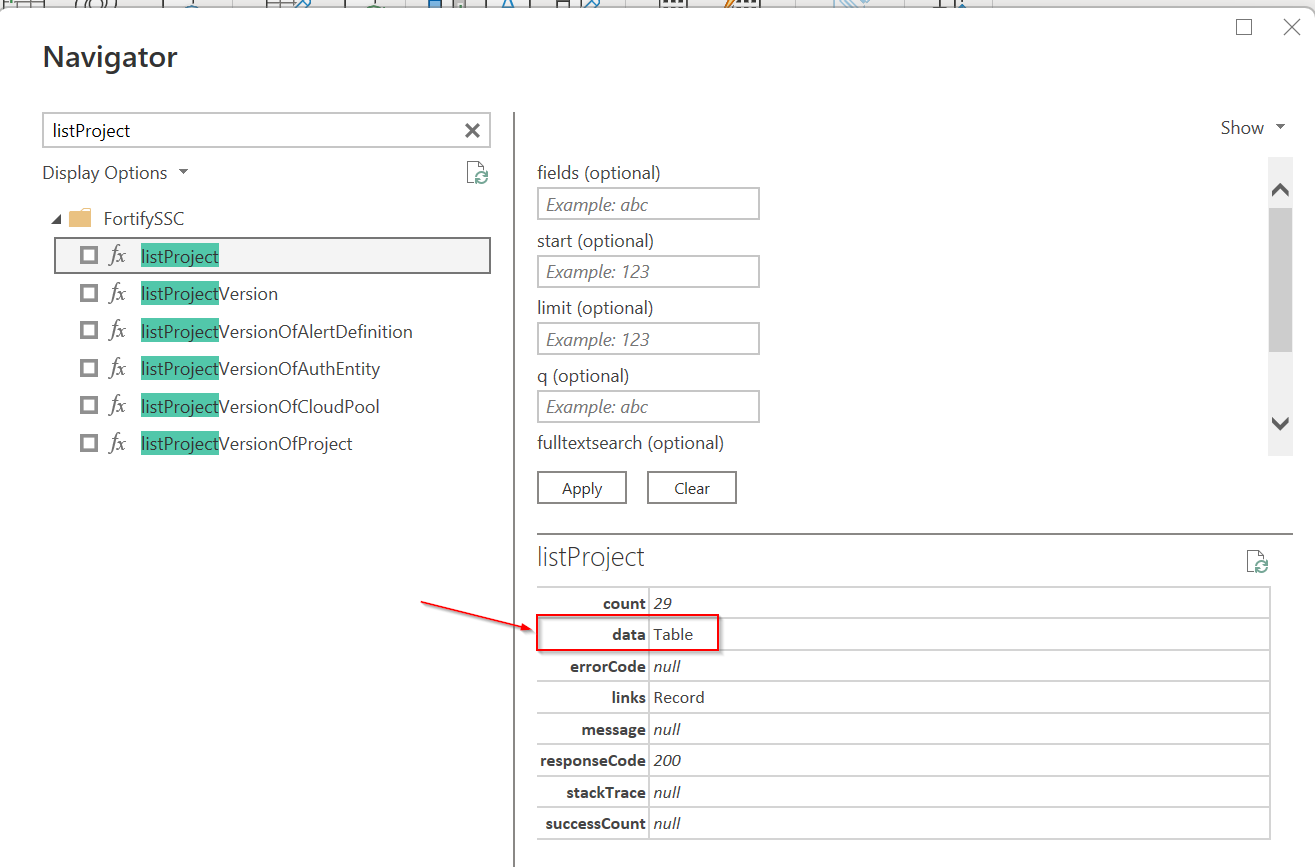
ProblemTL/DR:I want an easy way to automatically apply some kind of navigation/transformation on data retrieved from a REST API function call, exposed by Detailed Explanation:I have created a custom connector for an API that my company develops. My connector works by using OpenApi via swagger document, which lists the APIs as functions with parameters. Below is the code: And things work as expected when seeing all the functions below: The bit of trouble starts here, when you click on the function to try and start retrieving data. As you can see, I'm not getting the data directly, but need to apply a transformation to the retrieved data by navigating to the
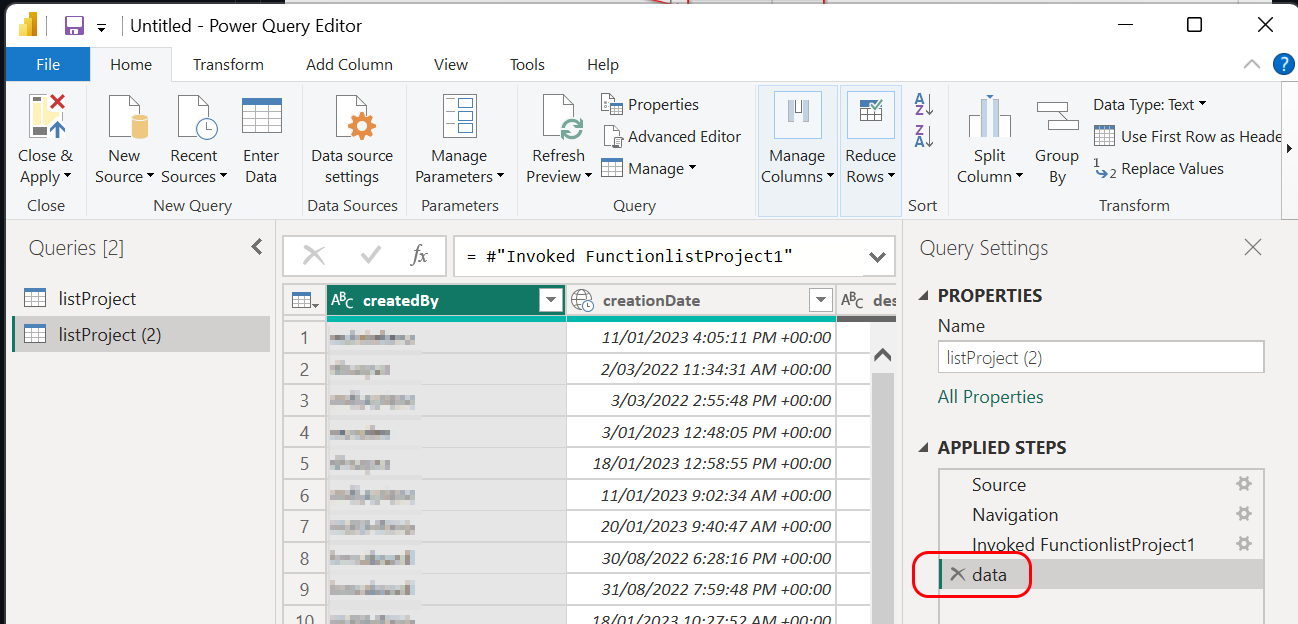
And then finally after navigating/transforming a user can access the actual data: Desired SolutionI want an easy way to automatically apply some kind of navigation/transformation on data retrieved from a REST API function call, exposed by Maybe Alternatives and WorkaroundsNo response Additional ContextNo response |

Beta Was this translation helpful? Give feedback.
Replies: 2 comments
-
|
Also, as a follow up question, where's the documentation for |
Beta Was this translation helpful? Give feedback.

-
|
The only documentation for OpenApi.Document() will give you a "Function" focused connector. OpenApi (or at least, Swagger... I haven't looked up to see how the standard has evolved) doesn't have conventions for paging, querying data, and a number of other things you'd want a data wrangling experience like Power Query to take advantage of... these are things that you'd get from something like OData, which is a much better base for PQ connectors. OpenApi.Document returns a navigation table, which is a Table you can manipulate with M like any other data table. You just have to remember that if you transform it in a way that changes its type (add/remove/rename columns, change column data types), it loses the type metadata that makes it a nav table, and you have to call a function like If you want to further manipulate the functions you get back from OpenApi.Document, the interesting columns are:
To provide additional transformations on top of the functions, you have two main options. You can add special handling for specific functions. We do this in one of the samples for the listAPIs function. Here, you're basically using OpenApi.Document to handle the GET requests and read the JSON response, but you're going build your own nav table for the end user (or just return the data if you're only interested in a single result). Alternatively, if all of the actions follow similar patterns (i.e. they all return a Something like... For what it's worth, only 2 of our 100 or so certified connectors use Based on the function parameters you shared ( |
Beta Was this translation helpful? Give feedback.


The only documentation for
OpenApi.Document()that I'm aware of is our samples: https://github.com/microsoft/DataConnectors/tree/master/samples/OpenApiSampleOpenApi.Document() will give you a "Function" focused connector. OpenApi (or at least, Swagger... I haven't looked up to see how the standard has evolved) doesn't have conventions for paging, querying data, and a number of other things you'd want a data wrangling experience like Power Query to take advantage of... these are things that you'd get from something like OData, which is a much better base for PQ connectors.
OpenApi.Document returns a navigation table, which is a Table you can manipulate with M like any other data table. Yo…