
Theming is hard with SSR.
The server often isn't aware of the client theme; most libraries keep it in local storage. The skew between the server default and what is hydrated on the client often results in a flash of the wrong content.
ssr-themes keeps the SSR markup, bootstrap script, and hydrated app in sync. It uses cookies to store the selected theme + system default and has first-party bindings for React, Svelte, Vue, and more. This means:
- 🍪 Perfect cookie-driven SSR markup
- ✨ No client/server mismatch
- 🌓 System theme support
- 🔄 Built-in cross-tab sync
- 🛡️ Strongly typed bindings
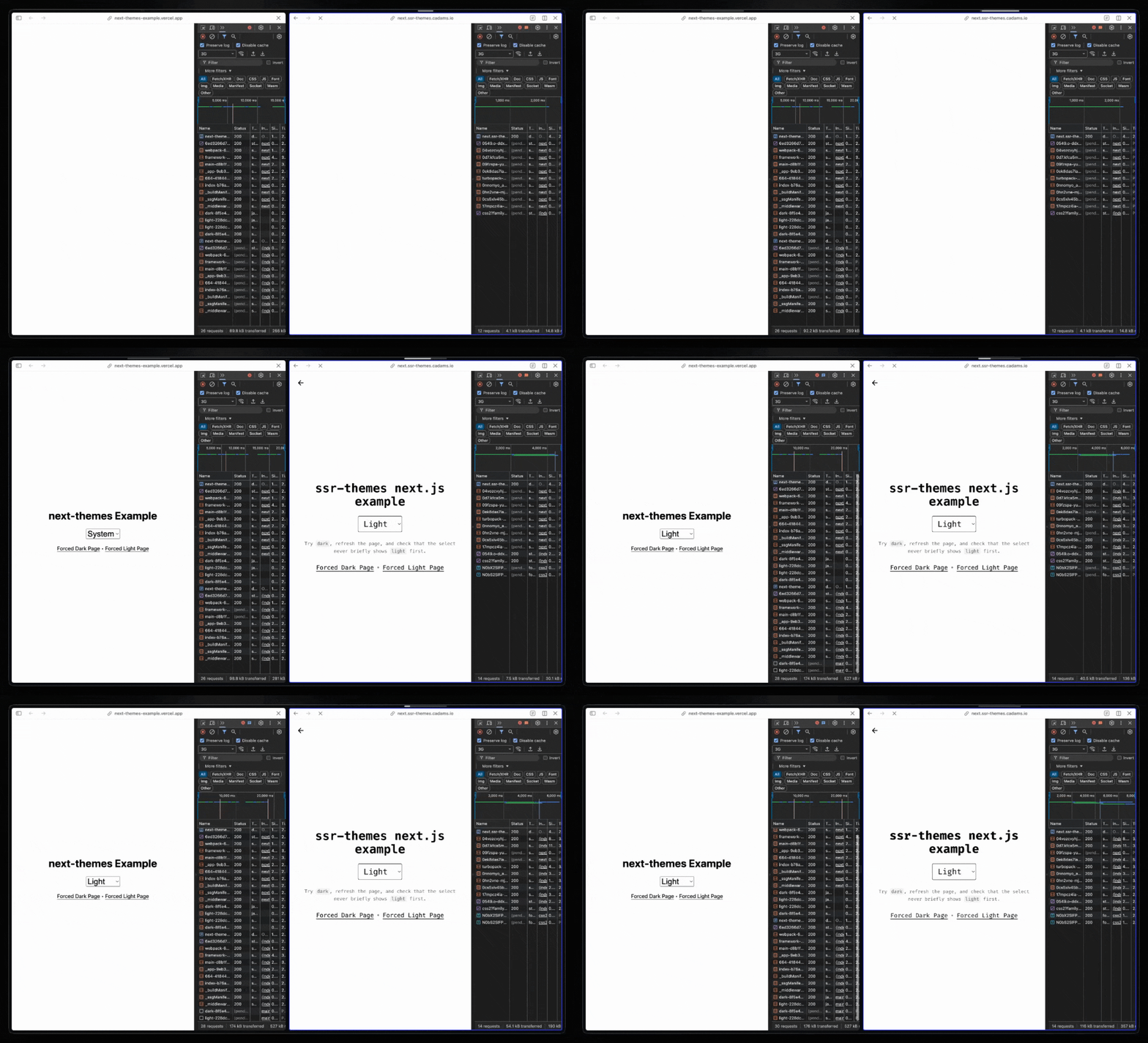
Check out the main demo: https://ssr-themes.cadams.io/.
Or browse the framework examples:
| Framework | Live demo | Source |
|---|---|---|
| Next.js | next.ssr-themes.cadams.io | examples/next |
| React Router | react-router.ssr-themes.cadams.io | examples/react-router |
| TanStack Start | start.ssr-themes.cadams.io | examples/tanstack-start |
| SolidStart | solid.ssr-themes.cadams.io | examples/solid |
| SvelteKit | svelte.ssr-themes.cadams.io | examples/svelte |
| Vue / Nuxt | vue.ssr-themes.cadams.io | examples/nuxt |
| Astro | astro.ssr-themes.cadams.io | examples/astro |
bun add ssr-themes
# or
pnpm add ssr-themes
# or
npm install ssr-themes
# or
yarn add ssr-themesssr-themes has three parts:
parseThemeCookie()andregisterTheme()help the server pre-render the correct theme during SSR. This is optional.themeScript()runs before hydration on the client and makes sure the theme on<html>is set to the correct value (and fills in the value from the client if it'ssystem).ThemeProviderkeeps the DOM, the theme cookie, and client state in sync after mount.
import {createTheme} from 'ssr-themes';
import {bindTheme} from 'ssr-themes/react';

const {
  options,
  registerTheme,
  parseThemeCookie,
  themeScript,
} = createTheme();

const {ThemeProvider} = bindTheme(options);

const App = () => {
  // Remove `parseThemeCookie()` and `registerTheme()` to drive theme by client script only
  // Similar to `next-themes`, this will then trigger server/client mismatch in React
  // and you should pass `suppressHydrationWarning`
  const initial = parseThemeCookie(cookieHeader);

  return (
    <html {...registerTheme(initial)}>
      <head>
        <script id="ssr-themes">
          {themeScript()}
        </script>
      </head>
      <body>
        <ThemeProvider initial={initial}>
          {children}
        </ThemeProvider>
      </body>
    </html>
  );
};next-themes is popular because it makes client-side theming in React and Next.js easy.
But it solves a subset of the problem.
Its docs explicitly warn that reading theme before mount is hydration-unsafe, because the server does not know the current theme yet. That is a reasonable tradeoff if all you need is client-resolved theme state.
ssr-themes is for apps that want the theme to participate on the server. This means you can:
- Read the theme and system preference from the request cookie during SSR
- Pre-render the 100% correct HTML on the server (
<select>, etc.)
But you don't even need to use the SSR helpers. They are optional if/when you need to render conditional UI based on the theme. You'll probably do this with a theme picker.
If you only need client-side theme state in a Next.js app, next-themes is a good fit.
If your SSR markup depends on the theme (or if you don't use Next.js), ssr-themes is a good fit.
Check out the Next.js example for a cache-friendly App Router setup. It uses
proxy.tspluslistVariants()so the public/route stays cacheable and layouts do not read cookies.
By default, ssr-themes writes a class to <html>.
:root {
  --background: white;
  --foreground: black;
}

:root.dark {
  --background: black;
  --foreground: white;
}
If you prefer data-* attributes, set attribute accordingly.
All examples in this repo use Tailwind v4 with class-based dark mode - feel free to check them out for more detail:
@import 'tailwindcss';
@custom-variant dark (&:where(.dark, .dark *));The API has two entrypoints:
createTheme()fromssr-themesbindTheme()fromssr-themes/react,ssr-themes/solid,ssr-themes/vue, orssr-themes/svelte
The core theme state uses three fields:
selected: the saved theme preferenceresolved: the concrete theme applied to the documentsystem: the browser's current light/dark preference
Use createTheme() once to define the shared theme config for your app.
import {createTheme} from 'ssr-themes';

const theme = createTheme({
  themes: ['light', 'dark', 'quartz'],
  defaultTheme: 'system',
  attribute: ['class', 'data-theme'],
  valueMap: {
    light: 'day',
    dark: 'night',
    quartz: 'quartz',
  },
  cookie: {
    name: 'theme',
    secure: true,
    sameSite: 'lax',
  },
});
createTheme() accepts stable app-level config such as:
themes- the allowed theme namesdefaultTheme- the fallback selected theme when no saved preference existsenableSystem- whether'system'is a selectable themeenableColorScheme- whether to set CSScolor-schemefor resolved'light'and'dark'attribute- where the active theme is written on<html>, such as'class','data-theme', or bothvalueMap- maps theme names to the DOM values written to those attributescookie- how the selected theme is persisted, includingname,path,maxAge,expires,sameSite,domain, andsecure
It returns:
options- the exact config object passed tocreateTheme()defaultVariant- the fallback serialized variant for this configencodeVariant()- serializes theme state into a stable variant stringdecodeVariant()- decodes a variant string back into resolved theme statelistVariants()- returns the finite set of valid pre-renderable variantsparseThemeCookie()- reads theme state from a rawCookieheaderregisterTheme()- returns SSR attributes for<html>themeScript()- returns the inline bootstrap script that applies the theme before hydration
Use bindTheme() in the framework entrypoint for your app.
import {bindTheme} from 'ssr-themes/react';

const {ThemeProvider, useTheme} = bindTheme(theme);
// or: bindTheme(theme.options)
bindTheme() accepts either:
- the full object returned by
createTheme() theme.options
It returns:
ThemeProvideruseTheme()
ThemeProvider only takes runtime props:
initial- SSR theme state to reuse during hydrationforced- force a concrete theme for the current render or pagedisableTransition- disable CSS transitions while the theme changesnonce- CSP nonce for inline style elements
useTheme() must be used within ThemeProvider.
All bindings expose the same conceptual state:
themesselectedsetSelected(next)forcedresolvedsystem
The exact shape is framework-native:
- React returns plain values
- Solid returns accessors
- Vue returns refs and computed values
- Svelte returns stores
Use parseThemeCookie() to read the saved theme from a raw Cookie header.
const initial = theme.parseThemeCookie(cookieHeader);It reads the cookie configured by createTheme() and returns resolved theme state for the current request.
It returns undefined when the cookie is:
- missing
- empty
- malformed
- not in the allowed theme list
When present, the return value includes:
selectedresolvedsystem
Use registerTheme() to pre-render the current theme on <html> during SSR.
<html {...theme.registerTheme(initial)} />It usually receives the result of parseThemeCookie() and returns one of three output shapes depending on renderMode:
jsx(default) ->{className, style, ...dataAttrs}html-attrs->{class, style, ...dataAttrs}html-string->class="..." style="..." data-theme="..."
Examples:
const jsxProps = theme.registerTheme(initial);

const htmlAttrs = theme.registerTheme(initial, {
  renderMode: 'html-attrs',
});

const htmlString = theme.registerTheme(initial, {
  renderMode: 'html-string',
});
Runtime overrides are:
forcedrenderModeclassNamestyle
Notes:
- it applies your configured
attributeandvalueMap - it adds
color-schemeautomatically for resolved'light'and'dark'unless disabled - in JSX mode, it may add
suppressHydrationWarningwhen SSR cannot fully resolve the theme
Use themeScript() to generate the inline bootstrap script that runs on the client before hydration.
<script id="ssr-themes">{theme.themeScript()}</script>
<script id="ssr-themes">
  {theme.themeScript({forced: 'dark'})}
</script>themeScript():
- reads the saved theme from the cookie
- resolves
'system'on the client when needed - updates the
<html>attributes - sets
color-schemewhen appropriate
themeScript() only supports one runtime override:
forced
Render it near the top of the document so the correct theme is applied before the app hydrates.
These helpers are for routing, caching, and pre-rendering.
const variant =
  theme.encodeVariant(
    theme.parseThemeCookie(cookieHeader),
  ) ?? theme.defaultVariant;

const initial = theme.decodeVariant(variant);
const variants = theme.listVariants();defaultVariantis the fallback serialized variant for the current configencodeVariant()returns a stable string when there is enough theme state to serializedecodeVariant()returns resolved theme state, orundefinedfor invalid valueslistVariants()returns the full set of valid pre-renderable theme variants
Encoded variants always include the system hint:
- explicit themes:
light~l,light~d,dark~l,dark~d - system mode:
~l,~d
The NPM package ships with AI agent skills to help migration from next-themes to ssr-themes.