
Your own AI — running entirely on your computer. Free. Offline. No account, no cloud, nothing sent anywhere.


Aphelion is an all-in-one desktop app that runs powerful AI models entirely on your own PC — Windows, macOS, or Linux — with no servers, no cloud, no setup. Chat with characters, write stories, build branching dialogue, draft and analyze code, or ask an expert assistant. Everything you type stays on your machine, and once it's set up it works with the internet unplugged.
Aphelion (n.) — the point in an orbit farthest from the sun. Your AI, at the farthest point from the cloud.
New here? This page is on GitHub — a website where free software is shared. You don't need an account or to understand any of it.
- ➡️ Download the latest version — under "Assets," grab the file for your system:
- Windows → the
…_x64-setup.exe - macOS (Apple Silicon) → the
…_aarch64.dmg - Linux → the
…_amd64.AppImage(portable) or…_amd64.deb
- Windows → the
- Open it:
- Windows — double-click the installer. If you see "Windows protected your PC," click More info → Run anyway (it's just unsigned, not unsafe).
- macOS — open the
.dmg, drag Aphelion to Applications, then right-click it → Open the first time (it's unsigned, so a plain double-click is blocked). - Linux — make the AppImage executable (
chmod +x) and run it, or install the.deb.
- On first launch, a setup step picks an AI model that fits your machine and downloads it once (2–16 GB). Wait for Ready — after that it runs 100% offline.
🧪 macOS and Linux are brand-new (beta). They build and download cleanly but have had far less testing than Windows — if anything's off, please open an issue.
- Windows 10/11, macOS (Apple Silicon), or Linux (x64).
- A graphics card (GPU) is strongly recommended — more video memory (VRAM) means a bigger, smarter AI (on Apple Silicon the GPU shares system memory). It runs on weaker hardware too; setup auto-fits a model that works.
- A few GB of free disk space for the model.
- Internet only for the first model download. After that, none.
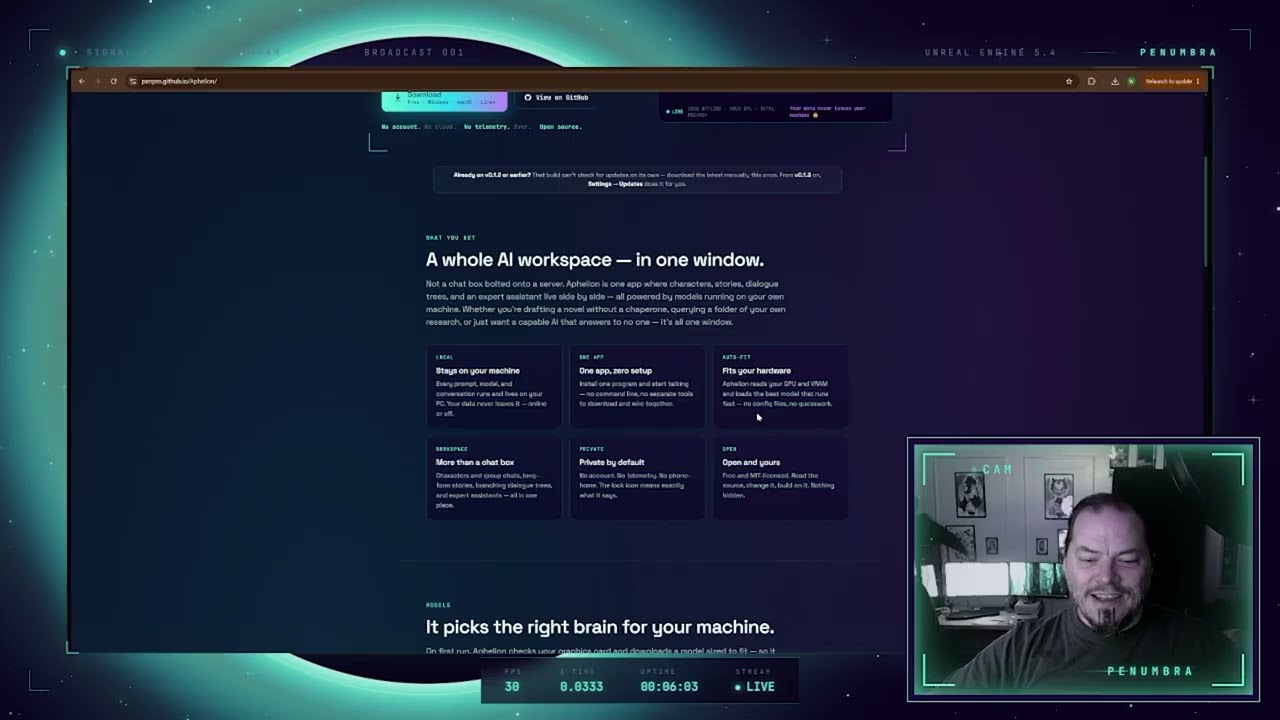
- Stays on your machine. Every prompt, model, and conversation runs and lives locally — your data never leaves your PC, online or off.
- One app, zero setup. Install it and start talking — no command line, no separate tools to download and wire together.
- Auto-fits your hardware. Aphelion reads your GPU and VRAM and loads the best model that'll run fast — no config files, no guesswork.
- A real workspace, not just a chat box. Characters & roleplay, group chats, story writing, dialogue trees, and an expert assistant (a coding expert, an image-describer for coders, a blunt straight-answers expert, and more) all live in one window.
- Bring your own knowledge. Point it at a folder of PDFs or notes (a rulebook, a manual, research) and it answers from them — your files stay on disk; only the relevant passages are read into context.
- Make real documents. Describe what you want and get a polished PDF (math, tables, and structure, via Typst) or a ready-to-use code / HTML / Markdown file, saved into your folder. You can also open and edit an existing file.
- See images (optional). Add a vision model and it can describe a picture in coder-ready detail, answer questions about images you drop in, or scan a folder and build a PDF of the ones matching a description ("find the cats").
- Total privacy by default. No account, no telemetry, no phone-home. The lock icon means what it says.
- Open and yours. Free, MIT-licensed, and built to be inspected, extended, and trusted.
There's a built-in "How it works" guide (bottom-left in the app) with a diagram of the pieces.
Some "AI" tools are autonomous agents — deliberately given permission to run commands, browse the web, and change files on your computer (think AutoGPT, Open Interpreter, and computer-use agents). That power is also the risk. Aphelion is the opposite: the model only ever speaks text — it has no autonomy and no reach into your system.
What the app does: reads your prompt and writes text back, runs a model on your GPU, saves your chats, reads files only from folders you explicitly grant (to use as reference), and saves the documents you ask it to create — all on your own machine, all at your direction.
What it cannot do:
- ❌ Run programs, scripts, or shell commands
- ❌ Reach the internet, your accounts, or other apps
- ❌ Click, type, or control anything on your computer
- ❌ Touch any file or folder you haven't explicitly handed it — it never goes looking on its own
Crucially, the model itself has no file, network, or system access — it only receives text and produces text. When you grant a folder, the app reads the files and feeds the model plain text. Every file the app touches, it touches at your explicit direction (a folder you picked, a document you asked it to create) — there's no agent loop, so the model can't initiate anything on its own. (The local model server listens only on 127.0.0.1; it's never exposed to your network.)
Is it really free? Yes. Completely. No account, no trial, no upsell.
Does it send my conversations anywhere? No — never. The AI runs on your own computer; disconnect from the internet and it keeps working.
Is this an "AI agent"? Can it do things to my computer? No. The model only generates text — it has no autonomy. The app reads files only from folders you explicitly point it at (as reference) and saves documents you ask it to create; it never runs commands, browses the web, touches your accounts, or goes through files on its own. Unlike autonomous agents (AutoGPT, OpenClaw, computer-use bots), it has no free rein over your system. See Safe by design above.
What's a "model"? The AI's "brain" — a file the app downloads once. Setup picks a good one for your hardware; you can change it in Settings.
Windows says it "protected my PC" — is that bad? No. It just means the app isn't code-signed yet — and that certificate is a recurring monthly cost, so while Aphelion is free I haven't bought one. Click More info → Run anyway (the source is all right here to read). That cost is the one thing standing between you and a warning-free install — see Support below.
How do I uninstall it? Settings → Apps, find Aphelion, click Uninstall. It will ask whether to also delete the downloaded model and your chats so you can reclaim the disk space, or keep them for later.
Can I use an uncensored model? Yes — setup has an opt-in section for them behind a clear warning. Whatever the AI writes is generated by the model, not by Aphelion (see below).
Aphelion is an interface. Any text it produces is generated by the AI model you choose, not by this program or its authors. You are responsible for what you generate and how you use it. Uncensored models can produce content that is offensive, false, or otherwise objectionable — use them at your own discretion and risk.
For the curious — what "nothing you install" actually means under the hood:
- One bundled engine — no Ollama, Docker, or Python. Aphelion ships a llama.cpp server and runs it hidden on
127.0.0.1(Vulkan on Windows/Linux, Metal on macOS). Nothing to install separately; nothing listening to the outside network. - Model auto-fit. On launch it reads your GPU's dedicated memory (DXGI on Windows, the unified-memory budget on Apple Silicon,
nvidia-smielsewhere) and loads the largest GGUF model that will still run fast on your hardware. - "Model, not an agent" is structural, not a promise. A Rust core does all I/O — spawning the engine, reading the folders you grant, writing the documents you ask for. The model only ever receives and produces text; it has no file, network, or system access of its own. There's nothing autonomous to sandbox.
- Offline after first run. The only network calls are the one-time model download and the manual Check for updates button — both explicit, neither automatic.
You can ignore this section unless you write code.
Prerequisites: Rust, Node.js 18+, and your platform's native toolchain — VS C++ Build Tools (Windows), Xcode Command Line Tools (macOS), or webkit2gtk-4.1 + build-essential (Linux). CI builds all three automatically (.github/workflows/release.yml).
git clone https://github.com/penpro/Aphelion
cd Aphelion/frontend
npm install
npm run fetch-engine     # downloads the bundled llama.cpp engine into bin/llama (git-ignored)
npm run tauri build      # installer lands in src-tauri/target/release/bundle/nsis/
For a fast dev loop: npm run tauri dev.
- The llama.cpp engine binaries and model files are git-ignored (they're large) —
npm run fetch-enginepulls a pinned engine build; models are downloaded by the app at runtime. - If a build fails with "file in use," close any running Aphelion window first — a running instance locks the engine DLLs the build needs.
Stack: Tauri v2 (Rust + React 18 / TypeScript / Vite), a bundled llama.cpp server (Vulkan on Windows/Linux, Metal on macOS), and GGUF models. The engine runs hidden on 127.0.0.1 — no console window. Brand assets and design tokens live in Branding/penumbra-brand/.
Aphelion is free and open source, and I'd like to keep it that way. It's currently unsigned — the only reason Windows flashes that "unknown publisher" warning — because a code-signing certificate is a recurring monthly cost, and I haven't paid for one. If donations start coming in, that's the first thing they'll go toward, and they help keep Aphelion free instead of me ever having to charge for it. No pressure, ever — the app stays free either way; donations just decide how fast the rough edges (like that warning) get smoothed out.


- Aphelion is a product of Penumbra.
- Inference by llama.cpp (MIT).
- AI models (Gemma, etc.) are downloaded from their original publishers and remain under their own licenses — please respect them.
License: MIT — free to use, modify, and share. The whole point is to put local AI in everyone's hands.