SceneSniffer is a Chrome extension that identifies whether a YouTube Shorts video is from a movie or TV series, including specific details like show name, season, episode number, and episode title when applicable. It uses Google's Gemini AI to analyze video metadata for accurate identification.
Check out here for more info: https://dawn-of-justice.github.io/scenesniffer/
See it in action
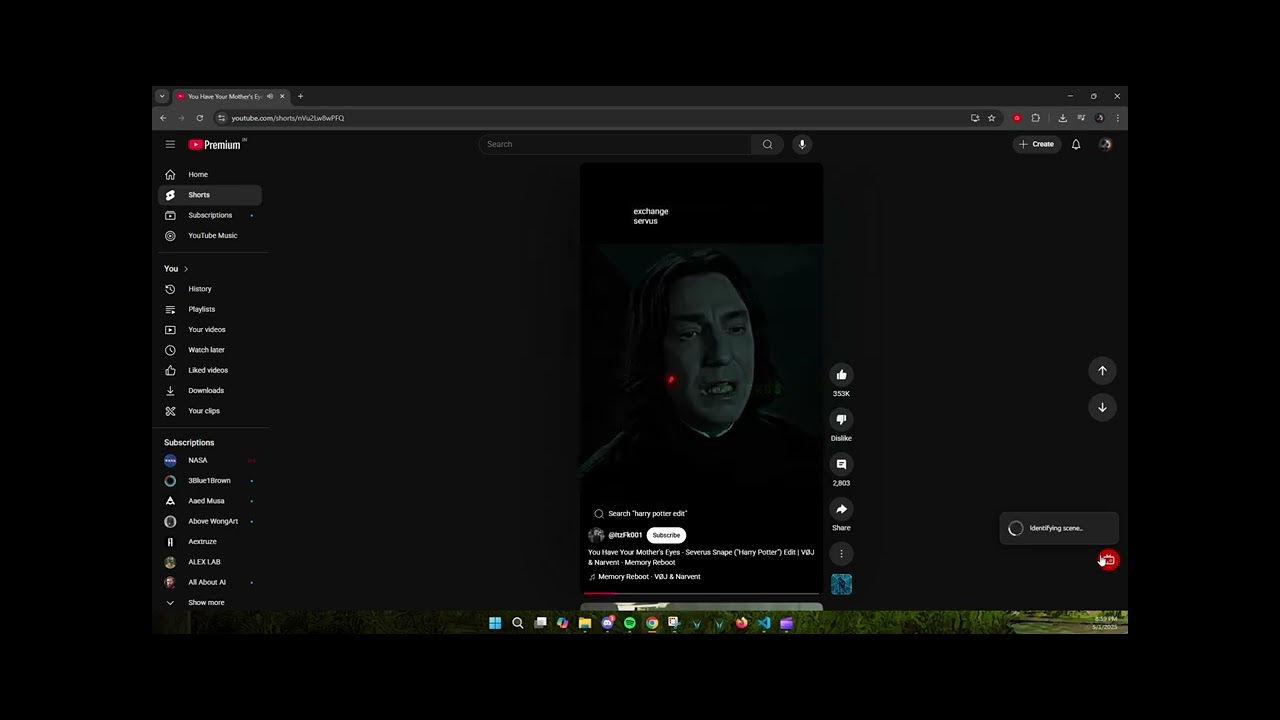

- Movie and Series Identification: Determines if a YouTube Short is from a movie or TV series, providing episode details for series when available.
- AI-Powered Analysis: Leverages Google's Gemini AI to process video title, description, channel, URL, and thumbnail data.
- Smart Tier Detection: Automatically detects paid vs free API keys — paid keys get Gemini 3 Flash with Google Search grounding.
- User-Friendly Interface: Simple and intuitive design with a floating button on YouTube Shorts for quick identification.
- Install from the Chrome Web Store
- Click the SceneSniffer icon in the Chrome toolbar
- Add your Google AI Studio API key
- Clone the repository:
git clone https://github.com/Dawn-Of-Justice/SceneSniffer.git - Load the extension in Chrome:
- Open Chrome and go to
chrome://extensions/ - Enable "Developer mode"
- Click "Load unpacked" and select the
SceneSnifferdirectory.
- Open Chrome and go to
- Navigate to a YouTube Shorts video
- Click the red SceneSniffer button in the bottom-right corner
- Wait for the scene to be identified — results appear in a floating card
Have feedback or found a bug? Let us know!
Contributions are welcome! Please open an issue or submit a pull request for any enhancements or bug fixes.
This project is licensed under the MIT License. See the LICENSE file for details.