Skip to content

Fix text alignment in Import Spreadsheet landscape mode#88317

Draft
MelvinBot wants to merge 4 commits intomainfrom
claude-fixImportSpreadsheetTextAlignment
Draft

Fix text alignment in Import Spreadsheet landscape mode#88317
MelvinBot wants to merge 4 commits intomainfrom
claude-fixImportSpreadsheetTextAlignment

Conversation

@MelvinBot
Copy link
Copy Markdown
Contributor

Explanation of Change

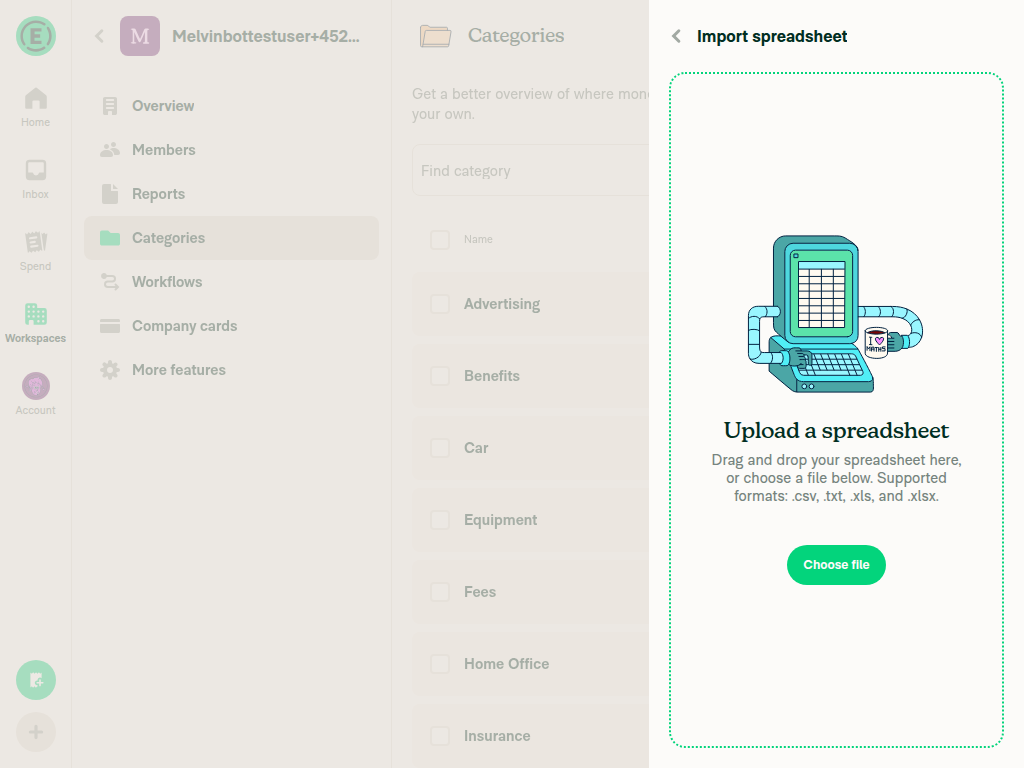
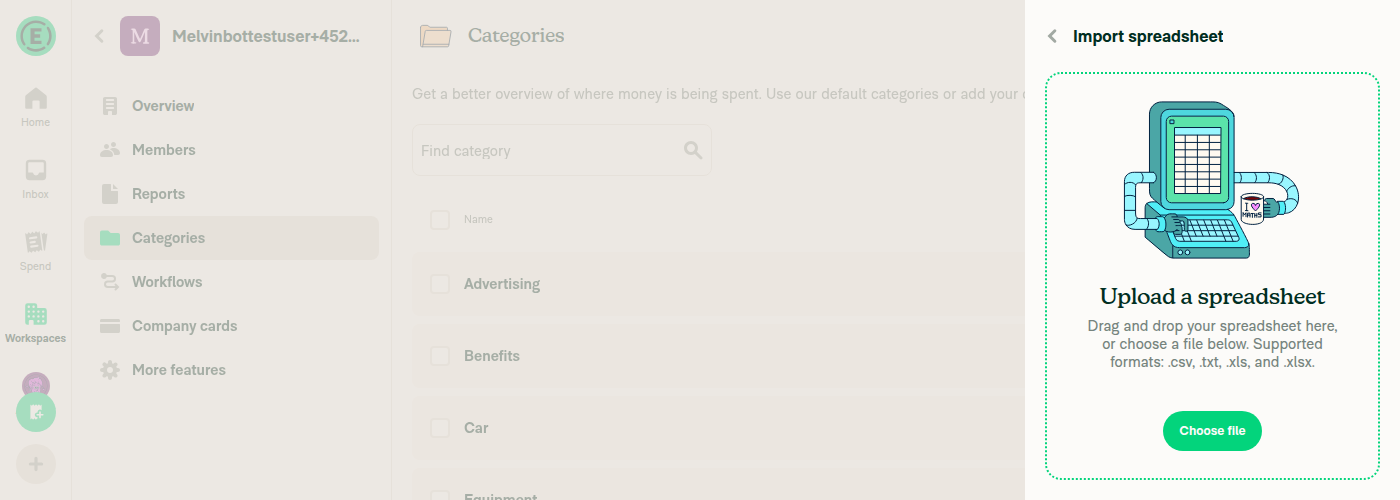
The subtitle text in the Import Spreadsheet page (RenderHTML) was left-aligned in landscape mode because the wrapping View with styles.flexRow shrank to fit its content instead of expanding to the parent's full width. Adding styles.flex1 makes the View fill the available width, allowing textAlign: 'center' on the inner text to take effect in landscape orientation.

Fixed Issues

$ #87406
PROPOSAL: #87406 (comment)

Tests

// TODO: The human co-author must fill out the tests you ran before marking this PR as "ready for review"
// Please describe what tests you performed that validates your changed worked.

  • Verify that no errors appear in the JS console

Offline tests

N/A - cosmetic style change, no network dependency.

QA Steps

// TODO: The human co-author must fill out the QA tests you ran before marking this PR as "ready for review".
// Please describe what QA needs to do to validate your changes and what areas do they need to test for regressions.

  • Verify that no errors appear in the JS console

PR Author Checklist

  • I linked the correct issue in the ### Fixed Issues section above
  • I wrote clear testing steps that cover the changes made in this PR
    • I added steps for local testing in the Tests section
    • I added steps for the expected offline behavior in the Offline steps section
    • I added steps for Staging and/or Production testing in the QA steps section
    • I added steps to cover failure scenarios (i.e. verify an input displays the correct error message if the entered data is not correct)
    • I turned off my network connection and tested it while offline to ensure it matches the expected behavior (i.e. verify the default avatar icon is displayed if app is offline)
    • I tested this PR with a High Traffic account against the staging or production API to ensure there are no regressions (e.g. long loading states that impact usability).
  • I included screenshots or videos for tests on all platforms
  • I ran the tests on all platforms & verified they passed on:
    • Android: Native
    • Android: mWeb Chrome
    • iOS: Native
    • iOS: mWeb Safari
    • MacOS: Chrome / Safari
  • I verified there are no console errors (if there's a console error not related to the PR, report it or open an issue for it to be fixed)
  • I followed proper code patterns (see Reviewing the code)
    • I verified that any callback methods that were added or modified are named for what the method does and never what callback they handle (i.e. toggleReport and not onIconClick)
    • I verified that comments were added to code that is not self explanatory
    • I verified that any new or modified comments were clear, correct English, and explained "why" the code was doing something instead of only explaining "what" the code was doing.
    • I verified any copy / text shown in the product is localized by adding it to src/languages/* files and using the translation method
      • If any non-english text was added/modified, I used JaimeGPT to get English > Spanish translation. I then posted it in #expensify-open-source and it was approved by an internal Expensify engineer. Link to Slack message:
    • I verified all numbers, amounts, dates and phone numbers shown in the product are using the localization methods
    • I verified any copy / text that was added to the app is grammatically correct in English. It adheres to proper capitalization guidelines (note: only the first word of header/labels should be capitalized), and is either coming verbatim from figma or has been approved by marketing (in order to get marketing approval, ask the Bug Zero team member to add the Waiting for copy label to the issue)
    • I verified proper file naming conventions were followed for any new files or renamed files. All non-platform specific files are named after what they export and are not named "index.js". All platform-specific files are named for the platform the code supports as outlined in the README.
    • I verified the JSDocs style guidelines (in STYLE.md) were followed
  • If a new code pattern is added I verified it was agreed to be used by multiple Expensify engineers
  • I followed the guidelines as stated in the Review Guidelines
  • I tested other components that can be impacted by my changes (i.e. if the PR modifies a shared library or component like Avatar, I verified the components using Avatar are working as expected)
  • I verified all code is DRY (the PR doesn't include any logic written more than once, with the exception of tests)
  • I verified any variables that can be defined as constants (ie. in CONST.ts or at the top of the file that uses the constant) are defined as such
  • I verified that if a function's arguments changed that all usages have also been updated correctly
  • If any new file was added I verified that:
    • The file has a description of what it does and/or why is needed at the top of the file if the code is not self explanatory
  • If a new CSS style is added I verified that:
    • A similar style doesn't already exist
    • The style can't be created with an existing StyleUtils function (i.e. StyleUtils.getBackgroundAndBorderStyle(theme.componentBG))
  • If new assets were added or existing ones were modified, I verified that:
    • The assets are optimized and compressed (for SVG files, run npm run compress-svg)
    • The assets load correctly across all supported platforms.
  • If the PR modifies code that runs when editing or sending messages, I tested and verified there is no unexpected behavior for all supported markdown - URLs, single line code, code blocks, quotes, headings, bold, strikethrough, and italic.
  • If the PR modifies a generic component, I tested and verified that those changes do not break usages of that component in the rest of the App (i.e. if a shared library or component like Avatar is modified, I verified that Avatar is working as expected in all cases)
  • If the PR modifies a component related to any of the existing Storybook stories, I tested and verified all stories for that component are still working as expected.
  • If the PR modifies a component or page that can be accessed by a direct deeplink, I verified that the code functions as expected when the deeplink is used - from a logged in and logged out account.
  • If the PR modifies the UI (e.g. new buttons, new UI components, changing the padding/spacing/sizing, moving components, etc) or modifies the form input styles:
    • I verified that all the inputs inside a form are aligned with each other.
    • I added Design label and/or tagged @Expensify/design so the design team can review the changes.
  • If a new page is added, I verified it's using the ScrollView component to make it scrollable when more elements are added to the page.
  • I added unit tests for any new feature or bug fix in this PR to help automatically prevent regressions in this user flow.
  • If the main branch was merged into this PR after a review, I tested again and verified the outcome was still expected according to the Test steps.

Screenshots/Videos

Android: Native
Android: mWeb Chrome
iOS: Native
iOS: mWeb Safari
MacOS: Chrome / Safari

Add flex1 to the View wrapping the RenderHTML subtitle so it
expands to fill the parent width, allowing textAlign center to
take effect in landscape orientation.

Co-authored-by: Michał Jasikowski <mjasikowski@users.noreply.github.com>
@github-actions
Copy link
Copy Markdown
Contributor

🚧 @mjasikowski has triggered a test Expensify/App build. You can view the workflow run here.

@github-actions

This comment has been minimized.

@mjasikowski
Copy link
Copy Markdown
Contributor

@MelvinBot now the text is invisible even in portrait. Fix it

Replace styles.flex1 with styles.justifyContentCenter on the View
wrapping RenderHTML. flex1 caused the View to collapse to 0 height
since its parent has no bounded height. justifyContentCenter properly
centers the text horizontally without affecting the View's height.

Co-authored-by: Michał Jasikowski <mjasikowski@users.noreply.github.com>
@MelvinBot
Copy link
Copy Markdown
Contributor Author

Fixed! The issue was that styles.flex1 caused the View to collapse to 0 height — its parent (uploadFileViewTextContainer) has no bounded height, so flex: 1 on the child has no space to grow into, resulting in invisible text.

Replaced styles.flex1 with styles.justifyContentCenter, which centers the RenderHTML content horizontally in the row without affecting the View's intrinsic height. Verified via browser testing that the subtitle text is now visible and centered in both portrait and landscape viewports.

@github-actions
Copy link
Copy Markdown
Contributor

🚧 @mjasikowski has triggered a test Expensify/App build. You can view the workflow run here.

@Expensify Expensify deleted a comment from MelvinBot Apr 20, 2026
@mjasikowski
Copy link
Copy Markdown
Contributor

@MelvinBot it's visible now, but left aligned in landscape again. In portrait it seems fine.

The previous flex-based approach (justifyContentCenter) centered the
RenderHTML element but not the text inside it, since HTML text defaults
to left alignment. Wrapping the text in a div with text-align: center
ensures the rendered text is centered in both portrait and landscape.

Co-authored-by: Michał Jasikowski <mjasikowski@users.noreply.github.com>
@MelvinBot
Copy link
Copy Markdown
Contributor Author

Fixed! The flex-based centering (justifyContentCenter) was centering the RenderHTML element but not the text inside it — HTML text defaults to text-align: left. Wrapped the text in <div style="text-align: center"> so the rendered HTML content itself is centered. Also reverted the View wrapper to just flexRow (original) since centering is now handled at the HTML level.

Verified in both portrait and landscape:

Portrait mode - centered text
Landscape mode - centered text

@codecov
Copy link
Copy Markdown

codecov bot commented Apr 20, 2026

Codecov Report

✅ Changes either increased or maintained existing code coverage, great job!

Files with missing lines Coverage Δ
src/components/ImportSpreadsheet.tsx 0.00% <ø> (ø)
... and 190 files with indirect coverage changes

@github-actions
Copy link
Copy Markdown
Contributor

🚧 @mjasikowski has triggered a test Expensify/App build. You can view the workflow run here.

@mjasikowski
Copy link
Copy Markdown
Contributor

@MelvinBot still not centered on mobile (tested on iOS)

The <div style="text-align: center"> approach only works on web — on iOS
native, react-native-render-html converts div to a View where text-align
has no effect. The muted-link element already has textAlign: 'center' via
subTextFileUpload styles, but the wrapping flexRow View didn't take full
width, preventing visible centering.

Add styles.w100 to the flexRow View so it fills the parent width, and
remove the unnecessary HTML div wrapper.

Co-authored-by: Michał Jasikowski <mjasikowski@users.noreply.github.com>
@MelvinBot
Copy link
Copy Markdown
Contributor Author

Fixed! The <div style="text-align: center"> approach only works on web — on iOS native, react-native-render-html converts div to a View where text-align has no effect in React Native.

The muted-link element already has textAlign: 'center' via subTextFileUpload styles, but the wrapping flexRow View wasn't taking full width, so the text couldn't visually center. Added styles.w100 to the flexRow View and removed the unnecessary HTML div wrapper.

Please rebuild and re-test on iOS to confirm.

@github-actions
Copy link
Copy Markdown
Contributor

🚧 @mjasikowski has triggered a test Expensify/App build. You can view the workflow run here.

@github-actions
Copy link
Copy Markdown
Contributor

🧪🧪 Use the links below to test this adhoc build on Android, iOS, and Web. Happy testing! 🧪🧪
Built from App PR #88317.

Android 🤖 iOS 🍎
⏩ SKIPPED ⏩ https://ad-hoc-expensify-cash.s3.us-east-1.amazonaws.com/rock-artifacts/ad-hoc/rock-ios-device-AdHoc-bc2410b-d4d623a-f5fc18533965d1b8714c3059abe09f7daf87def4/index.html
The build for Android was skipped iOS
Web 🕸️
⏩ SKIPPED ⏩
The build for Web was skipped

👀 View the workflow run that generated this build 👀

Sign up for free to join this conversation on GitHub. Already have an account? Sign in to comment

Labels

None yet

Projects

None yet

Development

Successfully merging this pull request may close these issues.

2 participants