A minimalist 3D renderer implemented in C++ with almost zero external dependencies, running entirely on CPU.
It implements its own rasterization, matrix transformations in 3D and shading techniques.
Requirements: CMake v3.16+, C++ v17+
git clone https://github.com/M1v1savva/mini-renderer.git
cd mini-renderer
mkdir build && cd build
cmake ..
make
cd ../output/
./mini-renderer --mode texp --path out.tga --config ../config.json
See out.tga
Given two files:
*.obj(polygonal mesh)*.tga(texture)
The renderer is producing images like this:
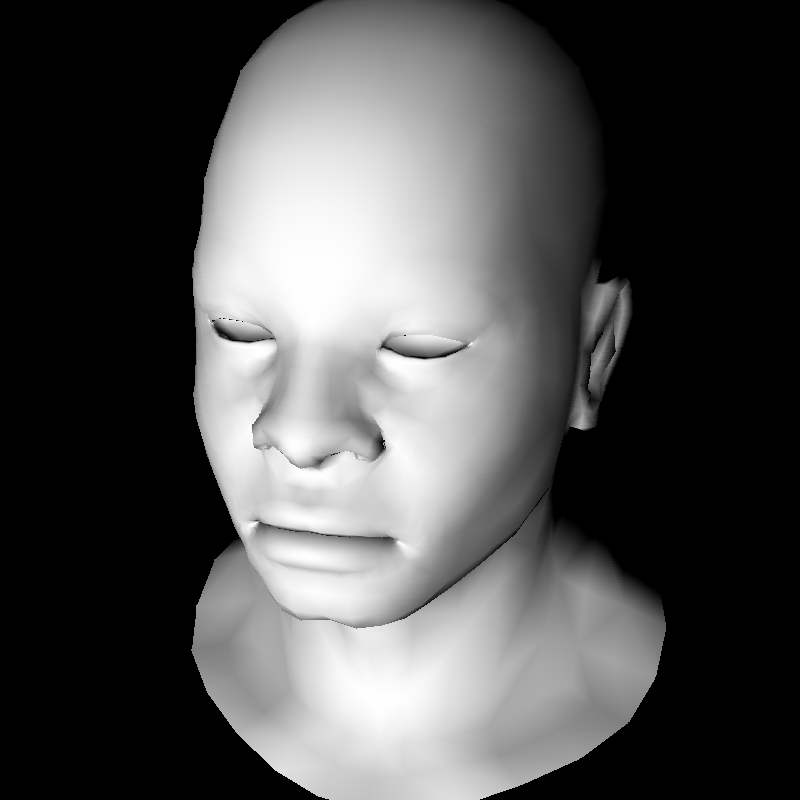 Gouraud shading (no texture) |
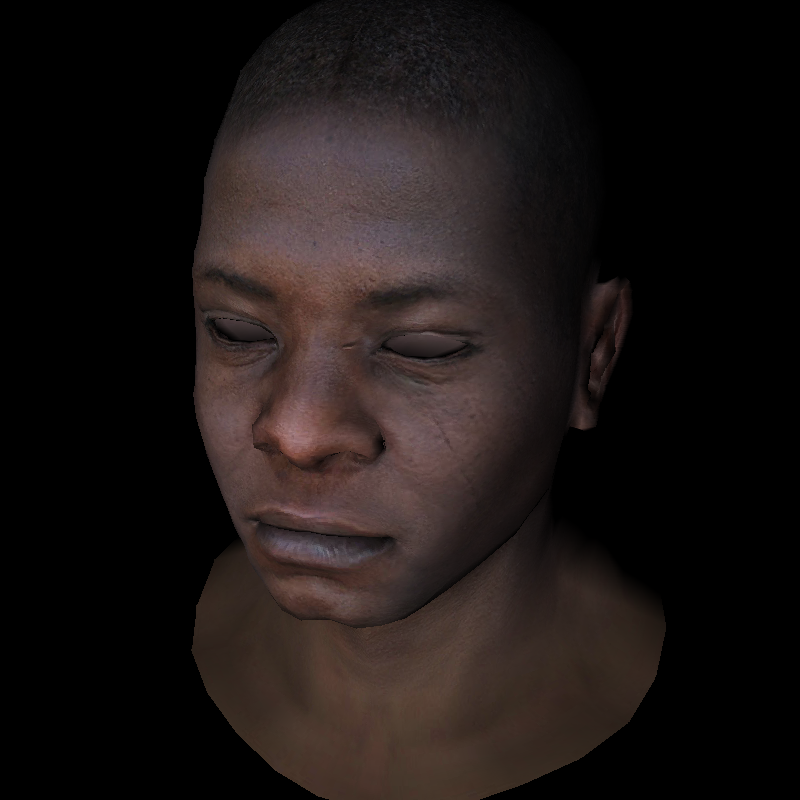 Phong shading (with texture) |
- Z-buffering: depth handling for correct rendering order
- Transformations: camera view, projection, viewport; applied to lights too
- Rasterization: texture mapping, Gouraud and Phong shading
- Modularity: camera view configured in
config.json, loaders, mini geometry library, rasterizer factory
This project is my hands-on take on ssloy's Tinyrenderer. The model used to generate examples with the renderer is the model used in the blog with the permission from creator.
While TinyRenderer prioritizes minimal code, mini-renderer uses a more object-oriented design, making it easier to embed in a GUI or extend for other uses.
 |
 |
 |
 |
 |
 |
 |
 |
 |
 |
 |
 |
 |
 |
 |
 |
 |
 |
Run ./mini-renderer to see help.
Required:
--mode: RASTERIZER_MODE--path: path to the output bmp
Optional:--config: path to the config json
RASTERIZER_MODE options:
bin- black & white with basic lightingbing- black & white with Gouraud shadingbinp- black & white with Phong shadingtex- color with basic lightingtexg- color with Gouraud shading
./mini-renderer --mode bing --path out.tga --config ../config.json
You can adjust the scene in config.json by tweaking eye and light vectors. Other fields are left in for debugging.
{
  "model_path":   "../obj/african_head.obj",
  "texture_path": "../obj/african_head_diffuse.tga",
  "output_width":  800,
  "output_height": 800,
  "output_depth":  255,
  "eye":      [3.0, -3.0, 6.0],
  "center":   [0.0, 0.0,  0.0],
  "vertical": [0.0, 1.0,  0.0],
  "light":    [0.0, 0.0, -1.0]
}
Run ctest from build/ folder to run all tests.
After the build, test binaries will be in the output/ folder:
./test_vec
./test_matrix
./test_model
./test_graphics
This project is licensed under the BY-NC-SA 4.0 License.