


SpoolmanScale is an open-source ESP32-based filament scale with NFC reader. It works with Spoolman and with FilaMan, and you can switch between the two at any time.
Yes, another filament scale – but hear me out, this one might actually earn a spot next to your printer. 😄
Place a spool on the scale – it reads the NFC tag, pulls the spool data from your filament manager, and lets you update the remaining weight, log a drying date, set a location or archive empty spools. All from a 3.5" touchscreen. No phone needed.
A running Spoolman or FilaMan instance on your local network is required – this is what stores all your spool data.
Firmware is available via the Web Flasher or as a direct download from Releases. Already have a scale? Update it right on the device: Settings → System → Firmware Update → Update via GitHub.


Over 100 people are running a SpoolmanScale, and it is tested daily against a Spoolman library of 260+ active spools. If you have an even larger collection, I'd love to hear how it holds up. Questions or trouble? Join the Discord, happy to help.


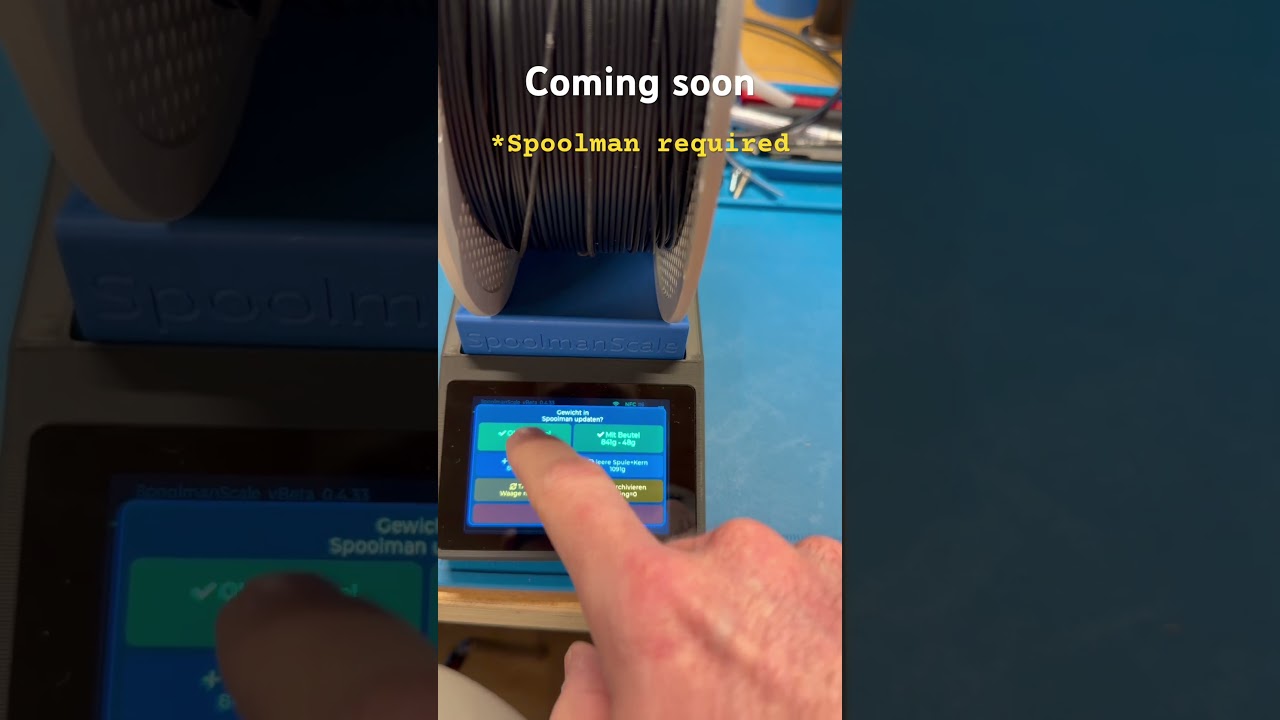
- 🏷️ Bambu Lab NFC tags – place a spool on the scale and SpoolmanScale reads it instantly: material, color, vendor, remaining weight and drying history appear automatically. No tapping required
- 🔗 Bambu Lab spool linking – SpoolmanScale finds the matching entry automatically by filtering by material type, subtype (e.g. HF, CF, Matte) and color similarity, so you only see spools that actually match your tag
- 🔗 Third-party spool linking – place any NTAG sticker → select vendor and material → pick from a filtered list → linked and done
- 📋 Copy spool – running low? Place a new spool on the scale, tap Copy Spool, and SpoolmanScale creates an identical entry, tags the NFC chip and logs the current weight, all in one step
- ⚖️ Live weight (NAU7802) – moving average filter, TARE, live diff against the remaining weight in your database
- 🔀 Two backends – Spoolman or FilaMan, switchable in the settings. Update remaining weight, set initial and spool weight (per spool / filament / vendor), log drying dates, set locations, archive spools
- 📍 Locations – assign and view storage locations on the scale, with an optional popup when you take a spool off
- 🌡️ Drying reminder – color-coded
last_drieddate showing whether a spool needs drying, with thresholds per material or set manually - 📱 Touchscreen UI (LVGL 8.3, 480×320) – settings menu, confirmation popups, sleep/wake
- ⚙️ On-device setup – scan Wi-Fi networks, enter credentials and server address directly on the touchscreen
- 🔄 Firmware updates (OTA) – check for updates and flash new firmware directly on the device, just tap the update button. No PC, no cables. Or upload a firmware file from any browser
- ⚡ Web Flasher – first-time flash via browser over USB. All you need is a browser and a USB cable: niko11111.github.io/SpoolmanScale
- 🌍 DE / EN language support – language selection on first boot, switchable in settings. Full umlaut support (ä, ö, ü)
- 🌙 Power management – display dimming, deep sleep, wake via touch
- 🪵 SD card logging – insert a microSD card and SpoolmanScale logs all events automatically. Download logs via browser, no disassembly needed
| Component | Model | Link |
|---|---|---|
| MCU + Display | WT32-SC01 Plus (ESP32-S3, 480×320, ST7796) | AliExpress |
| Debug Board (not necessary) | ZXACC-ESPDB | AliExpress |
| NFC Reader | PN532 | AliExpress |
| Scale ADC | NAU7802 (Adafruit recommended) | AliExpress |
| Load Cell | YZC-133 2 kg beam cell (5 kg works too) | AliExpress |
| USB-C Panel Mount 90° | 30 cm, Left/Right Angled, full USB-C PD + data | AliExpress |
| Connector Cables | STEMMA QT / JST cables | AliExpress |
| Connector Cables (easier assembly) | Micro JST 1.0 SH 5-pin | Amazon |
The 3D printable enclosure is available on MakerWorld: 👉 makerworld.com/@FormFollowsF

📖 A detailed build guide, wiring diagrams and setup instructions are available in the SpoolmanScale Documentation
1. Order parts & print the enclosure Order from the hardware list and print the enclosure while you wait for shipping.
2. Flash the board first Before assembling, flash via the Web Flasher. Verify it works before wiring.
3. Wire & assemble Full wiring tables and assembly tips: SpoolmanScale Documentation
4. Calibrate Settings → Scale → Calibration. Done.
On first boot the scale asks which filament manager you use and then only shows the steps that apply.
SpoolmanScale uses Spoolman's extra fields to store NFC tag UIDs and drying dates. Both are created automatically during first-time setup:
| Field | Type | Used for |
|---|---|---|
tag |
Text | NFC tag UID (Bambu UUID or NTAG UID) |
last_dried |
DateTime | Last drying date |
Recommended add-on: OpenSpoolMan
OpenSpoolMan connects to your Bambu printer via MQTT and reads which filament is loaded in which AMS tray. It uses the same extra.tag field, so if your spools are already linked in SpoolmanScale, OpenSpoolMan will recognize them instantly.
No extra fields needed. Tags are written to FilaMan's native rfid_uid field, and spools you imported from Spoolman are recognised by their old tag and migrated across on the first scan.
FilaMan needs an API key and a device token. Both are entered through the scale's built-in webserver, same page as the firmware update. The scale has a button that takes you straight there.
An API key inherits the permissions of the user who created it. If you would rather not hand the scale an admin key, create a separate user with a limited role. The exact list of permissions SpoolmanScale needs is behind the ℹ️ button on that page.
- 🖨️ FilaMan printer & AMS features – now that the FilaMan integration is in, the interesting part is what it can do around printers and the AMS. Ideas and requests very welcome
- 🌍 Translated web interface – the built-in webserver is English only for now and will follow the language set on the device
- 🧹 First-time setup polish – dedicated screens for each step instead of reusing the settings screens
-
🖥️ SpoolmanScale Pro – not yet a Spoolman or FilaMan user? No Raspberry Pi at home, and the words "terminal", "SSH", "Docker" and "YAML" make you want to close the tab? That's exactly what SpoolmanScale Pro is for. A Pi Zero 2W inside the same enclosure, or any other Pi outside, running Spoolman or FilaMan locally, set up almost entirely through a web UI. Only a few commands to get the Pi up and running, that's it. Sneak peek: github.com/Niko11111/SpoolmanScalePro-Pi
-
📦 SpoolmanScale Pro, pre-assembled – want all of that, but don't know how to solder and just want something that works straight out of the box? I'm considering a small production run of fully assembled, ready-to-use SpoolmanScale Pro units. No soldering, no setup headaches, just plug it in. Nothing is decided yet, a lot still needs to be figured out, and it all depends on interest. Would a finished, assembled unit be worth it to you? Let me know in the Discord or drop a comment on MakerWorld!
- More ideas welcome – open an issue or join the Discord!
A lot of my free time – time I could have spent with my family – has gone into building SpoolmanScale. If you enjoy using it, please help spread the word:
- ⭐ Star this repo on GitHub – it helps more people discover the project
- ⭐⭐⭐⭐⭐ Rate 5 stars & boost on MakerWorld – every like, rating and boost helps: makerworld.com/@FormFollowsF
- ☕ Support on Ko-fi – even a single euro makes a difference: ko-fi.com/formfollowsfunction
- 💬 Join the Discord – share your build, report issues, or just say hi: discord.gg/GzQzGa5pBG
Have a feature request? Post it in the Discord or open an issue – I read every one of them and do my best to make it happen.
Thank you for your support. It means a lot. 🙏
The codebase was refactored with major help from @DanielNagy, which made the two-backend architecture possible in the first place.
- PandaBalance 2 by the MakerWorld community
- SpoolEase by yanshay
Not affiliated with Spoolman or FilaMan. Uses the Spoolman and FilaMan REST APIs.