MERN (MongoDB, Express, React, Node) stack App
TypeScript
GraphQL
IBM Watson AI
Have you ever wondered why your profiles on dating sites are not successful?
Have you ever wondered what role the description plays on your dating profile?
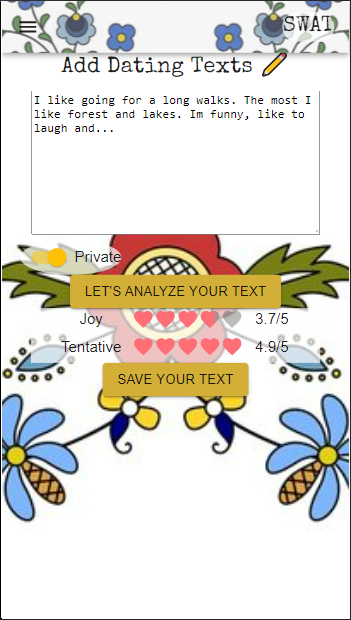
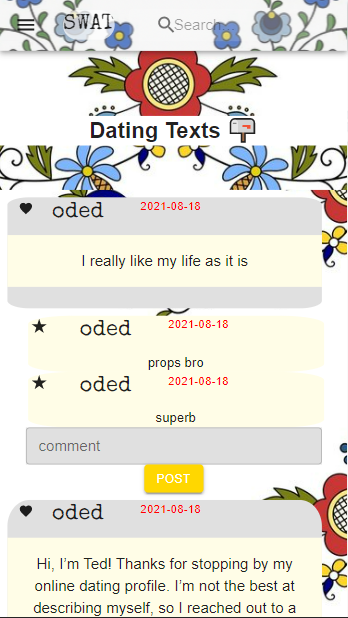
Recent studies show that description on a dating site plays a bigger role than photos. More than 80% of people surveyed confirmed that it is the description of a person that makes them decide to start a conversation. This is why you should have the innovative SWAT application on your phone to help you create a text that will attract attention. Swat- a person who acts as an intermediary in a marriage. The word comes from the Old Polish word swaćba, meaning wedding.Thanks to our application you will be able to formulate a perfect description for a dating site. It's easy! Just write or paste your text, press analyze and our artificial intelligence will give you the result. If you are not satisfied with the result, you can write your text again and see what result you get this time. Then publish your text and get comments from other users. You can see all your texts on the preview in your profile. You can also decide which text will be published and which you want to keep private.
| Write your text Get the AI analyse Publish |
View dating texts Write a comment Search for the dating text |
|---|---|
 |
 |
1. Git clone this repo
2. There are two folders for server (back-end) and the client (front-end), both needs to be installed using npm install
3. In the "server" forlder you need to create a .env file for the Mongo DB URI as "MONGO_URI" to test locally. Next, add Watson API as TA_API_KEY and TA_URL
4. Prepare netlify and heroku for deployment
5. Create a .env file locally with the content "REACT_APP_BACKEND_URL=http://localhost:5000/" and a .env.development file with the same variable but enter the heroku url
6. Ready to deploy!