Python client library for interaction with several supported backends under a single unified interface
- Personal backend - self hosted
- Offline - support for setting your own api keys and query services directly
| API | Offline | Personal |
|---|---|---|
| Admin | yes [1] | yes |
| Device | yes | yes |
| Metrics | yes | yes |
| Dataset | yes | yes |
| OAuth | yes | yes |
| Wolfram | yes [2] | yes |
| Geolocate | yes | yes |
| STT | yes [2] | yes |
| Weather | yes [2] | yes |
| yes [2] | yes |
[1] will update user level mycroft.conf
[2] needs additional configuration (eg. credentials)
[3] uses offline_backend functionality
from ovos_backend_client.api import GeolocationApi

geo = GeolocationApi()
data = geo.get_geolocation("Lisbon Portugal")
# {'city': 'Lisboa',
# 'country': 'Portugal',
# 'latitude': 38.7077507,
# 'longitude': -9.1365919,
# 'timezone': 'Europe/Lisbon'}from ovos_backend_client.api import OpenWeatherMapApi
owm = OpenWeatherMapApi()
data = owm.get_weather()
# dict - see api docs from owm onecall apiDEPRECATED - weather skill now uses open meteo
from ovos_backend_client.api import WolframAlphaApi

wolf = WolframAlphaApi()
answer = wolf.spoken("what is the speed of light")
# The speed of light has a value of about 300 million meters per second

data = wolf.full_results("2+2")
# dict - see api docs from wolframa companion stt plugin is available - ovos-stt-plugin-selene
DEPRECATED - use https://github.com/OpenVoiceOS/ovos-stt-plugin-server with a public server instead
To interact with skill settings on selene
from ovos_backend_client.settings import RemoteSkillSettings

# in ovos-core skill_id is deterministic and safe
s = RemoteSkillSettings("skill.author")
# in mycroft-core please ensure a valid remote_id
# in MycroftSkill class you can use
# remote_id = self.settings_meta.skill_gid
# s = RemoteSkillSettings("skill.author", remote_id="@|whatever_msm_decided")
s.download()

s.settings["existing_value"] = True
s.settings["new_value"] = "will NOT show up in UI"
s.upload()

# auto generate new settings meta for all new values before uploading
s.settings["new_value"] = "will show up in UI"
s.generate_meta()  # now "new_value" is in meta
s.upload()
by hijacking skill settings we allows storing arbitrary data in selene and use it across devices and skills
from ovos_backend_client.cloud import SeleneCloud

cloud = SeleneCloud()
cloud.add_entry("test", {"secret": "NOT ENCRYPTED MAN"})
data = cloud.get_entry("test")
an encrypted version is also supported if you dont trust selene!
from ovos_backend_client.cloud import SecretSeleneCloud

k = "D8fmXEP5VqzVw2HE"  # you need this to read back the data
cloud = SecretSeleneCloud(k)
cloud.add_entry("test", {"secret": "secret data, selene cant read this"})
data = cloud.get_entry("test")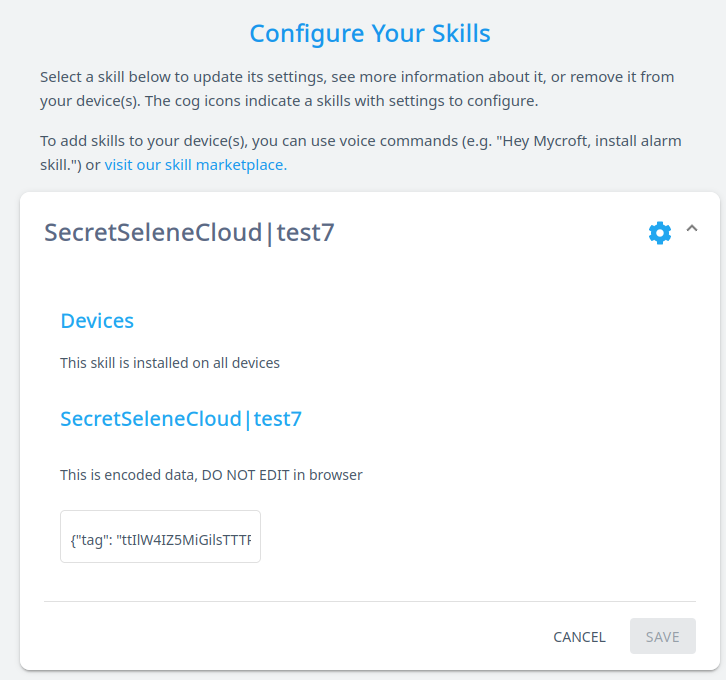
since local backend does not provide a web ui a admin api can be used to manage your devices
from ovos_backend_client.api import AdminApi

admin = AdminApi("secret_admin_key")
uuid = "..."  # check identity2.json in the device you want to manage

# manually pair a device
identity_json = admin.pair(uuid)

# set device info
info = {"opt_in": True,
        "name": "my_device",
        "device_location": "kitchen",
        "email": "notifications@me.com",
        "isolated_skills": False,
        "lang": "en-us"}
admin.set_device_info(uuid, info)

# set device preferences
prefs = {"time_format": "full",
         "date_format": "DMY",
         "system_unit": "metric",
         "lang": "en-us",
         "wake_word": "hey_mycroft",
         "ww_config": {"phonemes": "HH EY . M AY K R AO F T",
                       "module": "ovos-ww-plugin-pocketsphinx",
                       "threshold": 1e-90},
         "tts_module": "ovos-tts-plugin-mimic",
         "tts_config": {"voice": "ap"}}
admin.set_device_prefs(uuid, prefs)

# set location data
loc = {
    "city": {
        "code": "Lawrence",
        "name": "Lawrence",
        "state": {
            "code": "KS",
            "name": "Kansas",
            "country": {
                "code": "US",
                "name": "United States"
            }
        }
    },
    "coordinate": {
        "latitude": 38.971669,
        "longitude": -95.23525
    },
    "timezone": {
        "code": "America/Chicago",
        "name": "Central Standard Time",
        "dstOffset": 3600000,
        "offset": -21600000
    }
}
admin.set_device_location(uuid, loc)