Welcome to the Verification For Security setup guide. In this document, we list installation guides for all the software used during the course. Make sure everything is up and running before continuing with the assignments!
While we will try our best to ensure smooth builds on all platforms, it is difficult achieve given the large diversity.
Both Linux and Mac based system should be able to build the assignments with relative ease. Sadly, (at the time of writing) homebrew doesn't include a Z3 developers package, meaning that assignments that use Z3 will require some additional setup. The explanation regarding Z3 installation will be included in the readme of the corresponding assignment.
For Windows users, we highly recommend the usage of Windows Subsystem for Linux (WSL). WSL is essentially an Ubuntu terminal available on Windows, which should make builds as straightforward as running them through Ubuntu!
Important: Remember that for subsequent installations, you should now follow the instructions for a Debian (Linux) based system, executing the commands inside of WSL. WSL will not be able to locate software installed directly on windows!
From this point onward, we expect all students to have a POSIX shell (e.g. sh, bash, zsh, fish, WSL) available to them for the remaining installations.
The programming assignments for this course are written in Haskell. GHCup is
the main installer for Haskell related tools. Please ensure that you do not
install Haskell tools through different means! Install GHCup by following the
installation guide
for your operating system. If asked during installation, allow GHCup to manage
stack installations.
Make note that the installation guide lists (per-platform) the dependencies that should available. Make sure that these are present on your system if installation fails!
If everything went well, you should be able to poll GHCup for its version number.
$ ghcup --versionNow that GHCup is installed, we can use the below command to open a Terminal User Interface (TUI). This will present us with a screen as shown, here we can navigate the tools currently installed (and set) on our system.
$ ghcup tui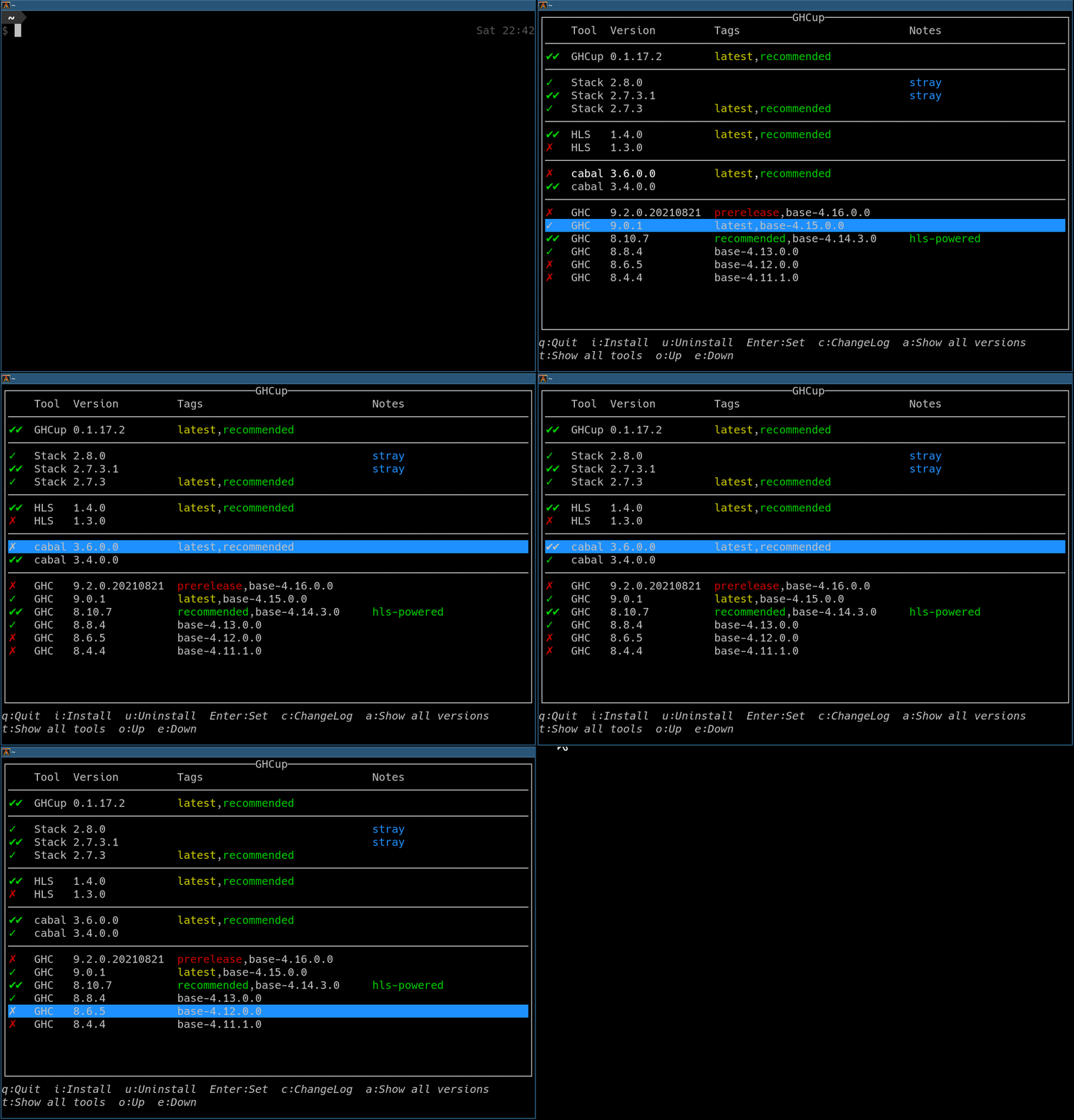
From here, install and set the recommended version of the Haskell build tool
stack. One can aftwards check that stack is available by polling its version
number.
$ stack --versionFor now, we leave the GHC (Glascow Haskell Compiler) and HLS (Haskell Language Server) as is. Instead, every assignment uses a specific GHC and HLS version whose versions are listed as part of the assignments README. Make sure to install (and set) them to the corresponding assignment before building; this ensures both the compiler and language server matches the assignment!
Git is a distributed version control system, which may be used to track changed throughout your project. Install Git by following the installation instructions for your operating system.
You may clone assignments through git with the below command. Make sure to run
this command in the directory where you would like the project to exist. You can
find the <directory-path> in the top right of the repository you would like to
clone, under Code.
$ git clone <directory-path>Git is also the recommended way to cooperate with your teammates during group assignments. Do make sure to make your repository private! Sharing your code in this manner is sadly plagiarism, even if unintentional.