A lightweight Python class for controlling stepper motors using GPIO on a Raspberry Pi via the gpiozero library. Supports 2-pin, 4-pin, and 5-pin motors.
It essentially implements the same Stepper class logic as described in the Arduino Stepper library.
- Compatible with 2-pin, 4-pin, and 5-pin stepper motors
- Forward and reverse movement
- Adjustable stepping delay (speed)
- Arduino-style stepping logic
- Easy integration with
gpiozero - Non-blocking and blocking modes
- Async mode and version
- Raspberry Pi with GPIO
- Python 3.9+
gpiozerolibrary
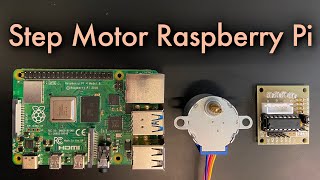
Place the stepper.py file containing the Stepper class in your project directory.
For asynchronous applications, place the async_stepper.py with AsyncStepper class file in your project directory.
Install dependencies if not already available. For example:
pip install gpiozeroor
sudo apt install python3-gpiozeroInitialize the object (example for 4-pin motor with 2048 steps):
step_motor = Stepper(2048, 5, 6, 13, 19)
Set the motor speed in rotations per minute (RPM):
step_motor.set_speed(8)
Move the motor one step forward:
step_motor.step(1)
Move the motor one step backward:
step_motor.step(-1)
Stop the motor immediately:
step_motor.stop()
Set the motor to move in a main loop:
step_motor.start(steps_to_move)
Call this in each iteration of the main loop:
step_motor.tick()
Same as above, but class name is AsyncStepper, and without start() and tick() as they are not needed in async mode.
# 4-pin Stepper Motor on Raspberry Pi
from time import sleep
from stepper import Stepper

step_motor = Stepper(2048, 5, 6, 13, 19)
step_motor.set_speed(10)

try:
    while True:
        step_motor.step(1024)
        print("rotated half")
        sleep(2)
        step_motor.step(1024)
        print("rotated half more")
        sleep(2)
        step_motor.step(-1024)
        print("rotated half back")
        sleep(2)
        step_motor.step(-1024)
        print("rotated half more back")
        sleep(2)
except KeyboardInterrupt:
    pass
finally:
    step_motor.stop()
# Non-blocking mode example
from stepper import Stepper
motor = Stepper(2048, 5, 6, 13, 19)
motor.set_speed(10)
motor.start(1024) # can call in the main loop on event like sensor data
while True:
t = motor.tick()
# run other code while the motor works
# or sleep(max(t, 0.0001))
if motor.steps_left <= 0:
break# Acynchronous mode example
import asyncio
from async_stepper import AsyncStepper
async def run():
motor = AsyncStepper(2048, 5, 6, 13, 19)
motor.set_speed(8)
await motor.step(2048)
asyncio.run(run())If you find this useful, consider supporting the developer.