A pure-Python library for creating, rounding, and morphing polygons using cubic Bezier curves. Inspired by Android's Material Design shape system, brought to Python.
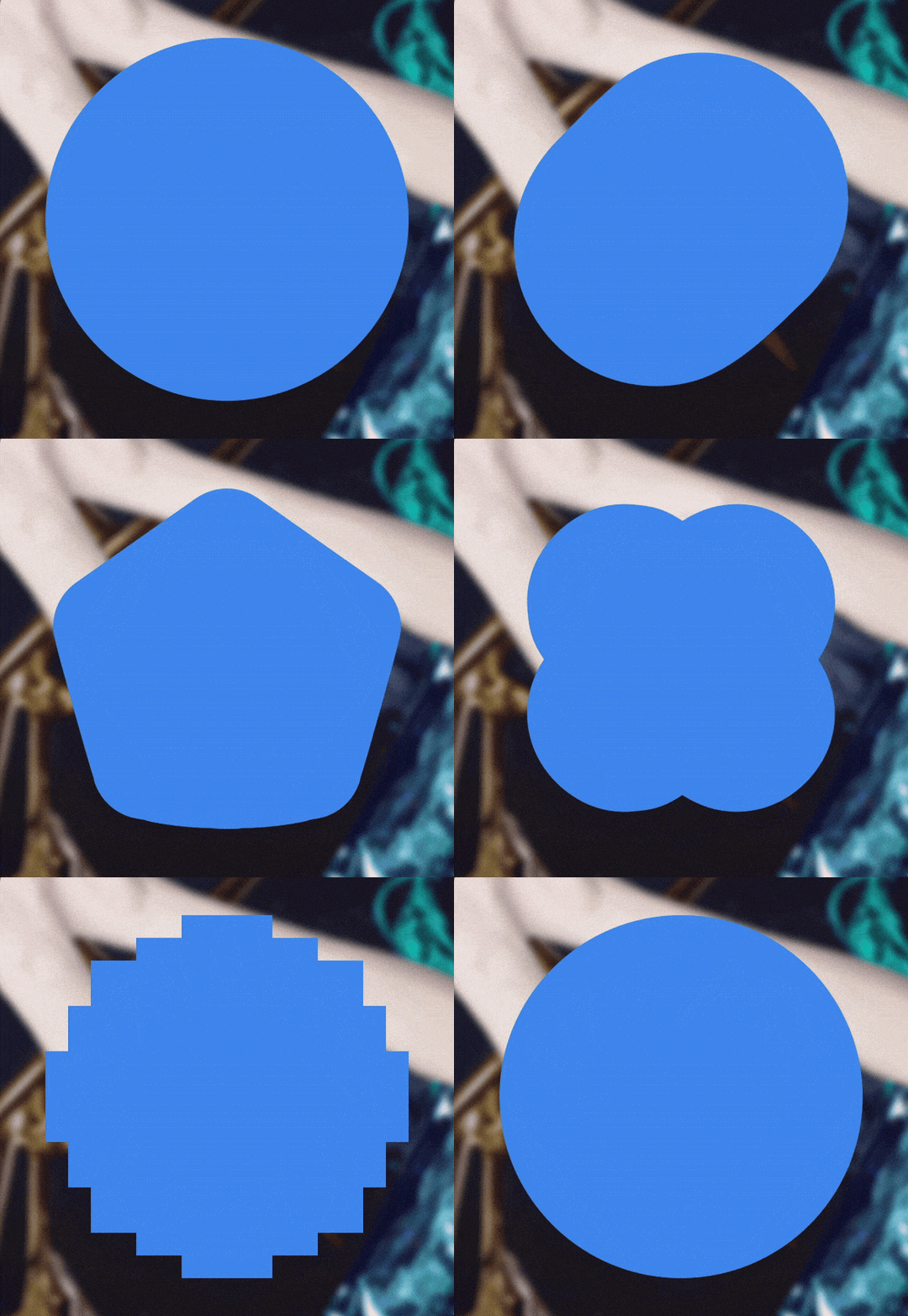
"I like the dots and shapes, and I think they like me too"
- Rounded polygons - Create polygons with per-vertex corner rounding and smoothing, matching Material Design 3 specifications
- Shape morphing - Smoothly interpolate between any two shapes using feature-aware Bezier matching
- 30+ built-in presets - Circle, star, heart, clover, ghost, pixel shapes, and more
- Renderer-agnostic - Outputs cubic Bezier curves; render with Cairo, SVG, Canvas, or any path-based renderer
- Zero dependencies - Pure Python, no external packages required
pip install expressive-shapesNote
See /examples for more implementation demos.
Vertices are defined as a flat list of [x, y, x, y, ...]. The built-in presets use unit coordinates (0.0--1.0), which keeps shapes resolution-independent -- you scale at render time. But you're free to use whatever coordinate space fits your setup (pixel coords, world units, etc.).
from expressive_shapes import RoundedPolygon, CornerRounding

# unit-coordinate triangle (0.0-1.0)
poly = RoundedPolygon.create(
    vertices=[0.5, 0.1, 0.9, 0.9, 0.1, 0.9],
    rounding=CornerRounding(radius=0.08, smoothing=0.6),
)

# get cubic Bezier curves to render with any graphics library
for curve in poly.get_all_curves():
print(curve.p0, curve.p1, curve.p2, curve.p3)from expressive_shapes import RoundedPolygon, CornerRounding
from expressive_shapes.morph.bezier_morph import Morph
poly_a = RoundedPolygon.create(
vertices=[0.5, 0.1, 0.9, 0.9, 0.1, 0.9], # triangle
rounding=CornerRounding(radius=0.07, smoothing=0.0),
)
poly_b = RoundedPolygon.create(
vertices=[0.2, 0.2, 0.8, 0.2, 0.8, 0.8, 0.2, 0.8], # square
rounding=CornerRounding(radius=0.07, smoothing=0.0),
)
# match features between the two shapes (done once)
matched = Morph.match(poly_a, poly_b)
# interpolate at any progress value between 0.0 and 1.0
curves = Morph.as_cubics(matched, progress=0.5) # halfway morphPresets are defined in unit coordinates. Scale them to your target size when creating the polygon, or let your renderer handle it via a transform.
from expressive_shapes import RoundedPolygon
from expressive_shapes.shapes.shape_presets import star, heart, circle

def preset_to_polygon(preset):
    # convert a unit-coordinate preset to a RoundedPolygon
    verts = []
    per_vertex = []
    for (ux, uy), rounding in preset:
        verts.extend([ux, uy])
        per_vertex.append(rounding)
    return RoundedPolygon.create(vertices=verts, per_vertex_rounding=per_vertex)

star_poly = preset_to_polygon(star)
heart_poly = preset_to_polygon(heart)Since shapes are in unit coordinates, use ctx.scale() to map them to your output size. This is the typical approach for Cairo/SVG/Canvas-style renderers, but you can just as easily pre-multiply your vertices if your pipeline expects pixel coordinates.
import cairo
from expressive_shapes.morph.bezier_morph import Morph

# create poly_a and poly_b in unit coords as above
matched = Morph.match(poly_a, poly_b)
curves = Morph.as_cubics(matched, progress=0.35)

size = 500
surface = cairo.ImageSurface(cairo.FORMAT_ARGB32, size, size)
ctx = cairo.Context(surface)

# scale unit coords (0.0-1.0) up to the output size
ctx.scale(size, size)

ctx.move_to(curves[0].p0.x, curves[0].p0.y)
for c in curves:
    ctx.curve_to(c.p1.x, c.p1.y, c.p2.x, c.p2.y, c.p3.x, c.p3.y)
ctx.close_path()

ctx.set_source_rgb(0.24, 0.52, 0.93)
ctx.fill()

surface.write_to_png("morph.png")| Class | Description |
|---|---|
RoundedPolygon |
A polygon with per-vertex rounding, represented as cubic Bezier features |
CornerRounding |
Controls corner radius and smoothing (0.0 = circular arc, 1.0 = fully smoothed) |
Morph |
Feature-aware shape matching and interpolation |
Point |
2D point with arithmetic operations and interpolation |
Cubic |
A cubic Bezier segment (p0, p1, p2, p3) |
Feature |
A polygon segment -- either a "corner" or an "edge", containing one or more Cubic curves |
The shapes.shape_presets module includes 30+ ready-to-use shapes defined in unit coordinates (0.0-1.0):
circle, square, slanted, arch, semicircle, oval, pill, triangle, arrow, fan, diamond, clamshell, pentagon, star, gem, sunny, very_sunny, cookie_4, cookie_8, cookie_12, leaf_clover_4, leaf_clover_8, boom, puffy_diamond, flower, ghost_ish, pixel_circle, pixel_triangle, bun, heart, organic_blob, shield, and more.
Each preset is a list of ((x, y), CornerRounding) tuples that can be scaled to any size.
Debug output is available behind a flag:
import expressive_shapes
expressive_shapes.DEBUG = True
This enables detailed output for shape matching, feature alignment, and the morph walking algorithm.
- Python >= 3.9
- No runtime dependencies