Artlife application that uses Harvard Art Museums data from public API. Museum data encompasses the entire wealth of information a museum collects and digitizes. This includes but is not limited to information about artworks and artists in their collection, venue heatmaps, website traffic analytics, and publications about the museum.
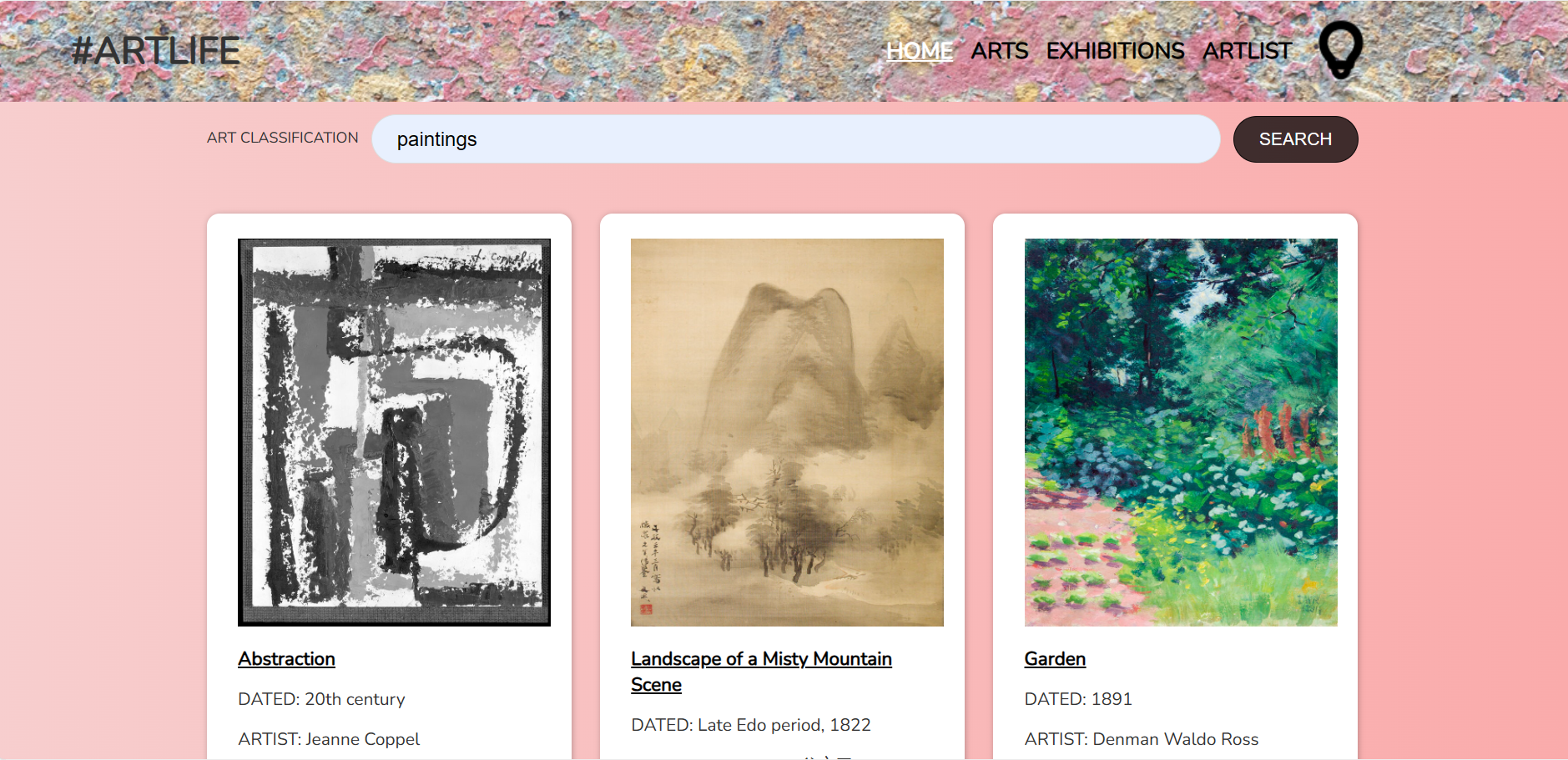
You need to install dependencies by running npm install in the project directory. 'Artlife' directory serves Frontend of the application and 'server' directory - backend.
Runs the app in the development mode.
Open http://localhost:3000 to view it in your browser.
- Home page: arts can be searched using the search bar by classification name: i.e. paintings, prints, drawings, sculptures, photographs etc. You can go to the details page of the specific art from there.
- Arts page: randomly displays 9 art objects and have a sub header for 10 classifications. You can go to the details page of the specific art from there. Museum icon can be clicked to store the favorite objects on the Artlist page.
- Exhibitions page: displays upcoming exhibitions with the option to buy the tickets using Stripe API. You can go to the details page of the specific exhibition with the purchase option from there too. To buy the ticket, use the Stripe success card number - 4242 4242 4242 4242. If the transaction was successful, you will be redirected to the Home page with success or error message.
- Artlife page: favorite art objects are stored there. By clicking again on the museum icon the object is being removed.
- Bulb icon: dark/light mode can be switched on/off by clicking on it.
- Multiple pages using React components and client-side routing: Home, Arts, Exhibitions, ArtList (to store the favorite arts).
- Header will include logo and above mentioned pages. It will be seen on each page of the application.
- Home page will have a search bar by Art classification name: paintings, drawings, photographs etc. 10 pieces of art in one fetch.
- Clicking on any art work will lead to the details page with more information on the chosen art.
- Arts page will have a sub header with 3 most popular classifications, for example: Prints, Paintings, Sculptures.
- Exhibition page will fetch data about different exhibitions with short description.
- ArtList page will contain the favorite art works that will be stored there after clicking the thumb up. Context API will be used here with add/delete methods.
- Custom Hooks: useFetch hook will be created so it could be used for fetching different endpoints, loading and errors messages (to ensure that the app provides feedback to the user during data retrieval from the API).
- Brand/colour palette: Moco Museum
- Showing all available classifications by clicking on ARTLIFE logo (a new page that fetches data).
- Responsive functionality
- Other custom hooks creation for reusability depending on functionality similarity during the project build