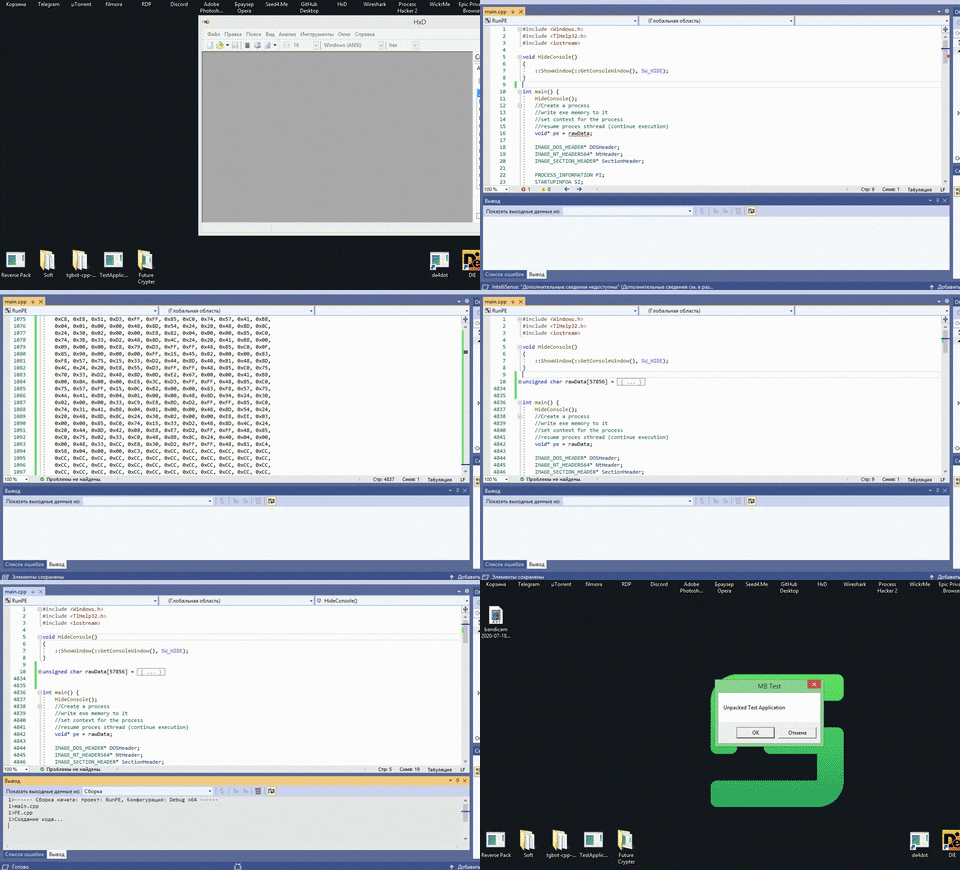
👻Can run your executable from hex memory
- Download the Hxd Editor program.
- Drop the exe file in HxD, select the entire Hex and copy it to C.
- Start Visual Studio with the repository, and paste the copied file into the free space in the code.
- Press Ctrl + B, then go to bin, Debug/Release, RunPE, and there will be your exe file, which will automatically hide all the consoles, and start your program from memory. Congratulations!
================================================================
- Скачайте программу Hxd Editor.
- Закиньте exe файл в HxD, выберите весь Hex и скопируйте его в C.
- Запустите Visual Studio с репозиторием, и вставьте скопированное в свободное место в коде.
- Нажмите Ctrl + B, затем перейдите в bin, Debug/Release, RunPE, и там будет ваш exe файл, который автоматически скроет все консоли, и запустит вашу программу с памяти. Поздравляю!
Example/Пример: