usage: udping.py [-h] [-l LISTEN_PORT] [-4] [-6] [-s] [-c] [-n Counter] [-i INTERVAL_TIME] [-w WAIT_TIME] [-x PROXY]
                 target_host target_port hex_data_packets [hex_data_packets ...]
udping.py: error: the following arguments are required: target_host, target_port, hex_data_packets

用法:udping.py [-h] [-l 监听端口] [-4] [-6] [-s] [-c] [-n 探测次数] [-i 请求间隔] [-w 超时时间] [-x 设置socks代理]
		基础必要参数:域名/ip 端口 数据包
python udping.py exodus.desync.com
python udping.py -4 exodus.desync.com 6969
python udping.py -6 exodus.desync.com 6969
python udping.py exodus.desync.com -s -i 0.5

C:\Users\Administrator\Desktop>python udping.py ipv4.rer.lol 6969 000004172710198000000000697CD3FA -s
Proxy parameter received for parsing:
Attempting to resolve target host: ipv4.rer.lol
Resolved IPv4 address: 27.151.84.5
Creating regular socket...
Listening on port 25693... ok

SysTime: 2024-08-29 04:04:57    Count: 1
Send to: (27.151.84.5, 6969): 000004172710198000000000697cd3fa
Respond Delay Time: 0.00 ms
Recv from: ('27.151.84.5', 6969): 00000000697cd3fae0fe173475a68b01
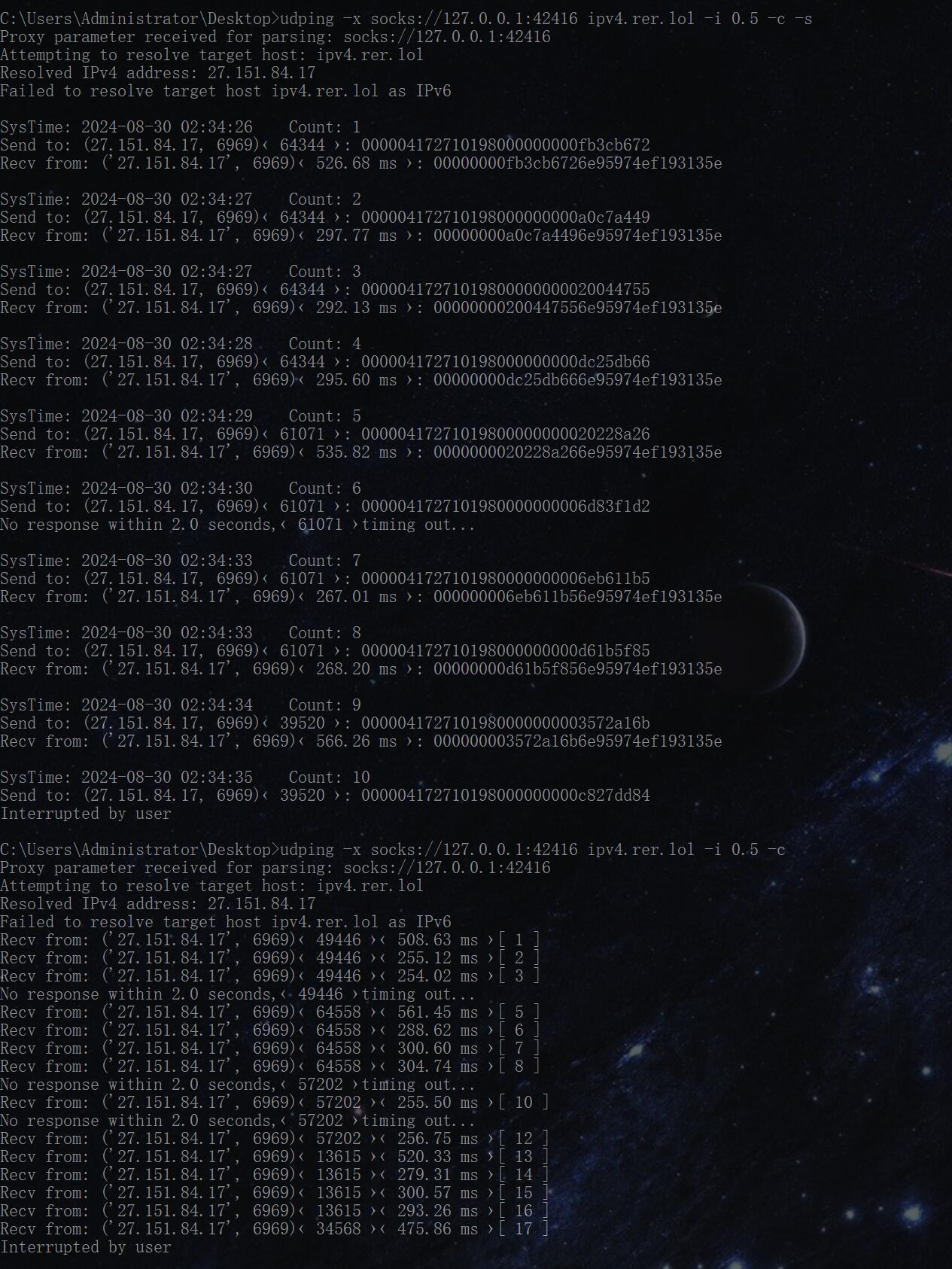
python udping.py bt.rer.lol -n 5 -i 0.1 # 发5次,间隔0.1s
python udping.py bt.rer.lol -c # 持续发(-c 优先级高于 -n)[-s] 显示 当前系统时间+执行次数 打印输出
[-c] 持续探测 直到 CTRL+C 退出
[-i] 探测间隔(s)秒 精确到小数点后面的毫秒延迟 默认为1(s)秒 直到 CTRL+C 退出
[-w] 超时间隔(s)秒 等待超时的间隔 同样精确到小数点后 默认为2(s)秒
[-n] 探测次数 完成次数后终止
[-l] 使用固定监听端口请求 (默认随机端口)
[-x] 启用socks代理:-x socks://127.0.0.1:42416 域名 可选端口 可选数据包- 默认使用ipv4模式、如果域名包含ipv4+ipv6时, ipv4不工作又没自定义参数 则提示超时
- 使用-4/-6 自定义模式 可解决
- 延迟最好不要低于100ms(自己除外)否则可能被tracker限速/拉黑(推荐: 250~500 ms)
pip install pyinstaller
pip install pysockspython.exe -m pip install --upgrade pippyinstaller --onefile udping.py