An advanced web security assessment tool with real-time scanning capabilities, comprehensive vulnerability detection, and a modern web interface.
## Project Structure
```bash
web-scanner/
├── src/
│   ├── examples/                   # Example scanner usage
│   └── web_scanner/
│       ├── config/                 # Configuration management
│       ├── core/                   # Core functionality
│       ├── scanner/                # Security scanning modules
│       ├── reporting/              # Report generation
│       ├── ui/                     # Web interface
│       ├── types.py                # Type definitions
│       ├── crawler.py              # Web crawler functionality
│       └── main.py                 # CLI entry point
├── tests/                          # Test suites
├── .env.example                    # Environment variables template
├── config/                         # Default configurations
├── pyproject.toml
├── requirements.txt
└── setup.py
- Modular design with specialized components for different security tests
- Asynchronous scanning engine for improved performance
- Real-time progress monitoring and reporting
- Configurable scan parameters and modules
- Rate limiting and proxy support
- Session management and authentication handling
- Port scanning and service detection
- Subdomain enumeration
- Technology stack fingerprinting
- Server information gathering
- Banner grabbing
- Service version detection
- CSRF token validation
- Session management analysis
- Password policy assessment
- Authentication bypass detection
- Token security verification
- Session timeout checks
- SQL Injection patterns detection
- Cross-site Scripting (XSS) analysis
- Command injection testing
- XML External Entity (XXE) checks
- Local/Remote File Inclusion tests
- Deserialization vulnerability checks
- Security header validation
- Content-Security-Policy
- X-Frame-Options
- X-Content-Type-Options
- Strict-Transport-Security
- X-XSS-Protection
- Referrer-Policy
- Permissions-Policy
- SSL/TLS configuration assessment
- Server information disclosure checks
- Error handling analysis
- Directory listing detection
- Sensitive data exposure detection
- Email addresses
- Phone numbers
- API keys
- Credentials
- Credit card numbers
- Directory traversal testing
- Version information leakage
- Error message analysis
- Customizable scan depth and thread count
- Configurable request rates and timeouts
- Proxy support with rotation
- Custom user agent strings
- Path exclusion rules
- Authentication configuration
- Confidence scoring system
- False positive reduction
- Result deduplication
- Finding validation
- Severity classification
- Evidence collection
- Remediation guidance
- Clone the repository:
git clone https://github.com/Etrama0/webs-scanner.git
cd web-scanner- Create a virtual environment:
python -m venv venv
source venv/bin/activate # On Windows: venv\Scripts\activate- Install package in development mode:
pip install -e .Run quick scans with minimal configuration:
webscan --url example.comExecute comprehensive scans with multiple modules:
webscan --url example.com \
  --modules recon,exploit,brute \
  --output-dir ./reports \
--verboseThe scanner generates comprehensive security assessment reports in the following formats:
- HTML (default): Interactive report with detailed findings and remediation steps
- JSON: Machine-readable format for integration with other security tools
- PDF: Portable document format suitable for sharing and printing
To specify the report format when running a scan:
# For HTML format (default)
webscan --url example.com

# For JSON format
webscan --url example.com --format json

# For PDF format
webscan --url example.com --format pdf
HTML Reports
- Interactive web interface
- Detailed finding descriptions
- Evidence snippets
- Remediation guidance
- Severity indicators
- Test execution details
- Scan statistics
JSON Reports
- Machine-readable format
- Integration-friendly structure
- Complete scan metadata
- Raw finding data
- Test execution metrics
PDF Reports
- Professional formatting
- Executive summary
- Technical details
- Finding categorization
- Evidence documentation
- Remediation steps
Enhanced PDF Reports (Halfway Implemented and only requires visual optimization)
- Professional PDF report generation with modern styling
- Multi-page report organization:
- Cover page with scan details
- Executive summary and key findings (Page 1)
- Security Assessment Framework (Page 2)
- Detailed vulnerability findings (Subsequent pages)
- Visual elements matching HTML reports:
- Card-based layout
- Severity badges
- Progress indicators
- Statistical summaries
- Professional typography and spacing
# Reconnaissance only
webscan --url example.com --modules recon

# Full security audit
webscan --url example.com --modules recon brute exploitpython -m web_scanner.main \
--config config/scanner_config.yaml \
--target example.comRequired:
--url: Target URL/domain (e.g., example.com)Command line options:
--url: Target URL/domain to scan (required)
--modules: Modules to run (recon,auth,injection,config)
--format: Output format (json|html|pdf, default: html)
--output-dir: Directory for scan reports (default: "reports")
--verbose: Enable verbose logging
--config: Path to custom configuration file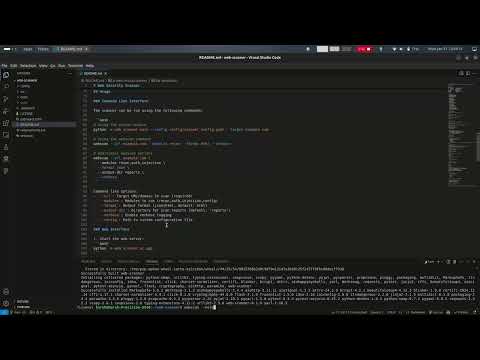
Watch this silent tutorial to create detailed security assessment reports using the GitHub Web-Scanner project. Follow step-by-step as we navigate the scanning process and review the resulting HTML reports.
The modern web UI provides:
- Real-time scan progress monitoring
- Interactive test configuration
- Live result updates
- Detailed finding reports
- Severity-based result filtering
- Evidence and remediation viewing
- Start the web server:
python -m web_scanner.ui.app-
Access the interface at
http://localhost:5000 -
Enter target URL and configure scan options:
- Target URL: Website to scan
- Scan options:
- Thread count
- Scan depth
- Test categories
⚠️ Note: The web interface (python -m web_scanner.ui.app) is currently under development and not fully functional. Please use the command line interface instead.
Using the provided example:
from web_scanner.config.scanner_config import ScannerConfig
from web_scanner.scanner.vulnerability_scanner import VulnerabilityScanner

# Load config
config = ScannerConfig.from_yaml('config/scanner_config.yaml')

# Initialize scanner
scanner = VulnerabilityScanner(config)

# Run scan
target = "https://example.com"
results = scanner.scan(target)# Core Settings
threads: 10
timeout: 30
max_crawl_depth: 3
verify_ssl: false
# Rate Limiting
requests_per_second: 10.0
burst_size: 10
# Scan Controls
max_urls_per_domain: 100
max_test_duration: 300
skip_similar_endpoints: true
# Result Processing
min_confidence_score: 0.7
max_false_positives: 5
result_deduplication: true
# Test Weights
test_weights:
critical: 1.0
high: 0.8
medium: 0.6
low: 0.4
info: 0.2-
Copy
.env.exampleto.env:cp .env.example .env
-
Update sensitive values in
.envwith real credentials. -
Never commit
.envto version control.
- Install development dependencies:
pip install -r requirements.txt- Run tests:
pytest tests/- Generate reports:
from web_scanner.reporting.report_generator import ReportGenerator
from web_scanner.reporting.template_manager import ReportTemplateManager

template_manager = ReportTemplateManager()
report_generator = ReportGenerator(template_manager)
report = report_generator.generate_report(scan_results)GET /- Web interfacePOST /scan- Start new scan{ "url": "https://example.com", "options": { "threads": 5, "depth": 3 } }GET /api/scan/<scan_id>- Get scan status/results
- Obtain proper authorization before scanning
- Respect rate limits and robots.txt
- Use responsibly and ethically
- Test thoroughly in isolated environments
MIT License - See the LICENSE file for details.
Web Security Scanner is a cybersecurity tool designed to perform security assessments on specified targets. While it aims to identify vulnerabilities and enhance security, it may inadvertently cause malfunctions, crashes, or potential data loss on the target system.
Using a Web Security Scanner to attack or assess a target without the explicit consent of its owner is illegal. It is the end user's sole responsibility to comply with all applicable local laws and regulations.
The developer assumes no liability and is not responsible for any misuse, damage, or unintended consequences arising from the use of this program.
This project, Web Security Scanner, was developed using AI-assisted tools. AI was utilized for code generation, optimization, and documentation enhancements to streamline the development process. The integration of AI support has been instrumental in accelerating the project's completion and ensuring high-quality outputs.
I appreciate the role of AI in enhancing productivity and welcome any feedback or suggestions for improvement.