Releases: horizonwiki/fire
v0.1.3

🔥 Fire CLI v0.1.3
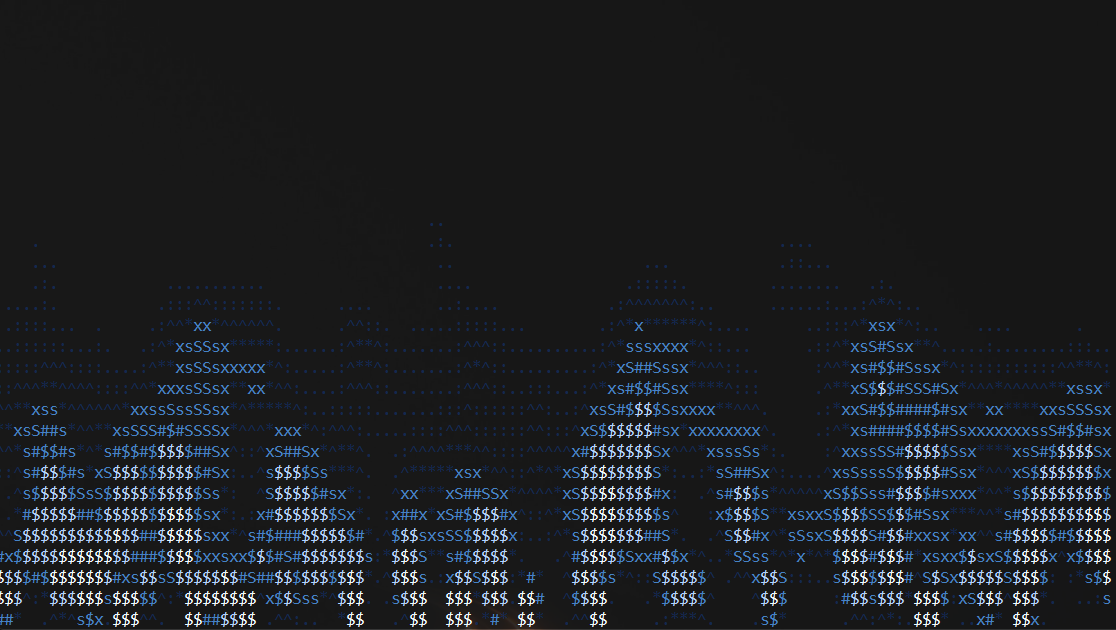
🚀 v0.1.3 — Version Flag & More Themes
This release introduces a new version flag and expands the theme collection even further, while maintaining the optimized rendering engine.
✨ What's New
-
📄 Version Flag — Added
-v/--versionto display package information.[!TIP]
The version output shows the system and architecture for which the binary was built, not necessarily the current runtime system (though in most cases they match). -
🎨 20+ Color Schemes — Added 4 new themes, expanding the palette collection.
-
⚙️ Custom Themes Support — Continued support for user‑defined palettes using HEX codes:
custom:#hex.#hex.#hex.#hex.
📦 Installation
Download the archive for your platform and architecture:
Windows
- x86_64 —
fire-windows-x86_64.zip - arm64 —
fire-windows-arm64.zip
Linux
- x86_64 —
fire-linux-x86_64.tar.gz - arm64 —
fire-linux-arm64.tar.gz
macOS
- x86_64 (Intel) —
fire-macos-x86_64.tar.gz - arm64 (Apple Silicon) —
fire-macos-arm64.tar.gz
Note
Can't find a binary for your OS or architecture?
You can build Fire CLI yourself from source — the app supports all platforms and architectures compatible with Rust and libc. Build instructions are available in the README.
v0.1.2
🔥 Fire CLI v0.1.2

🚀 v0.1.2 — The Great Visual Update
This release significantly expands customization options and improves internal logic for handling system interrupts and user input.
✨ What's New
- 🎨 15+ New Color Schemes — A massive collection of themes has been added, including a unique
rainbowtheme with dynamic color cycling. - 🛠️ Dedicated Theme Command — Introduced the
-tor--themeflag for precise and convenient theme selection directly from the CLI. - ⚡ Enhanced Optimization — The rendering engine has been completely redesigned. A new approach significantly reduces CPU usage while maintaining high-fidelity flame animation.
- 📖 Dynamic Help Menu — The
-hor--helpflag now intelligently detects and displays the actual name of the binary. - ⚙️ Custom Themes Support — You can now define your own palettes using HEX codes:
custom:#hex.#hex.#hex.#hex.
🐛 Bug Fixes & Stability
- Low-level Input Handling — Rewrote the exit logic. The program now responds instantly to
ESCandCtrl+Con Unix-based systems, accurately distinguishing between single keypresses and terminal escape sequences.
📦 Installation
Download the archive for your platform and architecture:
Windows
- x86_64 —
fire-windows-x86_64.zip - arm64 —
fire-windows-arm64.zip
Linux
- x86_64 —
fire-linux-x86_64.tar.gz - arm64 —
fire-linux-arm64.tar.gz
macOS
- x86_64 (Intel) —
fire-macos-x86_64.tar.gz - arm64 (Apple Silicon) —
fire-macos-arm64.tar.gz
Note
Can't find a binary for your OS or architecture?
You can build Fire CLI yourself from source — the app supports all platforms and architectures compatible with Rust and libc. Build instructions are available in the README.
v0.1.1
🔥 Fire CLI v0.1.1

✨ What's New
- Optimization — improved animation rendering performance.
- Help menu — now displays the actual binary name.
🐛 Bug Fixes
- Fixed
Ctrl+Chandling on Unix systems.
📦 Installation
Download the archive for your platform and architecture:
Windows
- x86_64 —
fire-windows-x86_64.zip - arm64 —
fire-windows-arm64.zip
Linux
- x86_64 —
fire-linux-x86_64.tar.gz - arm64 —
fire-linux-arm64.tar.gz
macOS
- x86_64 (Intel) —
fire-macos-x86_64.tar.gz - arm64 (Apple Silicon) —
fire-macos-arm64.tar.gz
Note
Can't find a binary for your OS or architecture?
You can build Fire CLI yourself from source — the app supports all platforms and architectures compatible with Rust and libc. Build instructions are available in the README.