This Project is based on the Deep Learning with PyTorch that uses the custom data of Coivd and Normal Patient to predict if the patient is having covid or not.
How Flower can be used to build federated learning use cases based on existing machine learning projects.containing files:
dataset.zip
   |__covid19
        |__ *.jpg (all image files)
   |__normal
         |__ *.jpg (all image files)
 --client.py
 --client2.py
 --covid.py
 --covid_prediction.py
 --server.py
 --README.md
--requiremtns.txt- Scroll down the left navigation panel and choose "Security Group" under "Network & Security".
- Select the "EC2 Security Group" that needs to be verified.

- Scroll down the bottom panel and choose "Inbound". Choose "Custom TCP rule" in the dropdown.Then you will be able to change the port to 8080.

- Click on the "Save" button to make the necessary changes.

Now, Connect to your EC2 instance.
(Note: The ‘.’ at the end of the command is to put the contents of the repository into the current directory)$ git clone https://github.com/i-anubhav-anand/Fed_learning_flower .
Go to the (Fed_learning_flower) folder and install all the dependencies
$ pip install -r requirements.txt After installation run
$ python3 server.pyNow that the server is running and waiting for clients, we can start two clients that will participate in the federated learning process. To do so simply open two more terminal windows and run the following commands.
You can simply start the centralized training as described
Start by cloning the example project.
$ git clone https://github.com/i-anubhav-anand/Fed_learning_flower
Create virtual env.
$ python -m venv venvActivate virtual env.
$ # Linux/macOS
$ source venv/bin/activate
$ # Windows
$ venv\Scripts\activate
Installing all the dependencies
$ pip install -r requirements.txt.Before running client.py/client2.py make sure to replace localhost with the public ip address of EC2 instance.

which looks like this

Start client 1 in the first terminal:
$ python client.pyStart client 2 in the second terminal:
$ python client2.pyYou are now training a PyTorch-based CNN image classifier on Chest X-ray(Custom Data), federated across two clients.
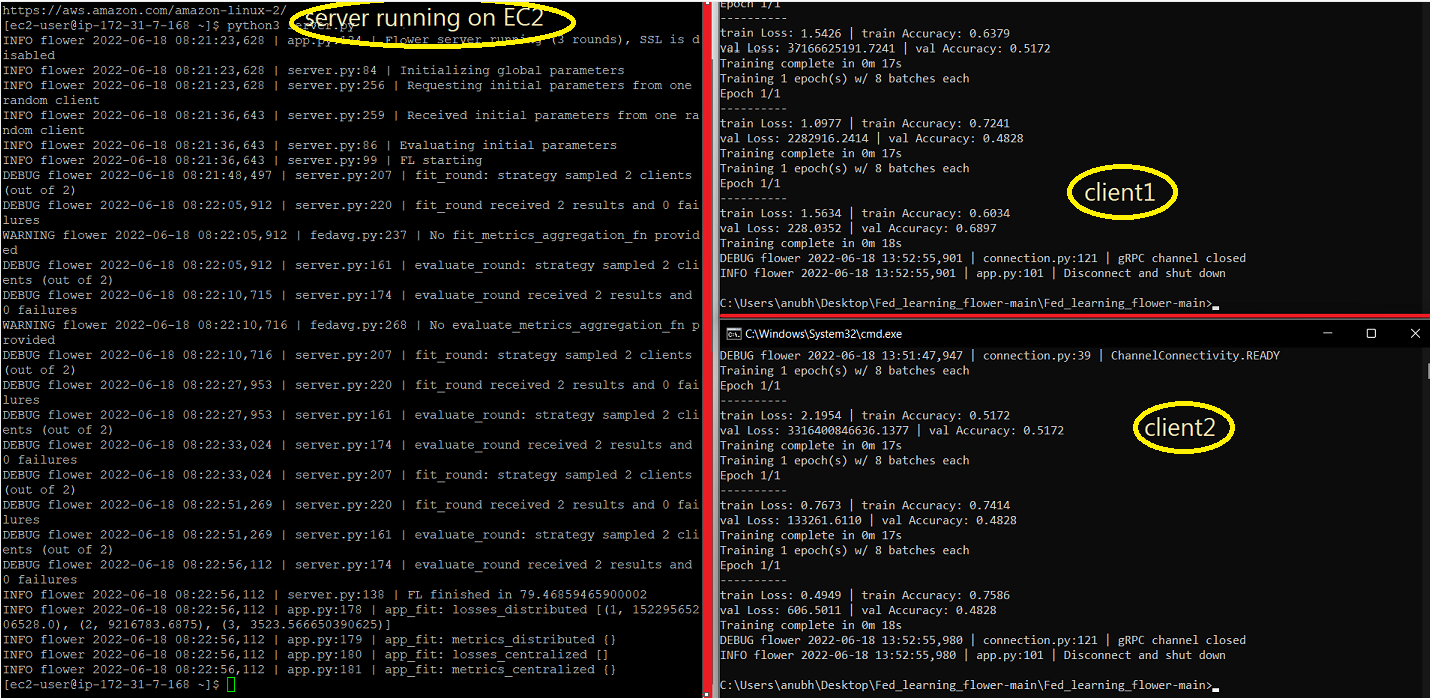
Federated_Learning_Working_Demo.mp4
Once after you're done with the training the path weights get saved locally
To run single/Batch Prediction make sure you pass the right arguments
$ python .\covid_prediction.py {single/batch} {location}where arg1 take 'single' for Single Image Prediction and 'batch' for Batch Prediction arg2 which is the location the image/dir respectively
$ python .\covid_prediction.py single 'dataset\dataset\covid19\person3_bacteria_13.jpeg'
$ python .\covid_prediction.py batch 'dataset\dataset' 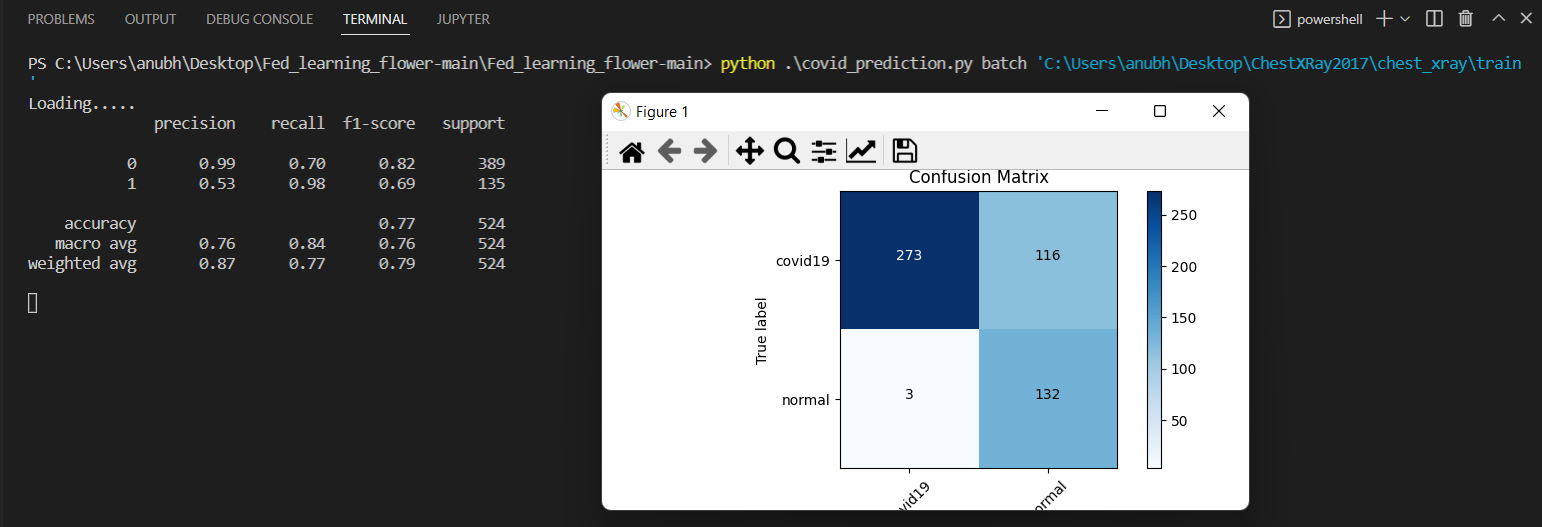
Single_Batch_Prediction_Working_Demo_Trim.mp4
| Info | Count |
|---|---|
| Train Images | 5232 |
| Test Images | 1046 |
| Validation Images | 525 |
| Classes | 2 |