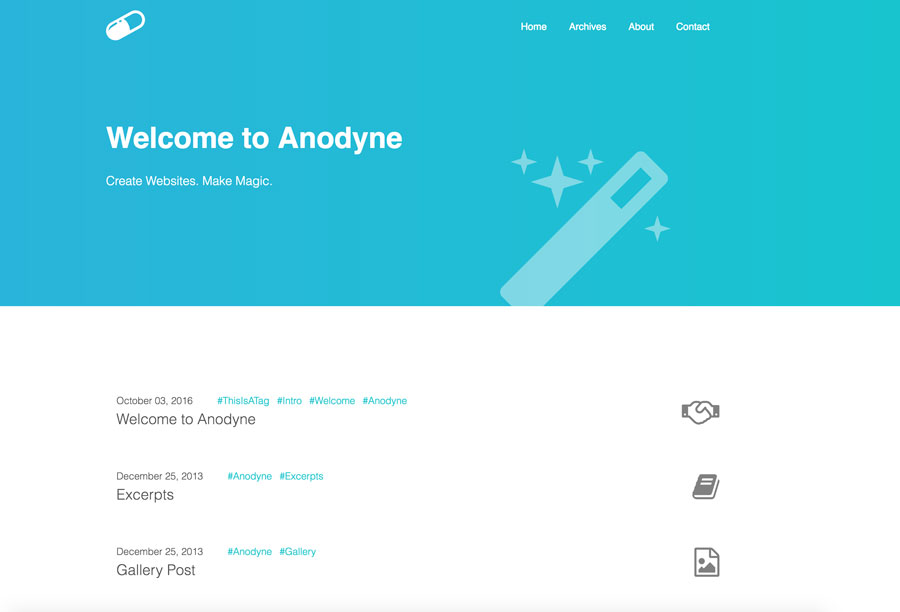
- Responsive
- Disqus comments
- Google Analytics
- Tags Support
- Responsive Images
- Responsive YouTube and Vimeo videos
- Social Accounts configuration
- Pagination
- Pages
- Categories Support (widget)
- About widget
- Recent posts widget
- Stylus CSS preprocessor
- ejs HTML templates
Note: No Image Gallery. Useless and too heavyweight. Feel free to develop one and send me a PR if you feel like this is a must.
Install the theme by using:
$ git clone https://github.com/klugjo/hexo-theme-anodyne themes/anodyne
Then update your blog's main _config.yml to set the theme to anodyne:
i.e:
# Extensions
## Plugins: http://hexo.io/plugins/
## Themes: http://hexo.io/themes/
theme: anodyneEach post supports the standard title, date, categories, tags.
On top of that, you can specify a custom font-Awesome icon in the front matter:
Example:
title: Welcome to Anodyne
tags: ["ThisIsATag", "Intro", "Welcome", "Anodyne"]
categories: ["Configuration", "Hexo"]
icon: fa-handshake-o
---The theme's global configuration is done in /themes/hexo-theme-anodyne/_config.yml.
The menu is configured in the theme's _config.yml.
# Header
menu:
  Home: /
  Archives: /archives
  About: /about.html
The object key is the label and the value is the path.
The blog's logo is configured in the theme's _config.yml.
It should be an image or svg
# Logo
logo_image_source: /assets/anodyne.svgThe About section's text in the footer is configured in the theme's _config.yml. HTML allowed.
# Footer about
footer_about: "@Untitled. All right reserved"The default post title (used when no title is specified) is configured in the theme's _config.yml.
default_post_title: UntitledThe default post icon (used when no icon is specified) is configured in the theme's _config.yml.
default_post_icon: fa-file-text-oLikewise, you can configure the home page's title, subtitle and icon in the _config.yml
# Index Page
index_banner_text: Welcome to Anodyne
index_banner_text_secondary: Create Websites. Make Magic.
index_font_awesome_icon_css: fa fa-magicYou can change the date format for the archive page if you so desire
# Archive Date Format
archive_date_format: MMM YYYYThe disqus shortname is specified in the theme's _config.yml.
# Comments.
comments:
  # Disqus comments
disqus_shortname: yournametestThe Google Analytics Tracking ID is configured in the theme's _config.yml.
# Google Analytics Tracking ID
google_analytics:Setup the links to your social pages in the theme's _config.yml as an array of objects. Links are in the footer.
Example:
# Social Accounts
social_platforms:
  - url: https://twitter.com/?lang=en
    fa_icon: fa-twitter
  - url: https://www.facebook.com/
    fa_icon: fa-facebook
  - url: https://dribbble.com/
    fa_icon: fa-dribbble
  - url: https://github.com/klugjo/hexo-theme-anodyne
fa_icon: fa-githubFollow these steps to add a
tagspage that contains all the tags in your site.
- Create a page named
tags
$ hexo new page "tags"
- Edit the newly created page and set page type to
tagsin the front matter.
title: All tags
type: "tags"
- Add
tagsto the menu in the theme_config.yml:
# Header
menu:
  Home: /
  Archives: /archives
  Tags: /tags
Follow these steps to add a
categoriespage that contains all the categories in your site.
- Create a page named
categories
$ hexo new page "categories"
- Edit the newly created page and set page type to
categoriesin the front matter.
title: All tags
type: "categories"
- Add
Categoriesto the menu in the theme_config.yml:
# Header
menu:
  Home: /
  Archives: /archives
  Categories: /categories
This theme was created by Jonathan Klughertz, check out my github and blog.
If you have a question, feature request or a bug you need me to fix, please click here to file an issue.
MIT
Enjoy :)