

Having to transfer balance from crypto wallet to your bank to make real world payment is most pretty common for most crypto users, With merchant plus you can make payment directly to the seller and on the go using Merchant Plus card system. This system introduces the way for not just the consumer but the Service provider to use crypto in their daily business
The major goal of this application is to be able to create and show the importance of decentralized fully autonomous system of banking. people are discouraged by crypto because of its unstable behaviour, difficulty in shopping , not only consumers but the even the people who sell goods and servies don't have proper means and to provide a way for these people to interact with crypto and be able to use in their daily business is a major goal this project aims to achieve\
-
Custom Token
Merchant Plus uses custom token built in the Etherium network called MPT ( merchant plus token)
-
Object Detection
Mearchant Plus uses objection detection to detect which object is to be added in the cart and the proce of that object, removing the hassel of QR - code
-
Custom Card
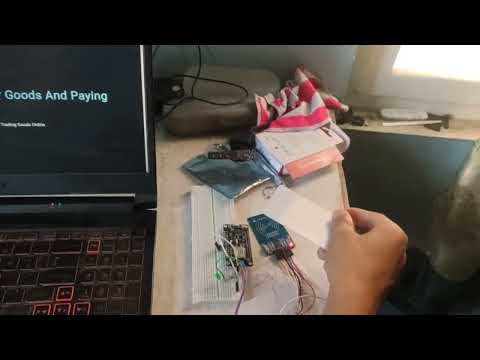
Merchant Plus uses custom card which unlike debit or credit card is controlled by you and is linked to your blockchain address
-
Simple to use UI
Merchant Plus has easy to use User interface which allows you to directly interact with your wallet and swap to and from merchant plus token with ease
-
Firstly you would need to clone the Merchantplus GitHub repo:
git clone https://github.com/apurbadh/MerchantPlus -
You should see all the different folders for Frontend , Backend , embedded and BlockChain
To run the front end server Make sure that you have npm installed in your systemGo into the front end folder and install the necessary packages
npm installOnce the packages are installed run the react server
npm run devTo run the backend make sure that you have python installed in your system
To run the machine learning model you will alsp need to have python installed your systemGo to the backend folder and install the required packages
pip install -r requirements.txt
Once the requirements has been installed run the migration to create a database
python makedb.py
Go to the machine learning folder and install the dependencies
pip install -r requirements.txt
once the requirements have been installed run the main file
python main.py
- ReactJS
- FastAPI
- Websockets
- Truffle
- web3Py and Web3JS
- Tensorflow
- numbPy
Apurba apurba * Ashutosh aashutosh * Samyam samyam * Amir Amir * Ashwot Ashwot