This repository is meant to be a template for building your own custom Universal Blue image. This template is the recommended way to make customizations to any image published by the Universal Blue Project:
This template includes a Containerfile and a Github workflow for building the container image. As soon as the workflow is enabled in your repository, it will build the container image and push it to the Github Container Registry.
Working knowledge in the following topics:
- Containers
- rpm-ostree
- Fedora Silverblue (and other Fedora Atomic variants)
- Github Workflows
Select Use this Template and create a new repository from it. To enable the workflows, you may need to go the Actions tab of the new repository and click to enable workflows.
This file defines the operations used to customize the selected image. It contains examples of possible modifications, including how to:
- change the upstream from which the custom image is derived
- add additional RPM packages
- add binaries as a layer from other images
This workflow creates your custom OCI image and publishes it to the Github Container Registry (GHCR). By default, the image name will match the Github repository name.
Container signing is important for end-user security and is enabled on all Universal Blue images. It is recommended you set this up, and by default the image builds will fail if you don't.
This provides users a method of verifying the image.
-
Install the cosign CLI tool
-
Run inside your repo folder:
cosign generate-key-pair
- Do NOT put in a password when it asks you to, just press enter. The signing key will be used in GitHub Actions and will not work if it is encrypted.
Warning
Be careful to never accidentally commit cosign.key into your git repo.
-
Add the private key to GitHub
-
This can also be done manually. Go to your repository settings, under Secrets and Variables -> Actions
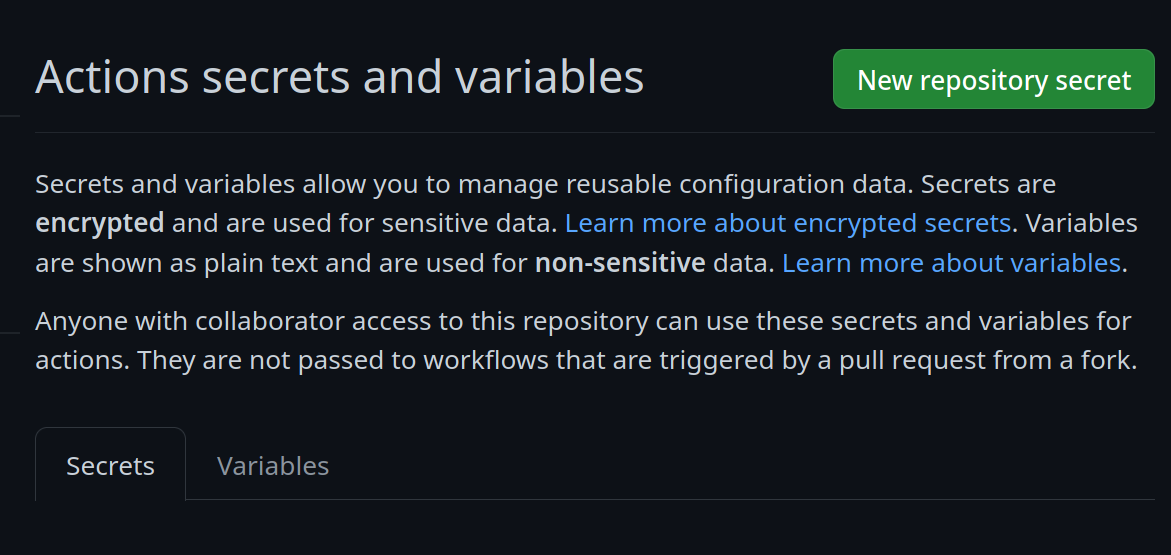 Add a new secret and name it
 SIGNING_SECRET, then paste the contents ofcosign.keyinto the secret and save it. Make sure it's the .key file and not the .pub file. Once done, it should look like this: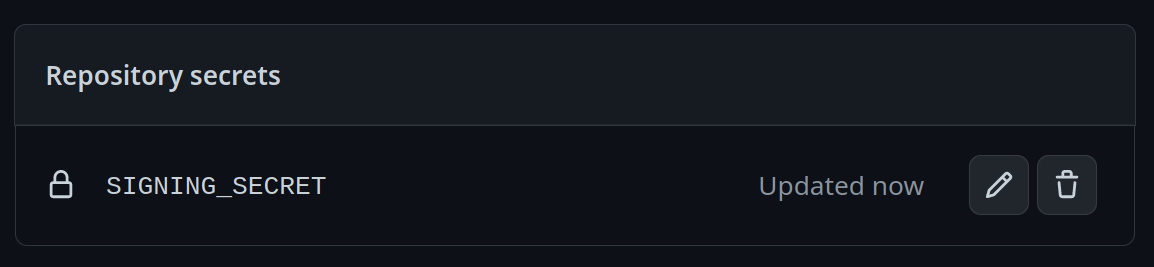
-
(CLI instructions) If you have the
github-cliinstalled, run:
gh secret set SIGNING_SECRET < cosign.key
-
-
Commit the
cosign.pubfile to the root of your git repository.
A custom Universal Blue image for Surface Book 2 based on Bluefin DX Surface edition.
✅ Using Prebuilt Kernel Method (daegalus/redfin approach)
Why This Approach:
- Previous
bluefin-dx-surface:latestworked in December 2024 (version 41.20241223.1) - That specific digest and F41 tags are no longer available (removed from registry)
- Issue #2051: Bluefin team discontinuing Surface/Asus support
- Solution: Build our own using prebuilt kernels from ublue infrastructure
Current Implementation:
- Base:
bluefin-dx:latest(F42, standard Bluefin, not Surface variant) - Kernel: F41 Surface kernel from
ghcr.io/ublue-os/surface-kernel:41 - Method: Pull kernel RPMs from ublue cache, replace using
rpm-ostree override - Note: F42 Surface kernel not yet available, using F41 kernel on F42 base
Available Surface kernels in ublue cache:
- F39: kernel-surface-6.11.4 ✅
- F40: kernel-surface-6.12.7 ✅
- F41: kernel-surface-6.12.7 ✅ (currently used)
- F42: Not available yet ❌
- Surface-specific sleep/suspend configurations
- IPTS touchscreen permissions
- Additional Surface control utilities
podman build -t bluefin-surface .podman run --rm ghcr.io/sojay/bluefin:latest rpm -qa | grep kernel- ✅ Good:
kernel-6.9.xor containsbazzite - ❌ Bad:
kernel-6.10.10+(known boot issues)
sudo rpm-ostree rebase ostree-image-signed:docker://ghcr.io/sojay/bluefin:latest
sudo systemctl rebootsudo rpm-ostree upgrade- Cause: Incompatible kernel
- Fix: Hold Shift at boot → select pinned backup
- Rollback:
sudo rpm-ostree rollback
- Error: "Could not resolve init executable"
- Fix: Boot GRUB (hold Shift) → select working deployment
- Cleanup:
sudo rpm-ostree cleanup -r
sudo ostree admin pin 0Prebuilt Kernel Method - Based on @daegalus/redfin successful implementation:
- Start with
bluefin-dx:latest(standard base, not Surface variant) - Use
skopeoto pull prebuilt Surface kernel fromghcr.io/ublue-os/surface-kernel - Remove stock kernel packages
- Replace with Surface kernel using
rpm-ostree override replace --experimental - Install Surface userspace packages: iptsd, libwacom-surface
- Rebuild initramfs with dracut for the new kernel
Why This Works:
- Avoids problematic
bluefin-dx-surfacetags - Uses tested, prebuilt kernels from ublue infrastructure
- Same method that works for ASUS devices
- Gives control over which Fedora version's kernel to use
If the default kernel doesn't boot, try older Fedora versions:
# In Containerfile, change the RELEASE in build-surface.sh
# Or modify to pull from specific Fedora version:
skopeo copy docker://ghcr.io/ublue-os/surface-kernel:39 dir:/tmp/kernel-rpms
Kernel versions available:
- F39: 6.11.4 - Try this first if F42 doesn't boot
- F40: 6.12.7
- F41: 6.12.7
- F42: 6.12.7 (default)