
A simple, educational project built with Thunde Engine that recreates core mechanics of Minecraft, including block-based world interaction, free movement, and flight.
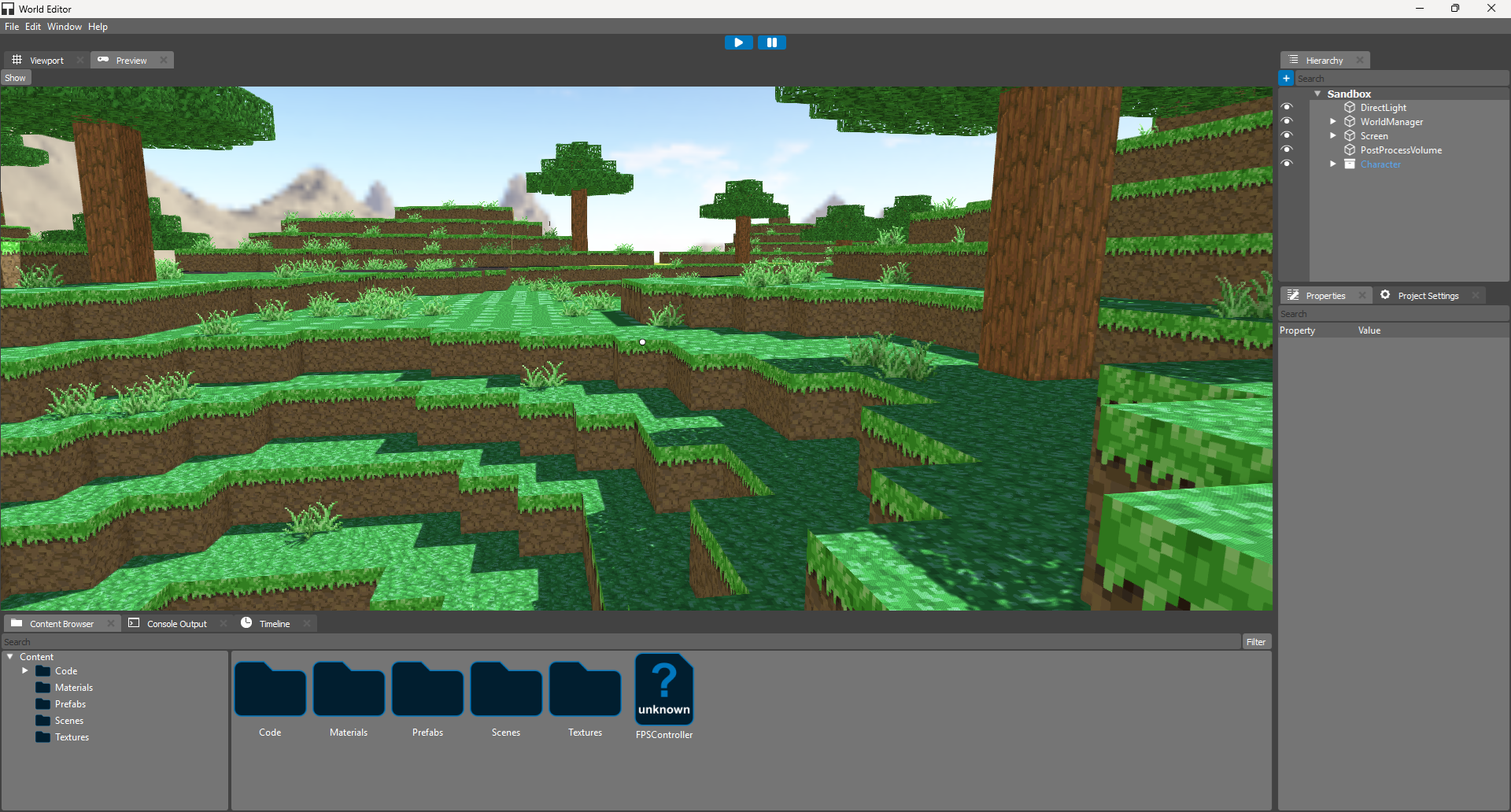
- Free Movement: Navigate the world using the
W,A,S,Dkeys. - Flight Mode: Hold the
Spacebarkey to levitate and fly around the world, allowing for easy exploration at any height. - Block Interaction:
- Add Blocks: Place new blocks into the world.
- Remove Blocks: Destroy and remove existing blocks.
- Ensure you have the Thunde Engine installed and properly set up on your system.
- A C++ compiler with C++17 support or higher.
| Action | Key |
|---|---|
| Move Forward | W |
| Move Backward | S |
| Move Left | A |
| Move Right | D |
| Fly / Levitate | Hold Spacebar |
| Add Block | Right Mouse Button |
| Remove Block | Left Mouse Button |
This project is built as a learning exercise using the Thunde Engine, a powerful engine for 2D and 3D application development.
This project is created for educational purposes and is distributed under the MIT License.
Tiles atlas provided by https://metsura.itch.io/metsura