
Live preview for TikZ files in VS Code — like KtikZ, but inside your editor. Supports both PDF and SVG preview modes.
Edit .tikz, .pgf, or .tkz files and see the compiled PDF update in a side panel.
- Live preview — auto-compiles on file changes (1s debounce)
- Configurable compiler — supports
pdflatex,lualatex,xelatex, shell-escape - Template system — use custom
.pgstemplate files, or the bundled default (from KtikZ'stemplate_example.pgs) - Zoom controls — zoom in/out, fit-to-width, or type a percentage manually
- Error display — compilation errors shown inline in the preview panel
- SVG preview — optional SVG mode via
jock.svgextension (pdftocairo/pdf2svg conversion) - Dark theme — preview panel matches VS Code's dark interface
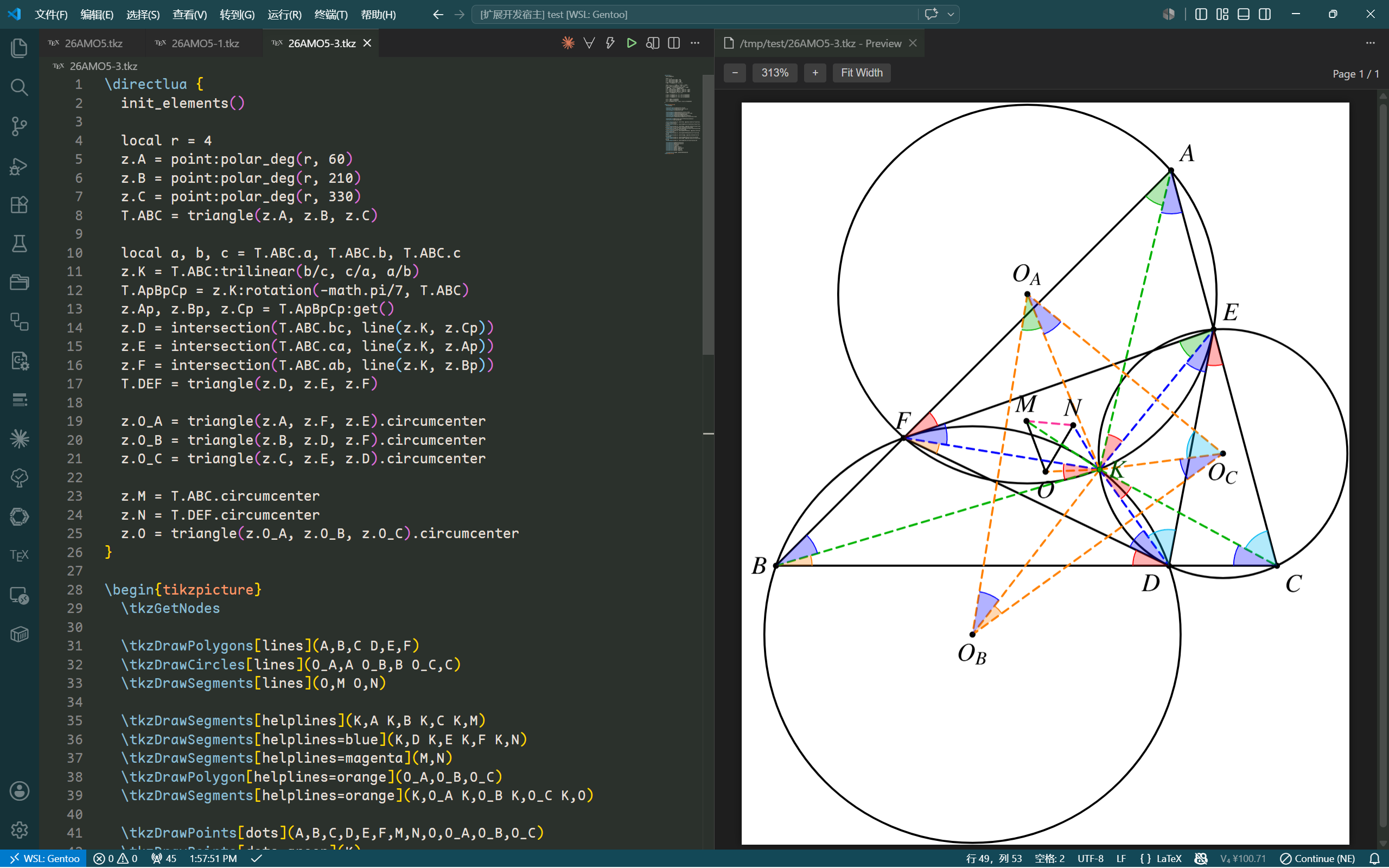
PDF preview:
SVG preview:
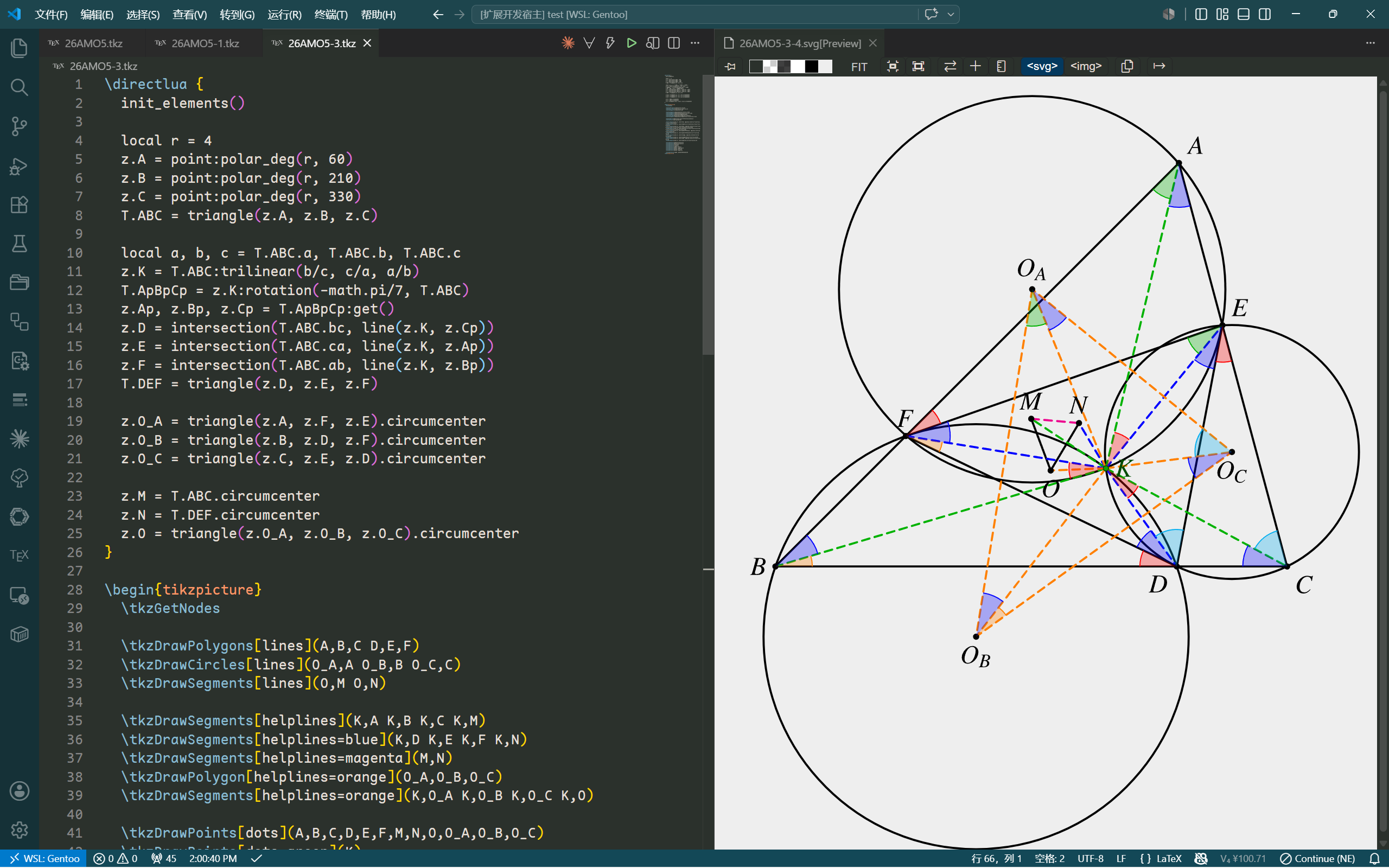
The screenshots above use the following template (tkz-elements.pgs):
% !TEX TS-program = lualatex
\documentclass{article}
\usepackage{mathptmx}
\usepackage[dvipsnames,svgnames]{xcolor}
\usepackage[mini]{tkz-euclide}
\usepackage{tkz-elements}
\usepackage{tkz-fct}
\tikzset {
  dots/.style={shape=circle, color=#1!30!black, fill=#1!70!black, minimum size=2},
  dots/.default=black,
  lines/.style={line width=0.8pt, color=#1},
  lines/.default=black,
  helplines/.style={line width=0.8pt, color=#1, densely dashed},
  helplines/.default=green!70!black
}
\usepackage[active,pdftex,tightpage]{preview}
\PreviewEnvironment[]{tikzpicture}
\PreviewEnvironment[]{pgfpicture}
\DeclareSymbolFont{symbolsb}{OMS}{cmsy}{m}{n}
\SetSymbolFont{symbolsb}{bold}{OMS}{cmsy}{b}{n}
\DeclareSymbolFontAlphabet{\mathcal}{symbolsb}
\begin{document}
<>
\end{document}- A LaTeX distribution with
pdflatex(or your chosen compiler, likelualatex) onPATH - SVG preview mode requires
pdftocairo(from poppler) orpdf2svgonPATH - VS Code 1.120+
| Setting | Type | Default | Description |
|---|---|---|---|
tikz-preview.latexCommand |
string |
pdflatex |
LaTeX compiler command |
tikz-preview.shellEscape |
boolean |
false |
Pass -shell-escape flag |
tikz-preview.templatePath |
string |
"" |
Path to a .pgs template file (empty = bundled default) |
tikz-preview.templatePlaceholder |
string |
<> |
String in template replaced with document content |
tikz-preview.autoOpen |
boolean |
false |
Auto-open preview when switching to a matching file |
tikz-preview.autoOpenExtensions |
string[] |
[".tikz", ".pgf", ".tkz"] |
Extensions that trigger auto preview |
tikz-preview.previewMode |
string |
"pdf" |
Preview mode: "pdf" (built-in) or "svg" (via jock.svg) |
tikz-preview.svgConverter |
string |
"pdftocairo" |
PDF-to-SVG converter: "pdftocairo" or "pdf2svg" |
The configuration and usage follow the same pattern as KtikZ. If you are familiar with KtikZ, you already know how to use this extension.
- Open a
.tikz,.pgf, or.tkzfile - Run
TikZ: Previewfrom the command palette, or click the bolt icon in the editor toolbar - The preview opens in a side panel and updates as you edit
Templates use a placeholder (default <>) that is replaced with your document content before compilation. All compilation happens in a temp directory — your workspace stays clean.
- PDF.js runs in main-thread mode to avoid CSP restrictions with web workers
Use absolute URLs for screenshot images and exclude them from the extension bundle.
Improved documentation — screenshots, template, SVG dependency, and KtikZ reference.
Workspace trust guard, smarter recompilation, SVG preview state management.
Extension dependency declaration, release skill, minor fixes.
SVG preview mode via jock.svg, PDF-to-SVG conversion, Chinese docs.
Initial release — live TikZ preview with template support, zoom controls, and configurable compilation.