Godot 4.5+ editor plugin for building 3D tile-based levels from 2D tilesheets. Heavily inspired by Crocotile3D but built directly into Godot.

Join the Discord Server for more info: https://discord.gg/WKnxwrcJcn
Full user guide: HOW_TO_GUIDE.md
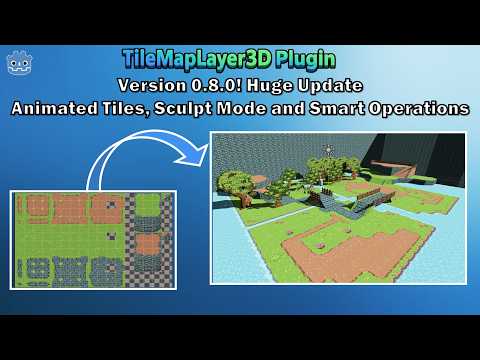
Note: If you are migrating to a version earlier than v1.0, you may encounter corrupted data. Make sure you have a backup of your project. Ideally, from version 1.0, you should start with a clean scene and recreate your levels in v1.0+ if possible. There is an auto-migration in place, but it might not handle all edge cases of your scene.

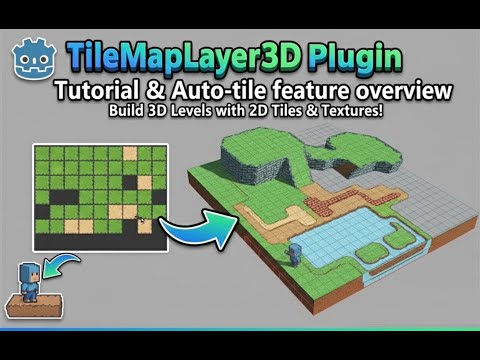
To help with creating old-school 3D pixel-art games, or to leverage 2D tiles for fast level prototyping. You can build entire levels or reusable grid-based objects with perfect tile alignment.
- Paint 3D levels from 2D tilesheets — load any tilesheet or Godot
TileSet, select tiles, paint floors, walls, ceilings, and tilted ramps in the 3D viewport. - Multiple mesh types —
FLAT_SQUARE,FLAT_TRIANGULE,BOX_MESH,PRISM_MESH, plus experimental arch variants — for everything from flat floors to thick walls and angled slopes. - Unified Godot TileSet — manual painting, AutoTile, custom data, animation, and runtime queries all use a single
TileSetresource.
- 🧠 AutoTile — paint terrain and let Godot's native terrain peering bits pick the right tile for you. Roads, walls, and grass borders just work.
- 🎞️ Animated Tiles — turn a strip of frames into a shader-driven animated tile. Drop a waterfall, lava, or torch and it animates in-engine runnning on GPU via shader.
- 🪄 Smart Operations — click one tile to select connected regions, replace them with a different texture in one shot, or generate full ramps between two points with
Smart Fill → Fill Ramp. - ⛰️ Sculpt Mode — brush-paint volumes: draw a footprint with the diamond, square, or arched brush, then drag up to extrude a building, hill, or platform in seconds.
- 🔷 Vertex Edit — convert any flat tile into a free-form quad and drag its four corners in 3D for custom shapes, sloped roofs, or organic terrain.
- Regional collision and mesh baking — alpha-aware options for cut-out textures, per-region rebuilds, exportable baked meshes.
- Runtime API — place, erase, query, swap, and refresh collision from gameplay scripts
- Full undo/redo — every action reversible via the Godot editor.
For details on every mode, shortcut, and setting, see the HOW_TO_GUIDE.md.
- Open your Godot 4.5+ project.
- Go to
Project → Project Settings → Pluginsand enable TileMapLayer3D. - Create a 3D scene and add a TileMapLayer3D node under a
Node3D. - Select the TileMapLayer3D node — the left vertical toolbar, the bottom context toolbar, and the TileMapLayer3D bottom panel will appear.
- Pick Manual mode from the left toolbar.
- In the bottom panel, click Load Texture (or Load TileSet), set your tile size, and select a tile.
- Toggle On in the left toolbar.
- Use WASD to move the 3D cursor and left-click to paint.

The left vertical toolbar is the primary navigation. The last option is Global Settings mode, which exposes collision, baking, and utility controls in the bottom panel.
| Key | Action |
|---|---|
W / A / S / D |
Move cursor (camera-relative) |
Shift + W / Shift + S |
Move cursor up / down |
| Left click / drag | Paint tile / stroke |
| Right click / drag | Erase tile / stroke |
Shift + Left drag |
Area paint |
Shift + Right drag |
Area erase |
Q / E |
Rotate 90° CCW / CW |
R / Shift + R |
Cycle tilt forward / backward |
T |
Reset to flat orientation |
F |
Flip tile face |
Esc |
Cancel area selection |
Full shortcut and control reference: HOW_TO_GUIDE.md.

- SpriteMesh by 98teg — Godot plugin for creating 3D meshes from 2D sprites. MIT License.
MIT
